




















Solana (SOL) staking
Solana (SOL) Staking with Trustee Wallet – is your additional source of income without risks and registration!
While you are relaxing,– the cryptocurrency is working for you!
Solana (SOL) Staking with Trustee Wallet – is your additional source of income without risks and registration!
While you are relaxing,– the cryptocurrency is working for you!
Features of SOL staking
When staking Solana, the user delegates their coins to a validator and receives a reward.
The reward for SOL staking depends on:- the current inflation rate;
- the total number of SOLs staked in the network;
- the working time and commission (remuneration) of an individual validator.

To delegate SOL coins, the system opens a staking account, then delegates the account to the selected validator at the beginning of its next epoch (block creation round).
That is why staking does not start bringing profit immediately after freezing.

The user can create any number of accounts with any number of coins on it and delegate them to one or more validators.
Users can request the withdrawal of their coins from the stake at any time (the system has a backup account).
The time for unfreezing funds ranges from several hours to days (depending on the end of the era).

Benefits of Solana (SOL) staking
Why does a user need Solana staking and what are its benefits?




How to secure Solana with Trustee Wallet - step-by-step instructions
- Download Trustee Wallet and top up your balance with Solana (SOL) coins.
- Go to the asset page and open the staking menu by tapping the coin icon in the bottom right corner of the screen.
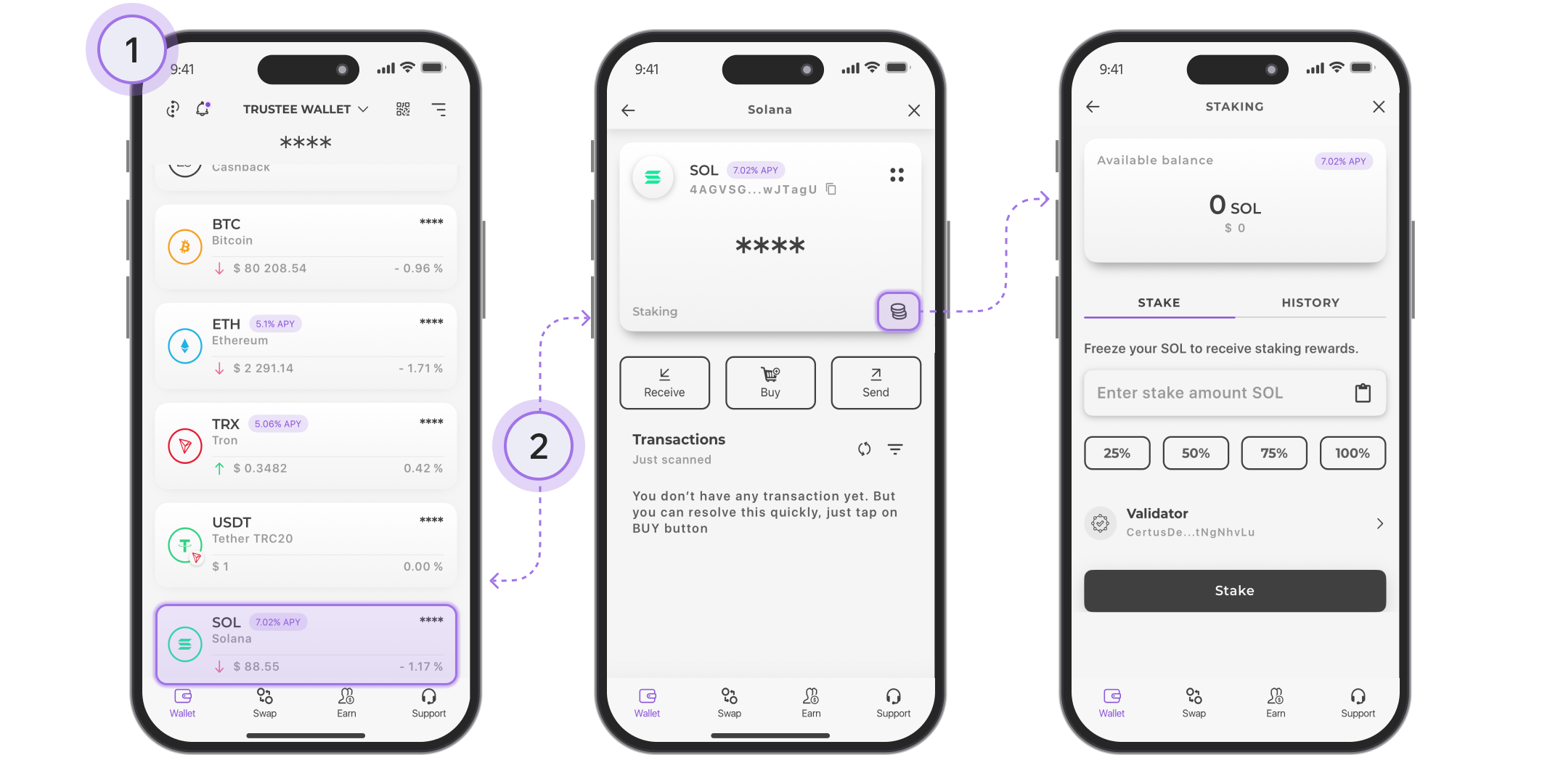
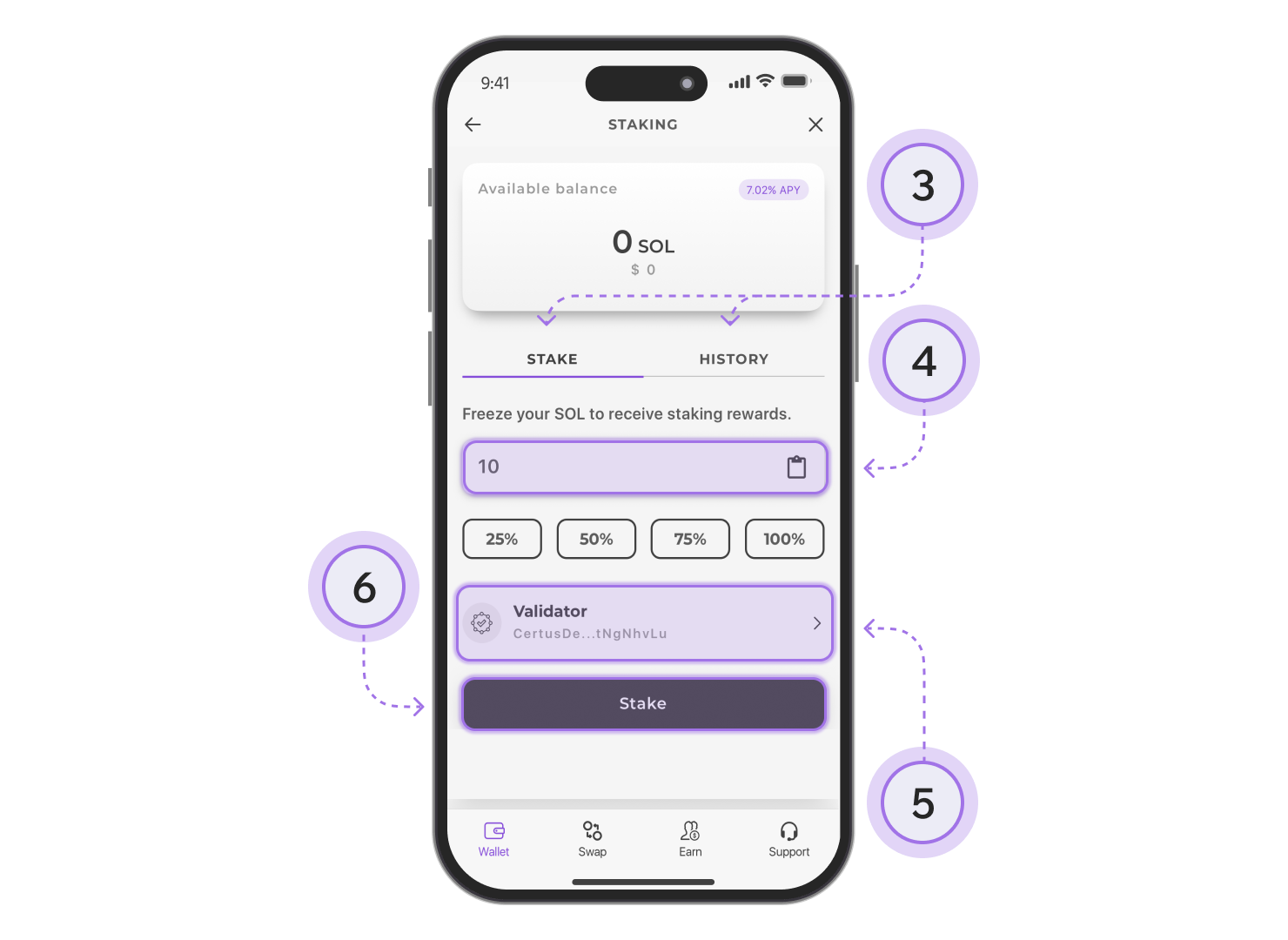
- Select the “Stake” option.
- Enter the amount of SOL to stake manually or choose a percentage of your total balance.
- Select a validator from the list to whom you want to delegate your coins.
- Confirm staking by clicking the “Stake” button. After the confirmation message appears, your asset will be successfully frozen.
To withdraw coins from staking:
- Go to the “History” tab.
- Tap on the “Staked” label.
- In the submenu that opens, click “Deactivate”.
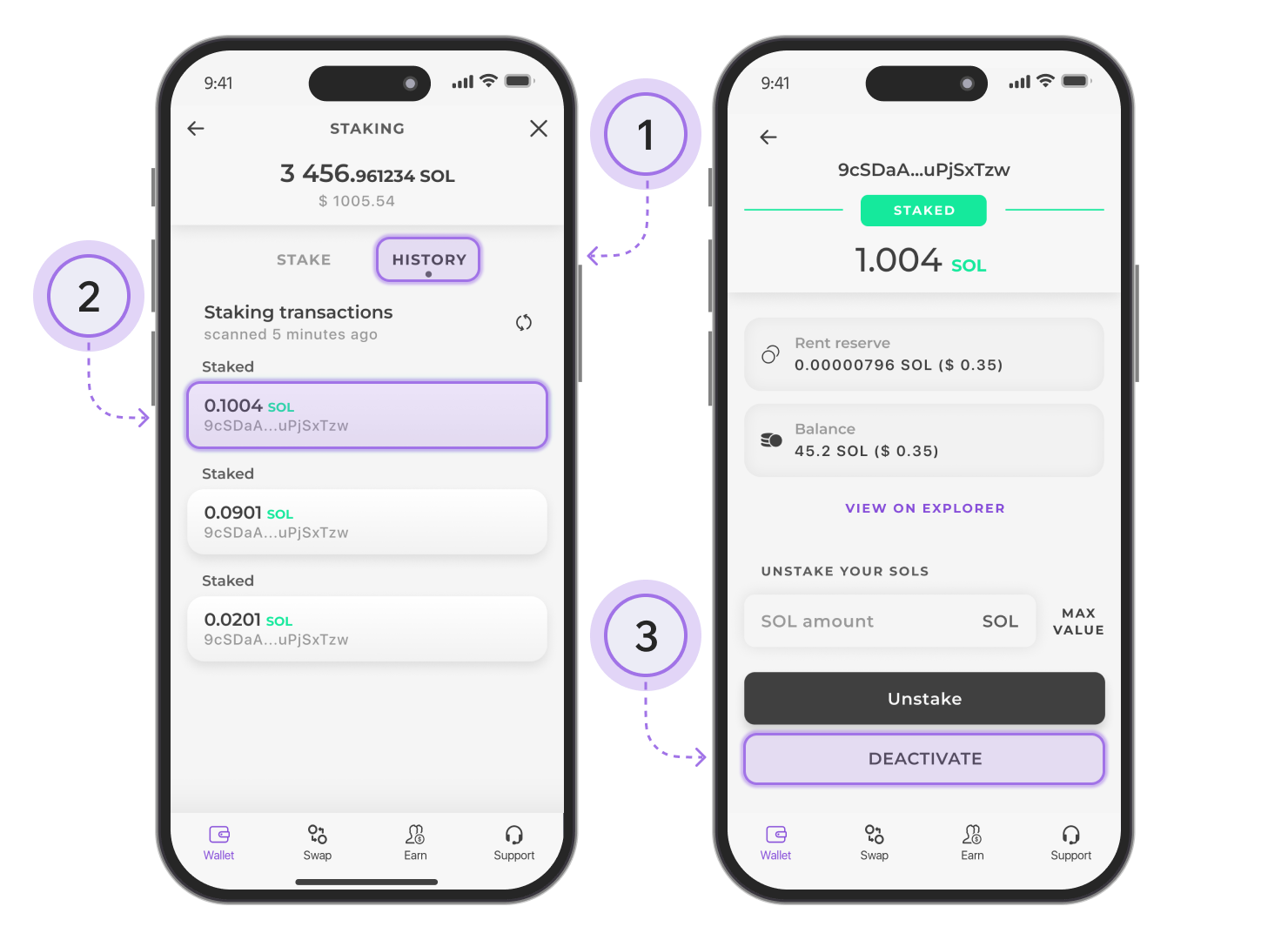
The coins will be unfrozen after the end of the current “epoch,” which is approximately 2–3 days. Once this happens, click the “Claim” button and the coins will be credited to your wallet balance.