



























Sell Solana and Withdraw to Bank Account
Sell SOL online and withdraw funds from your Solana balance to a bank account or payment card. This guide shows how to review the payout details and complete the withdrawal with Trustee Plus.
How to withdraw Solana to a bank account?
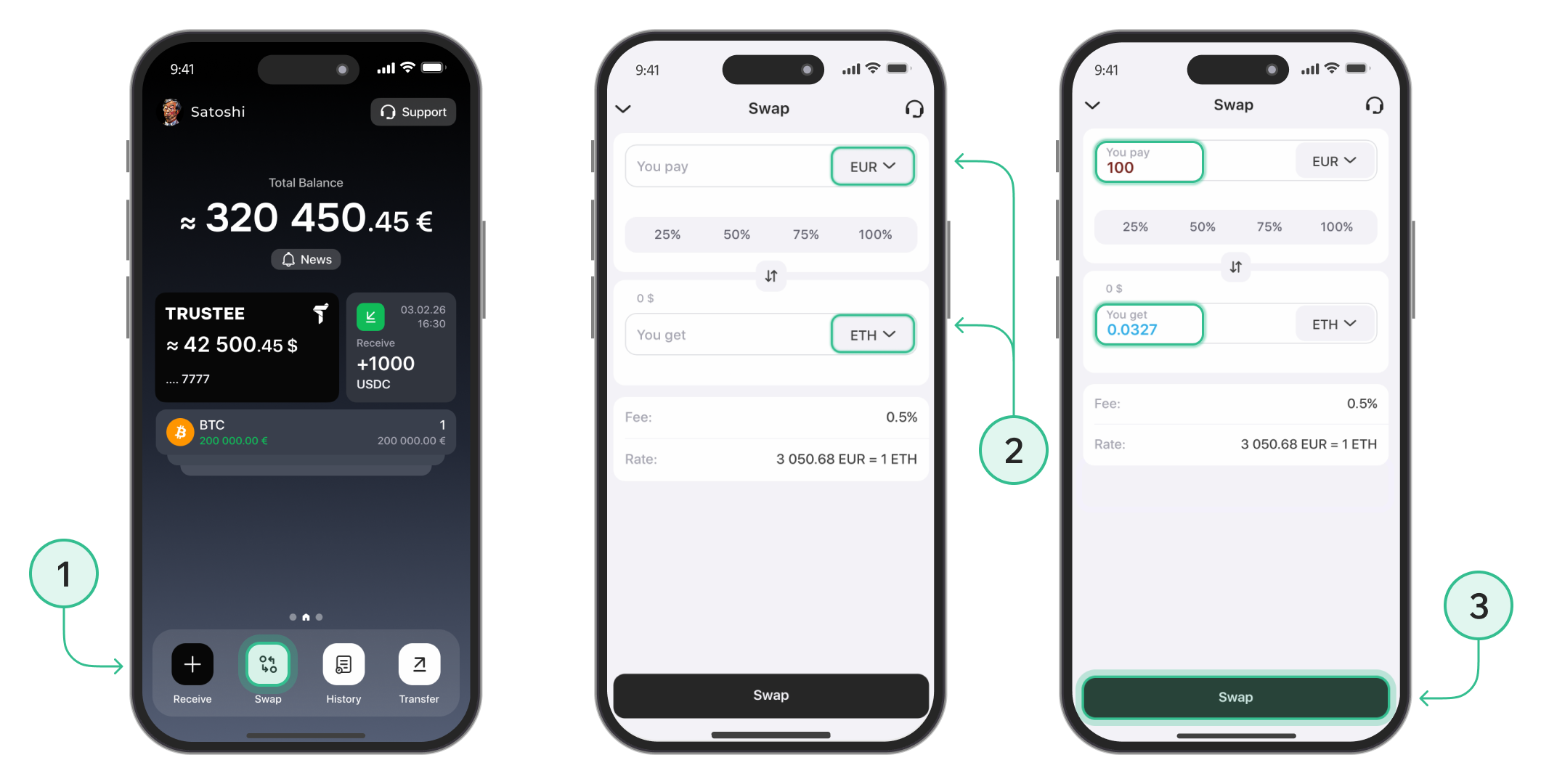
Step 1: Exchange Solana (SOL) to EUR
-
On the main screen, tap the "Swap" button.
-
In the top field, select SOL. In the bottom field, choose EUR. Enter the amount of Solana you want to convert, or select one of the preset percentage options.
- Tap "Swap" to complete the conversion
Step 2: Start the Withdrawal
-
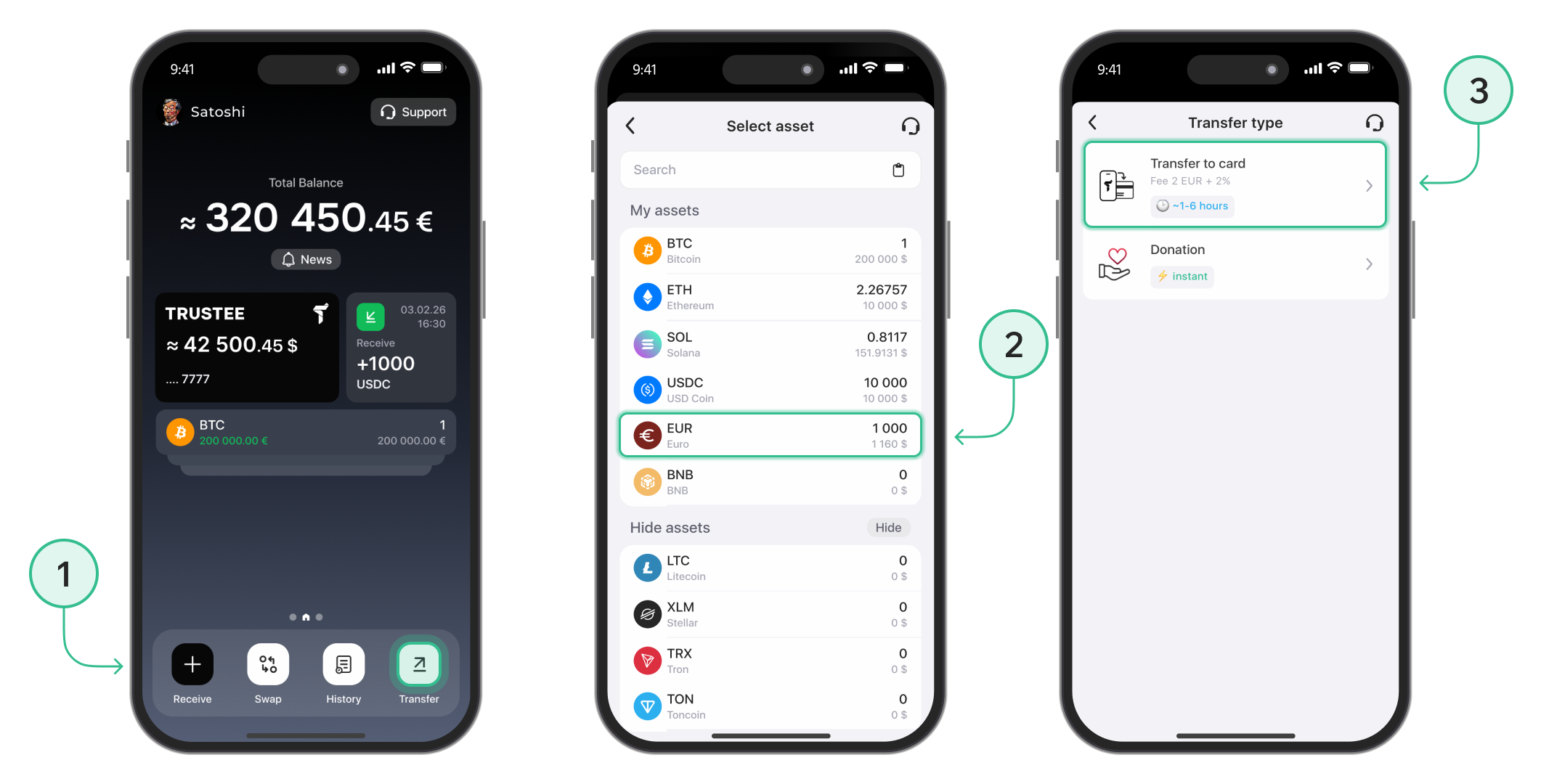
Return to the main menu and tap the "Transfer" button.
-
Select EUR as the currency you want to withdraw.
- Choose the "Transfer to Card" option.
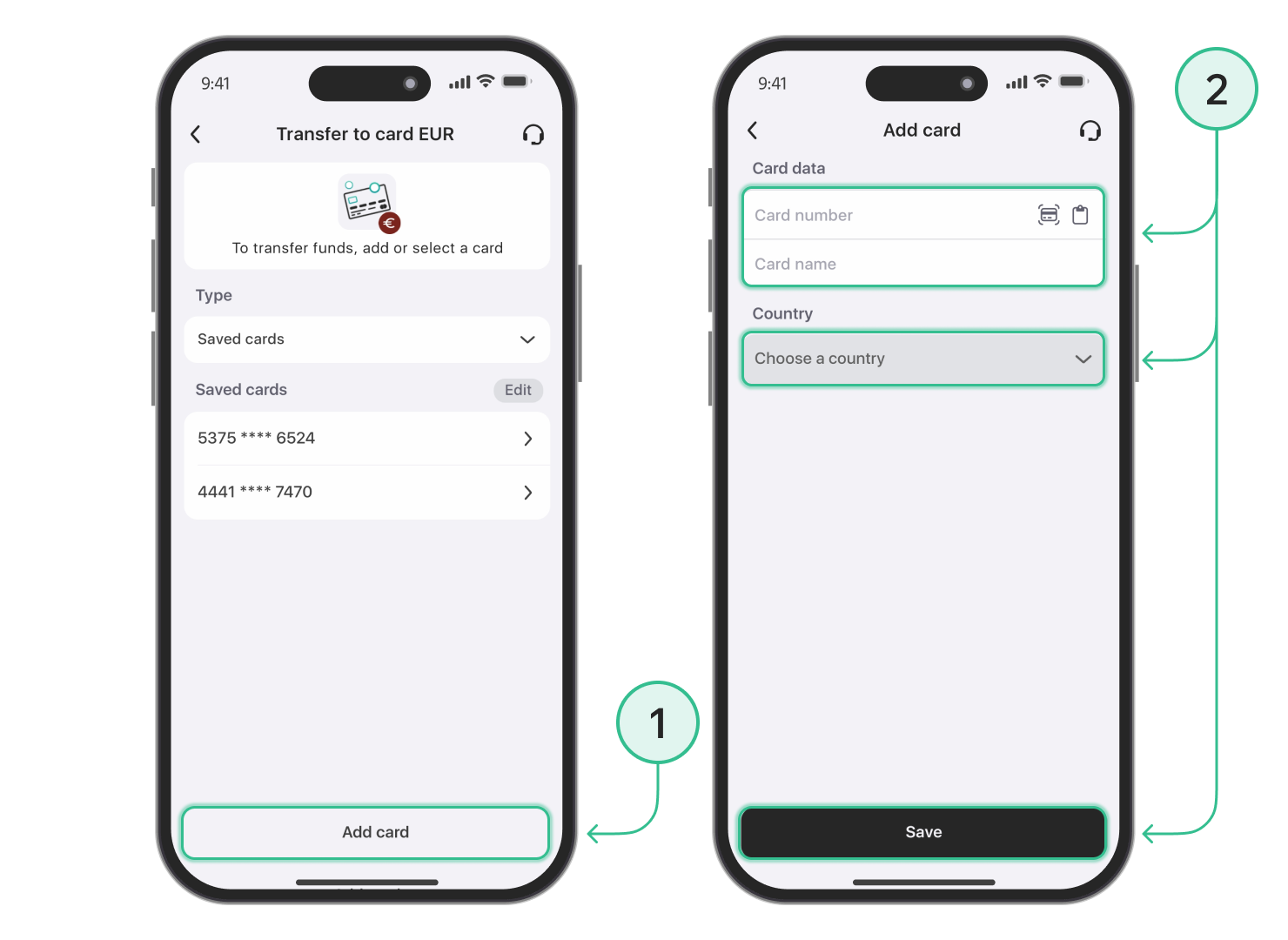
Step 3: Add Your Bank Card
-
Enter your card details as requested.
-
Tap "Save" to add the card to your account.
Step 4: Complete the Withdrawal
-
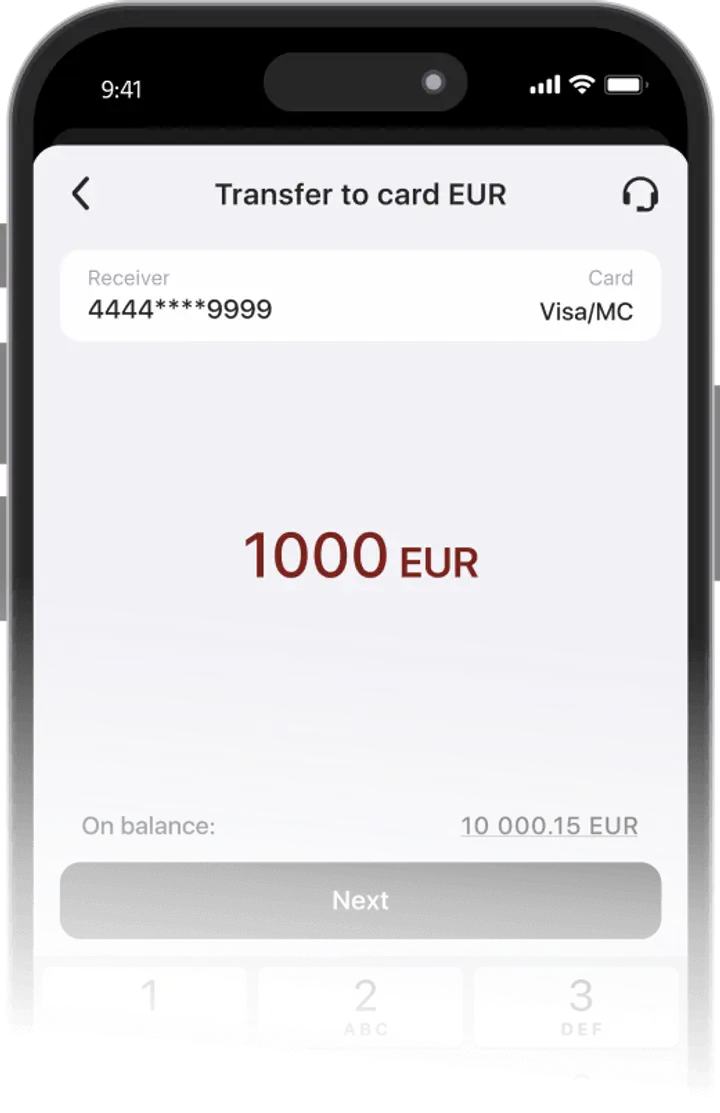
Select the saved card you want to withdraw funds to.
-
Enter the withdrawal amount in EUR and tap "Next".
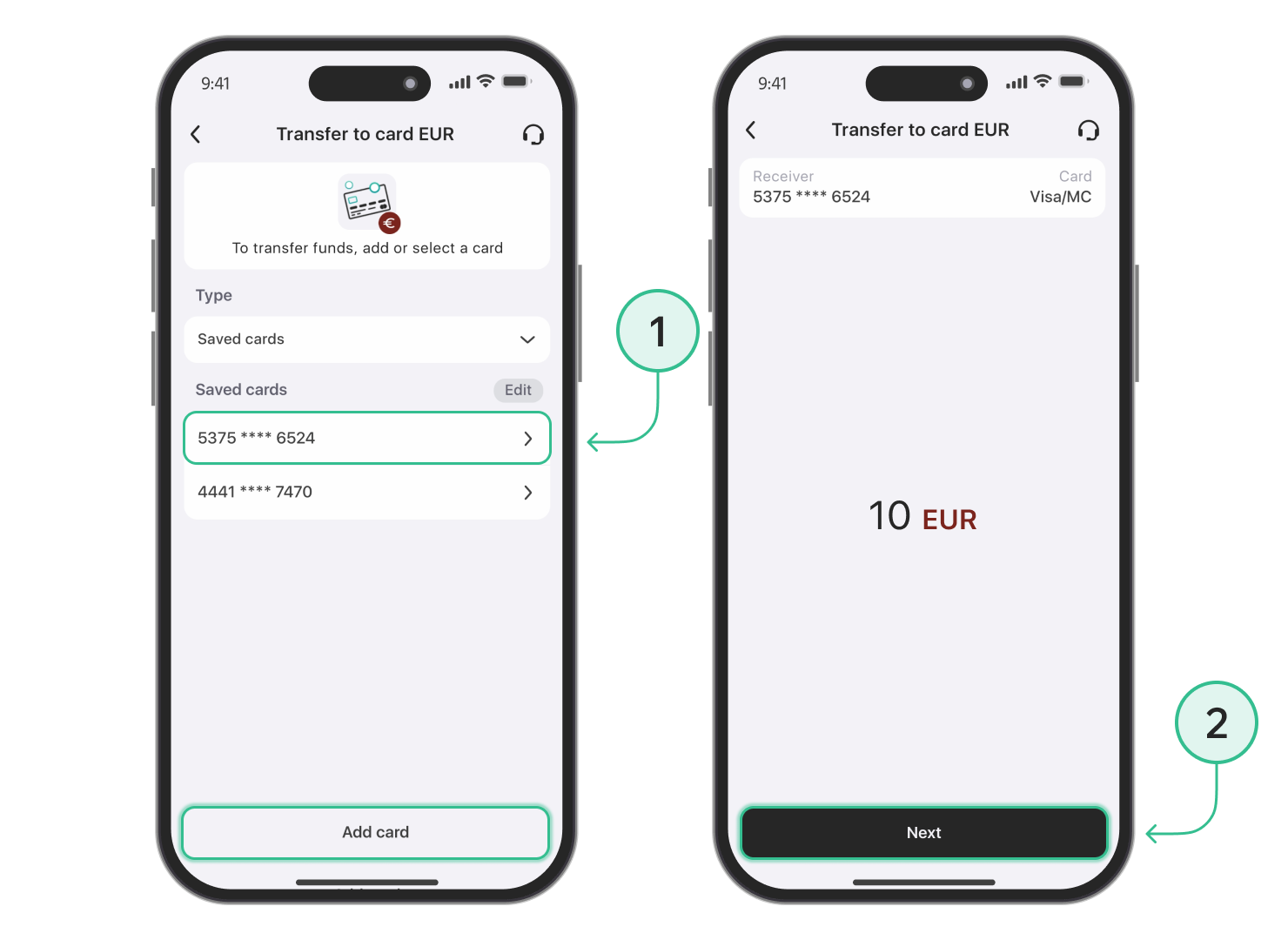
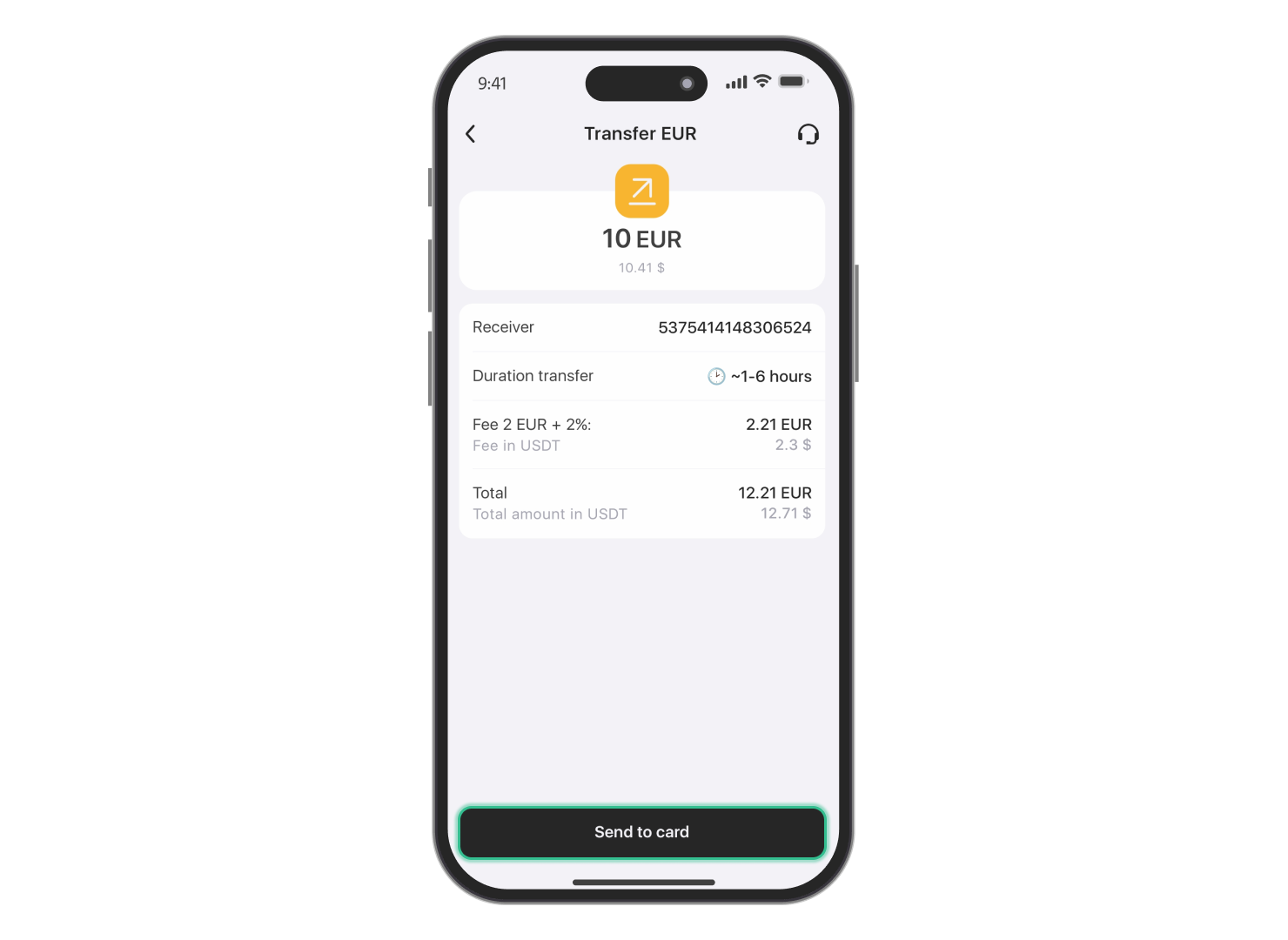
- Review all transaction details carefully.
-
Confirm the transfer to initiate the withdrawal.
The withdrawal feature is available only for verified users. Use these instructions to complete the verification process.
Withdrawals are available to Visa and Mastercard payment cards. The withdrawal time may vary depending on the card issuer, bank, payment provider, or any additional transaction checks.
Advantages of Trustee Plus
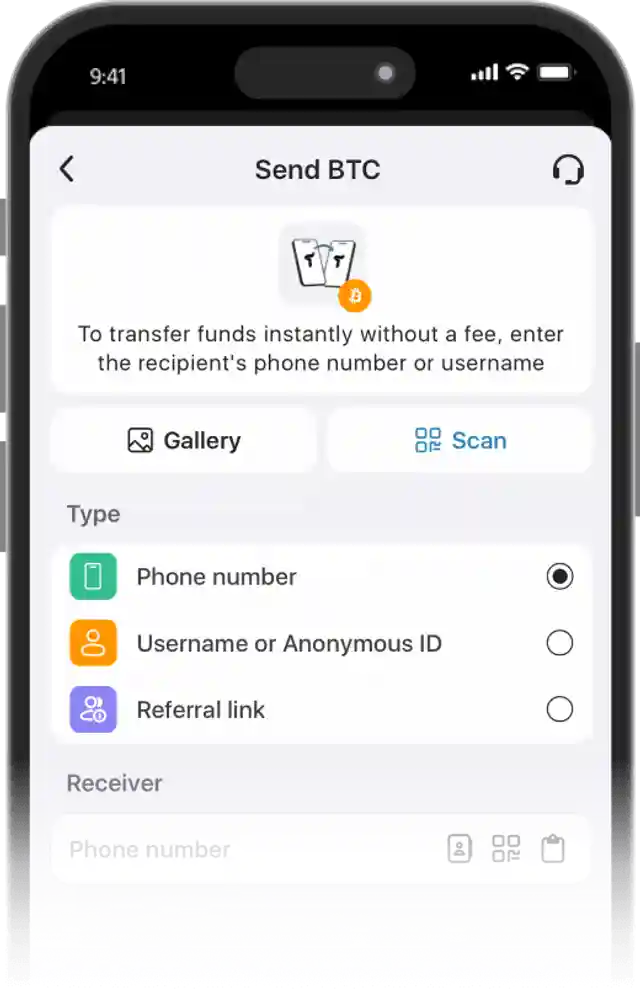
Convenient
- Instant operations in the crypto wallet.
- 0.5% exchange fee for cryptocurrencies and 0% for stablecoins.
- European payment card with automatic conversion.
- Human-centered customer support without automated bots.
FAQ
When to sell Solana?
There is no single perfect moment. Before selling SOL, check the current Solana price, the withdrawal amount, and the final payout shown in the app. Solana can move quickly on the market, so reviewing these details before confirmation helps you understand how much fiat you will receive.
You can follow the Solana price chart on the website or track SOL in the Trustee Plus “Market” section, where you can also set price alerts.
Can you add SOL to Trustee Plus before withdrawing?
Yes. If your Solana is stored on another wallet or crypto service, you can transfer SOL to Trustee Plus before selling and withdrawing funds. You can also buy Solana in the app where this option is available.
To add more SOL to your balance, check how to buy Solana online or follow the guide on how to receive SOL in your wallet.
Which payout methods are available after selling SOL?
After selling Solana, you can withdraw funds to a supported payout method, including Visa and Mastercard payment cards. Availability may depend on the card issuer, bank, payment provider, country, or additional transaction checks.
The available payout options are shown in the Trustee Plus app before you confirm the withdrawal.
How does the Solana network affect transfers?
The Solana network is used when you send SOL to an external wallet or crypto platform. Network conditions and fees may affect external transfers, while selling SOL and withdrawing fiat funds follows the payout route shown in the app before confirmation.
You can learn more about managing SOL on the Solana wallet page.
Install Trustee Plus - a crypto wallet with payment card!
All the benefits in one app



