



























Sell USDC and Withdraw to Bank Account
Sell USDC online and withdraw your stablecoin balance to a bank account or payment card using Trustee Plus. This guide explains how to receive fiat funds from USD Coin step by step.
How to Withdraw USDC to a Bank Account?
Step 1: Convert USDC to EUR
To start the withdrawal process, first convert your USDC to euros.
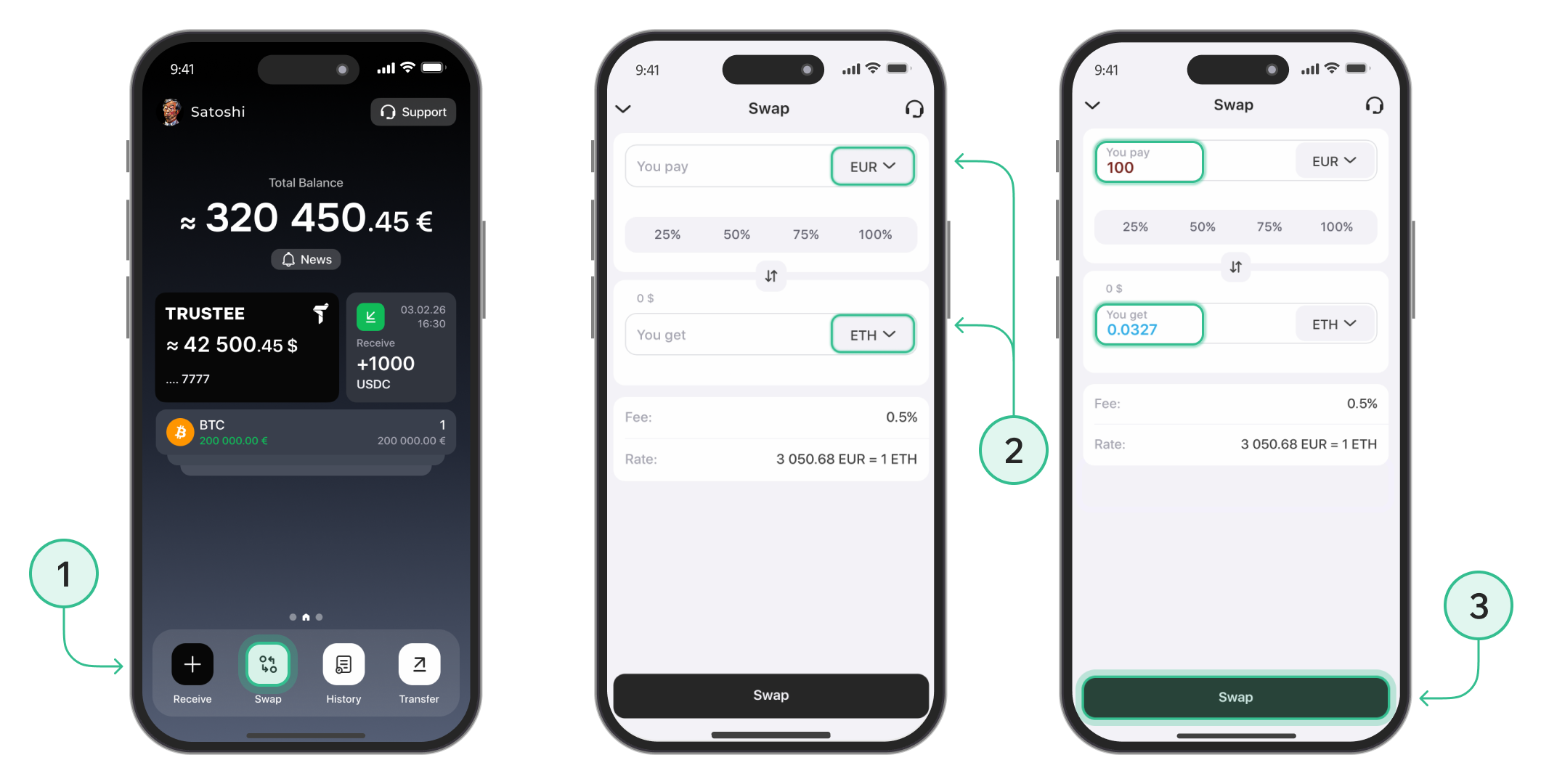
- On the main screen, tap "Swap".
- In the upper field, select USDC, and in the lower field, choose EUR. Enter the amount of USDC you want to convert, or select one of the quick percentage options.
- Tap "Swap" to confirm and complete the exchange.
Step 2: Withdraw EUR
To withdraw EUR to your Visa or MasterCard bank card, follow these steps:
-
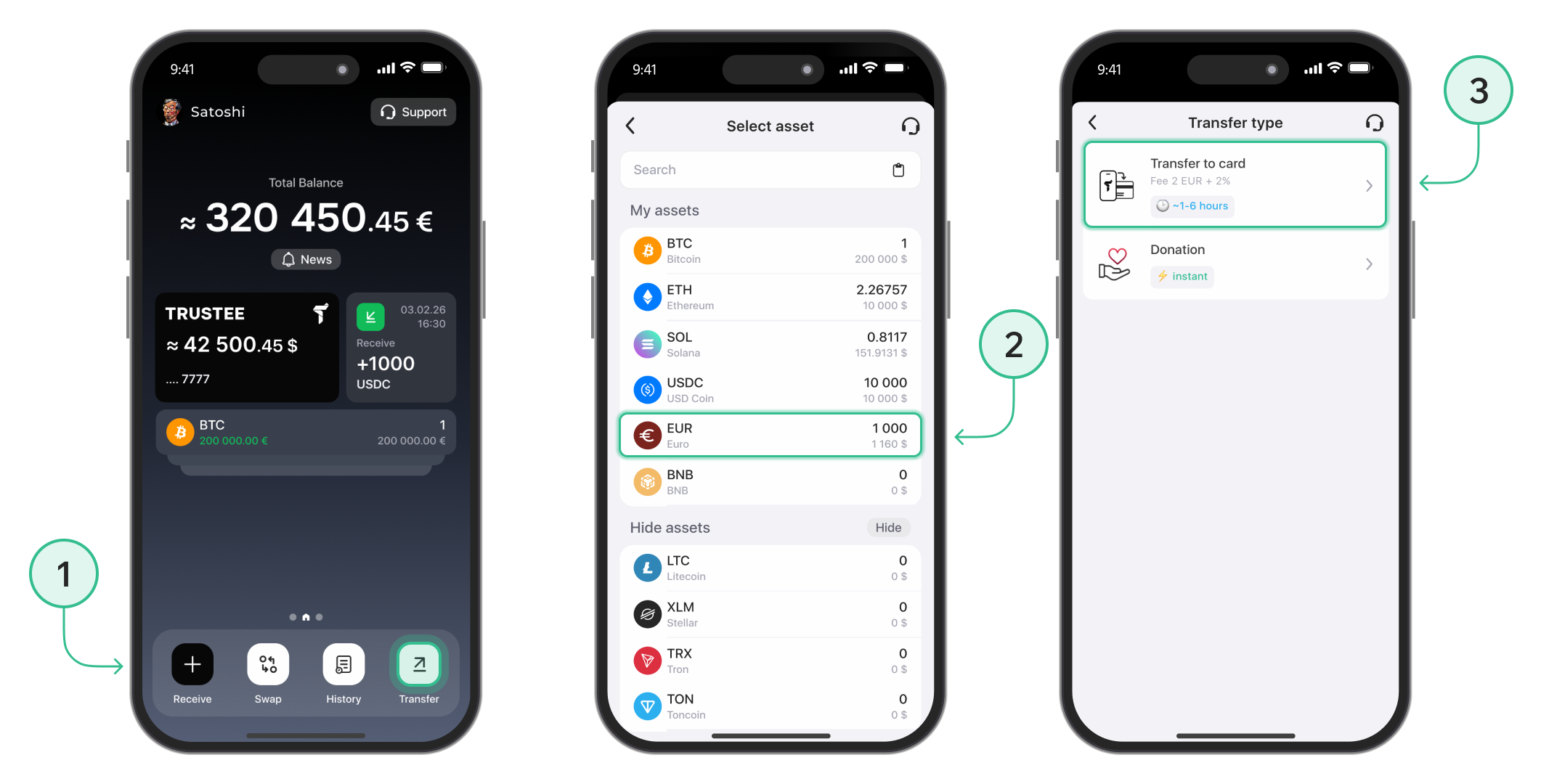
On the main screen, click the “Transfer” button.
-
Select the currency “EUR”.
-
Choose the “Transfer to Card” method.
Step 3: Add Your Bank Card
- Add the card you wish to receive funds on.
-
Enter your card details and click “Save”.

Step 4: Finalize the Withdrawal
-
Select the saved card from your list.
-
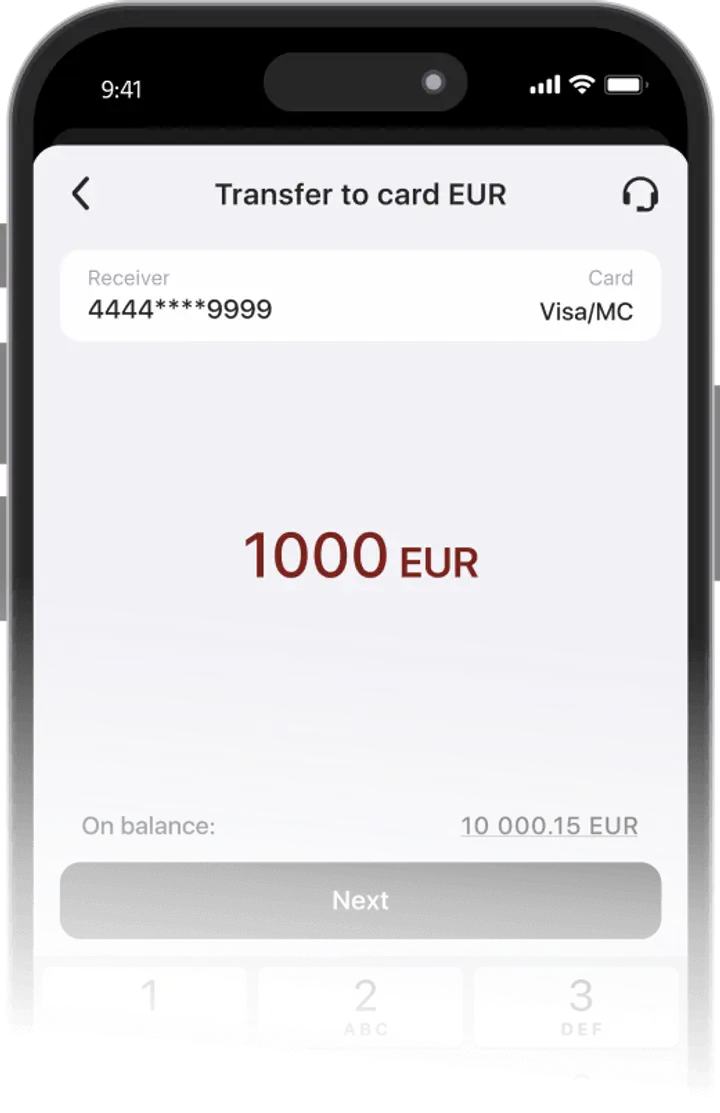
Enter the amount to withdraw in euros and tap "Next".

-
Carefully review all transaction details.
-
Confirm to initiate the withdrawal.

The withdrawal time may vary depending on the card issuer, bank, payment provider, or any additional transaction checks. Visa and MasterCard cards are suitable for withdrawal.
The withdrawal feature is available only for verified users. Use these instructions to complete the verification process.
To learn how to buy USDC using Trustee Plus.
Advantages of Trustee Plus
Convenient
- Instant operations in the crypto wallet.
- 0.5% exchange fee for cryptocurrencies and 0% for stablecoins.
- European payment card with automatic conversion.
- Human-centered customer support without automated bots.
FAQ
Do I need verification to withdraw USDC?
Yes. Withdrawal features are available only to verified users. If your account is not verified yet, complete verification in the Trustee Plus app before starting a withdrawal.
You can follow the account verification guide to complete the process step by step.
Are there fees for withdrawing USDC?
The app shows the final rate and total fees before you confirm. Fees and limits depend on provider, country and verification level — Trustee shows all conditions transparently in the interface.
For more details, check the fiat withdrawal guide or the Trustee Plus fees guide.
What should you check before withdrawing USDC?
Before withdrawing USDC, check the payout currency, the withdrawal amount, and the final amount you will receive. Trustee Plus shows the transaction details before confirmation, so you can review the payout and applicable fees in advance.
You can also check the USDC rate on the website before starting your withdrawal.
Why use USDC for withdrawals?
USDC is a stablecoin, so many users keep part of their crypto balance in USDC wallet before withdrawing funds to a card or supported payout method. It can be useful when you want to reduce exposure to price volatility before cashing out.
Install Trustee Plus - a crypto wallet with payment card!
All the benefits in one app



