



























How to withdraw money to a bank card
To withdraw money to a Visa/Mastercard, follow the instruction:
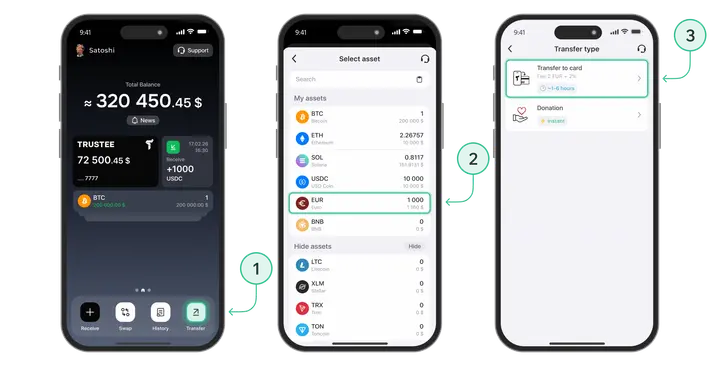
- On the Trustee Plus main screen, click on the “Transfer” button;
- Select Euro (EUR) or other fiat currency;
- Select “Transfer to card”;
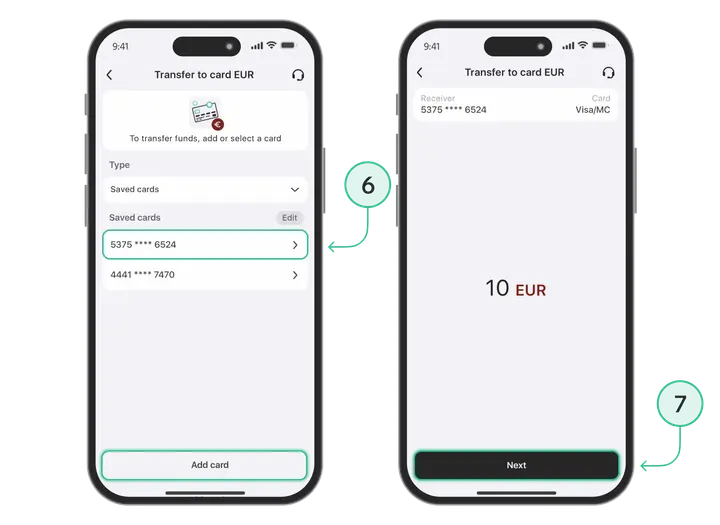
- Select your saved card or
- Add a new card using the “Add Card” button;
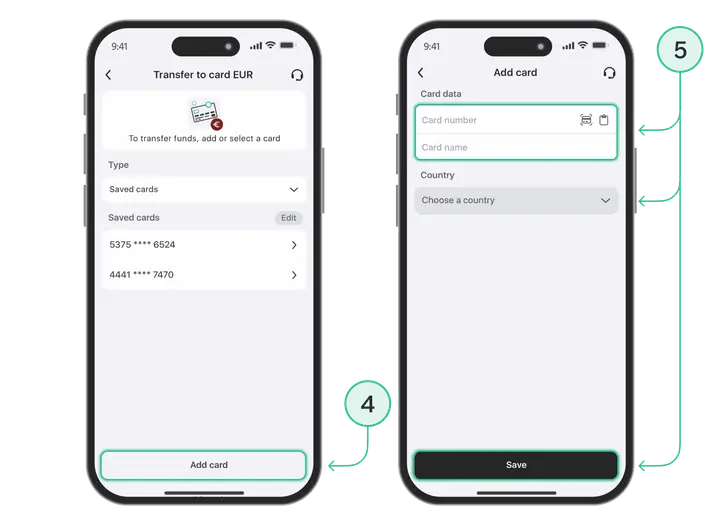
- Enter bank card details;
- Press “Next” button;
- Check the order details and click “Send to Card” button.
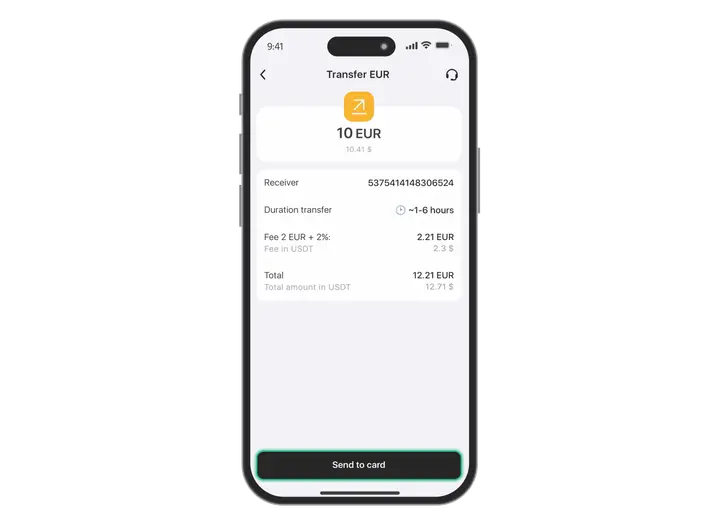
The transfer time depends on the bank’s speed. The function is not available to unverified persons, so, please, go through verification in advance.
Install Trustee Plus - a crypto wallet with payment card!
All the benefits in one app




This website uses cookiesIn order to ensure the functionality of the Website and to prepare a statistical analysis of the website visitors' navigation methods, we use cookies. Manage preferences