



























How to go through verification
To access all Trustee Plus features, you need to complete verification, using an ID card (national passport) or an international passport.
Step-by-step instructions:
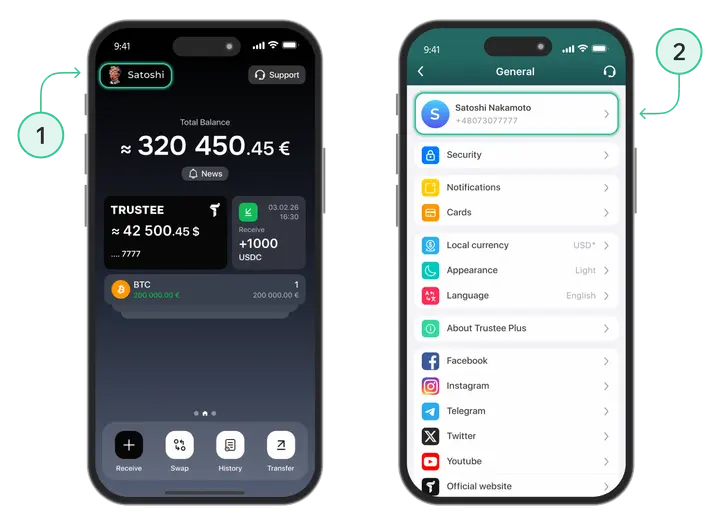
- On the home screen, tap “Profile” in the top-left corner;
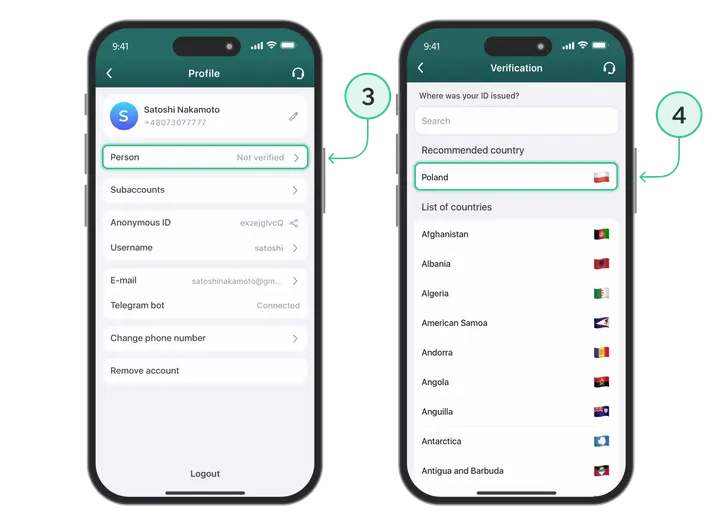
- Tap “Profile” again — the field with your login and phone number;
- Tap “Identity” — it should show “Not verified” next to it;
- Select your country from the list or type it in the search bar;
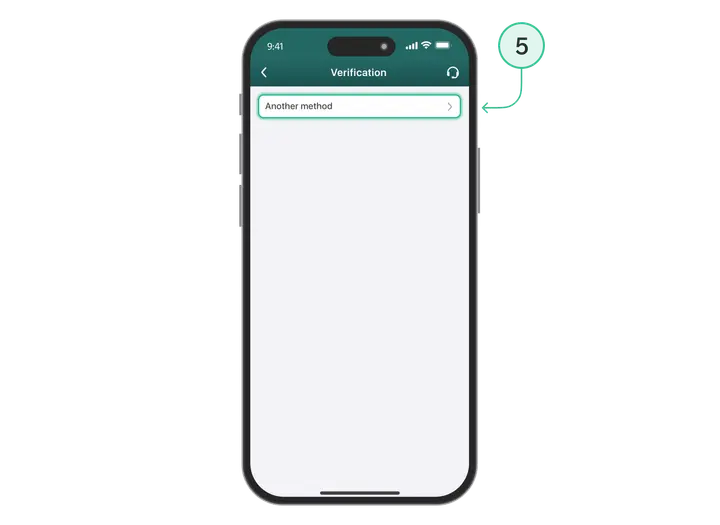
- Tap the “Other method” button;
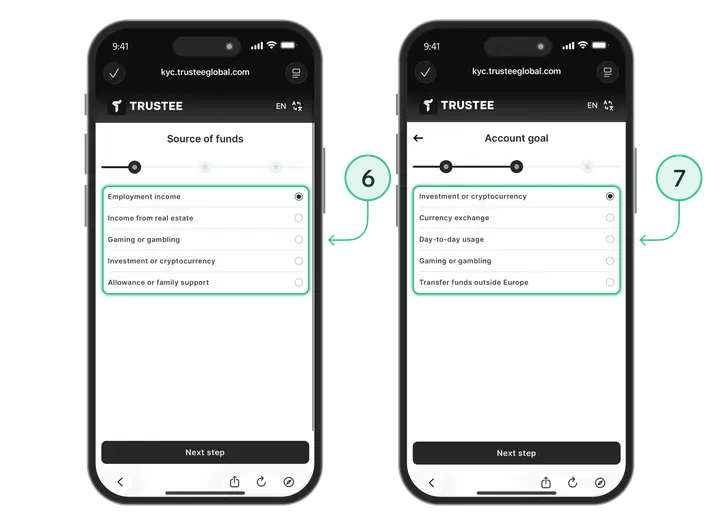
- Choose the reason for creating an account. For example, “Investments and cryptocurrencies”;
- Choose your source of income. For example, “Employment income”;
-
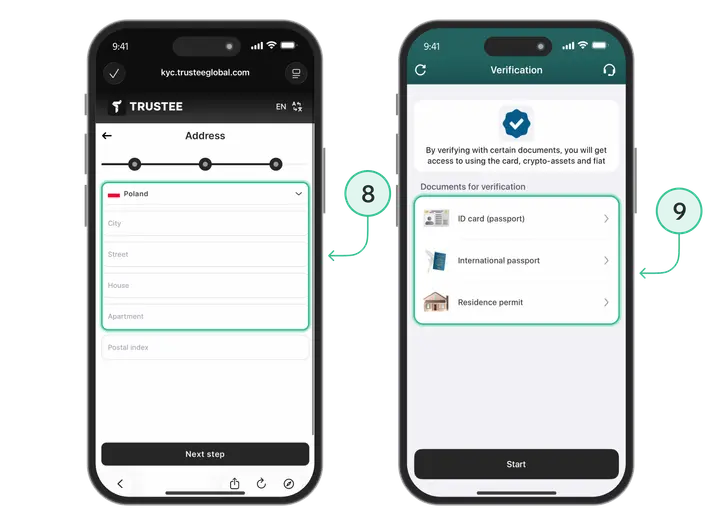
Enter your address;
- Select the document type to complete verification;
- Take a selfie, following the instructions. Smile!
All set! Please wait for a notification confirming successful verification.
Install Trustee Plus - a crypto wallet with payment card!
All the benefits in one app




This website uses cookiesIn order to ensure the functionality of the Website and to prepare a statistical analysis of the website visitors' navigation methods, we use cookies. Manage preferences