



























How to register
Registering in Trustee Plus is very easy — the whole process takes just a few minutes.
- Download Trustee Plus from the App Store or Google Play and install it on your smartphone;

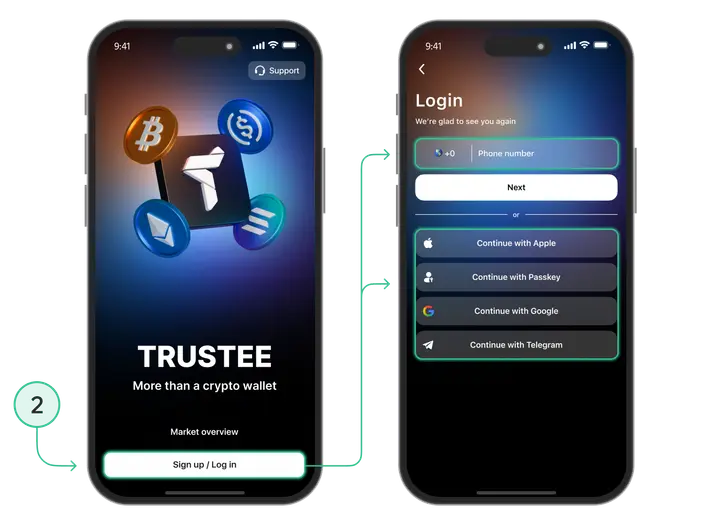
- In the app, tap “Sign up” and enter your phone number;
-
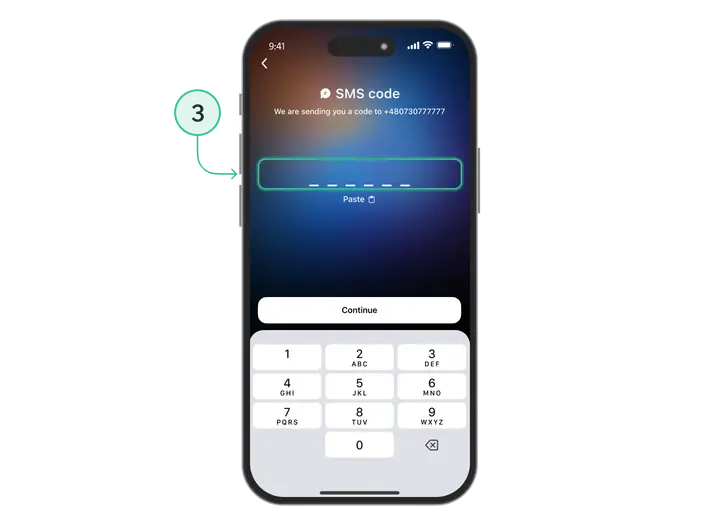
Enter your phone number or choose another sign-in method;
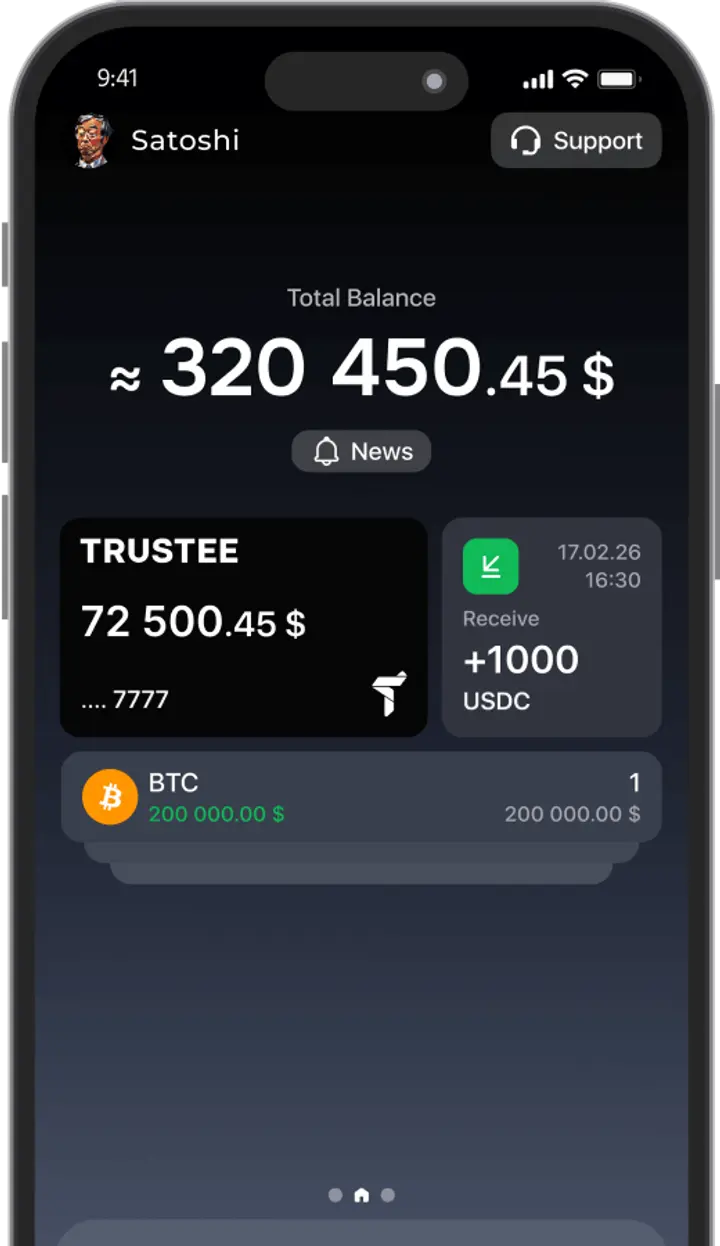
- All set! Your Trustee Plus is ready to use!

In Trustee Plus, you can set up security in several ways:
- set a PIN code;
- PassKey;
- enable verification using face or fingerprint scanning — Face ID or Touch ID;
- enable two-factor authentication via email and Google Authenticator.
Trustee Plus is available only on Android and iOS smartphones. There is no app version for laptops or desktop computers.
Install Trustee Plus - a crypto wallet with payment card!
All the benefits in one app



This website uses cookiesIn order to ensure the functionality of the Website and to prepare a statistical analysis of the website visitors' navigation methods, we use cookies. Manage preferences