



























Activate Two-Factor Authentication (2FA)
The second and most important line of defence against unauthorised access to your Trustee Plus Custodian Wallet is to enable Two-Factor Authentication (2FA). This security measure adds a layer of protection beyond just using the App’s PIN code or Biometric authentication methods, making it harder for attackers to break into your account.
Google Authenticator Code: Trustee Plus Custodian Wallet supports 2FA using Google Authenticator, an app that generates time-sensitive, six-digit codes required to log in or approve transactions. After entering your App’s PIN code (if enabled), you'll need to input this code, which refreshes every 30 seconds. This adds an additional hurdle for potential hackers, who would need both your App’s PIN code or Face ID and physical access to your Authenticator App to log in to the Trustee Plus App.
How to Set Up Google Authenticator on Trustee Plus Custodial Wallet:
-
Download Google Authenticator from your mobile app store.
It is strongly recommended that access to Google Authenticator be set up with a PIN code (not Face/Touch IDs). Furthermore, it is recommended that the Google Authenticator App be installed on a separate device, if possible.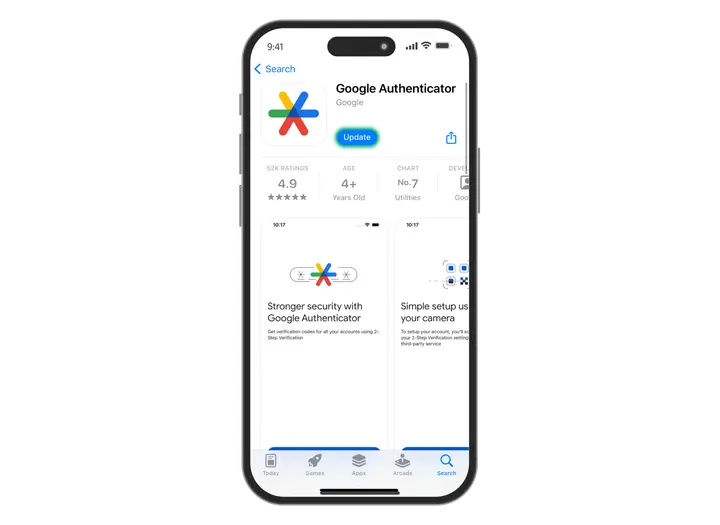
-
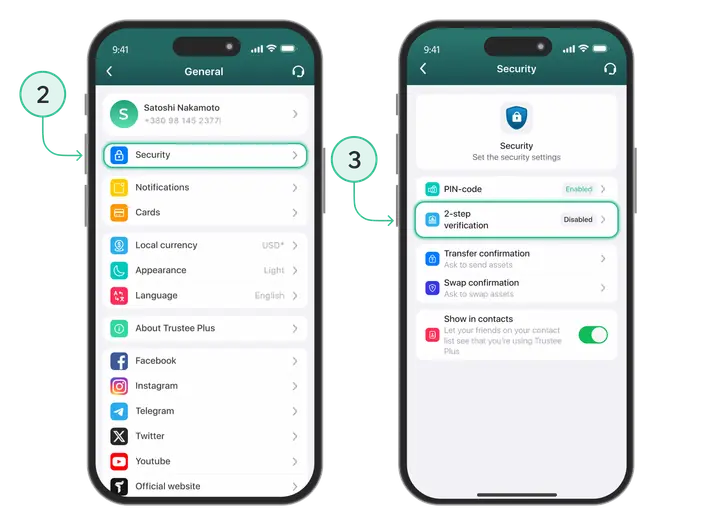
Open the Trustee Plus App, go to ”Security” General settings under your Profile picture.
-
Navigate to the 2-Step verification section.
-
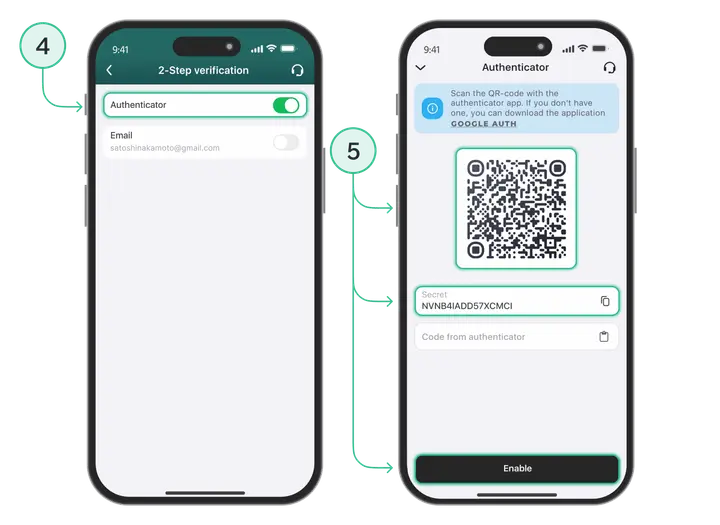
Enable the Authenticator option in the 2-Step verifications section.
-
Scan the QR code presented by the wallet using the Google Authenticator App.
-
Enter the generated in Google Authenticator App six-digit code to confirm setup.
Furthermore, the secret code can be manually copied and saved to Google Authenticator. However, it is essential to ensure that it is held separately in a secret place or storage and protected from third parties. Everytime you want to re-enable Google Authentications the secret code will need to be renewed.
-
Switch on the options of Authentication to enable Google Authenticator 2FA under the Transfer or/and Swap confirmation sections.
Install Trustee Plus - a crypto wallet with payment card!
All the benefits in one app



