



























Sell TRX and Withdraw to Bank Account
Learn how to sell TRON online and withdraw funds from your TRX balance to a bank account or payment card using Trustee Plus. This guide shows how to review the payout details, confirm the transaction, and complete the withdrawal step by step.
How to withdraw TRX to a bank account?
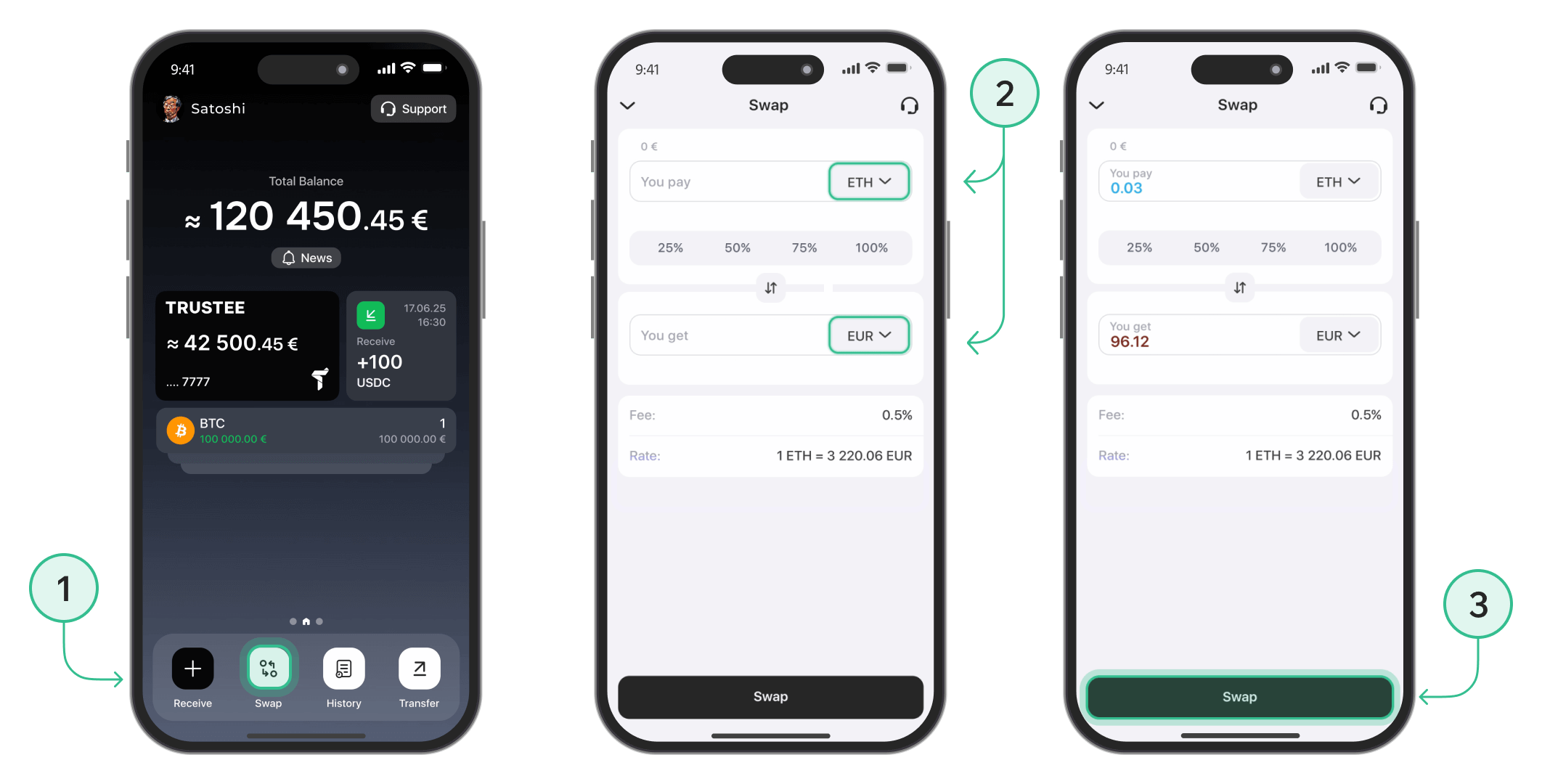
Step 1: Exchange Tron (TRX) to EUR
To begin the withdrawal process, you first need to convert your Tron to euros.
- On the main screen, tap the "Swap" button.
- In the top field, select TRX. In the bottom field, choose EUR. Enter the amount of Tron you want to exchange, or use one of the percentage options for quick selection.
- Tap "Swap" to complete the conversion.
Step 2: Withdraw EUR to Your Bank Card
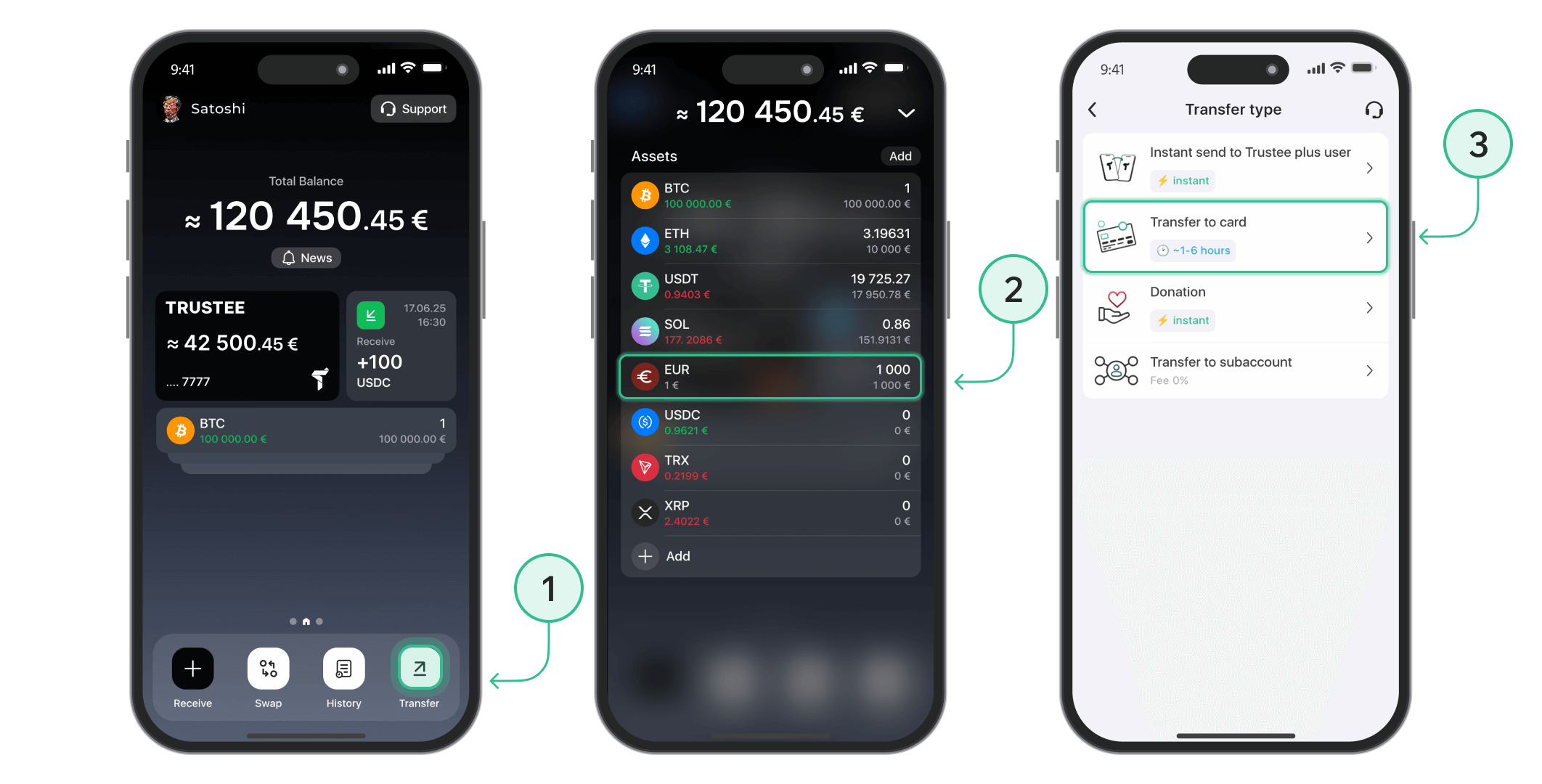
Once you’ve exchanged Tron to euros, you can proceed with withdrawing the funds to your Visa or MasterCard.
-
From the main menu, tap the "Transfer" button.
- Select "EUR" as the currency.
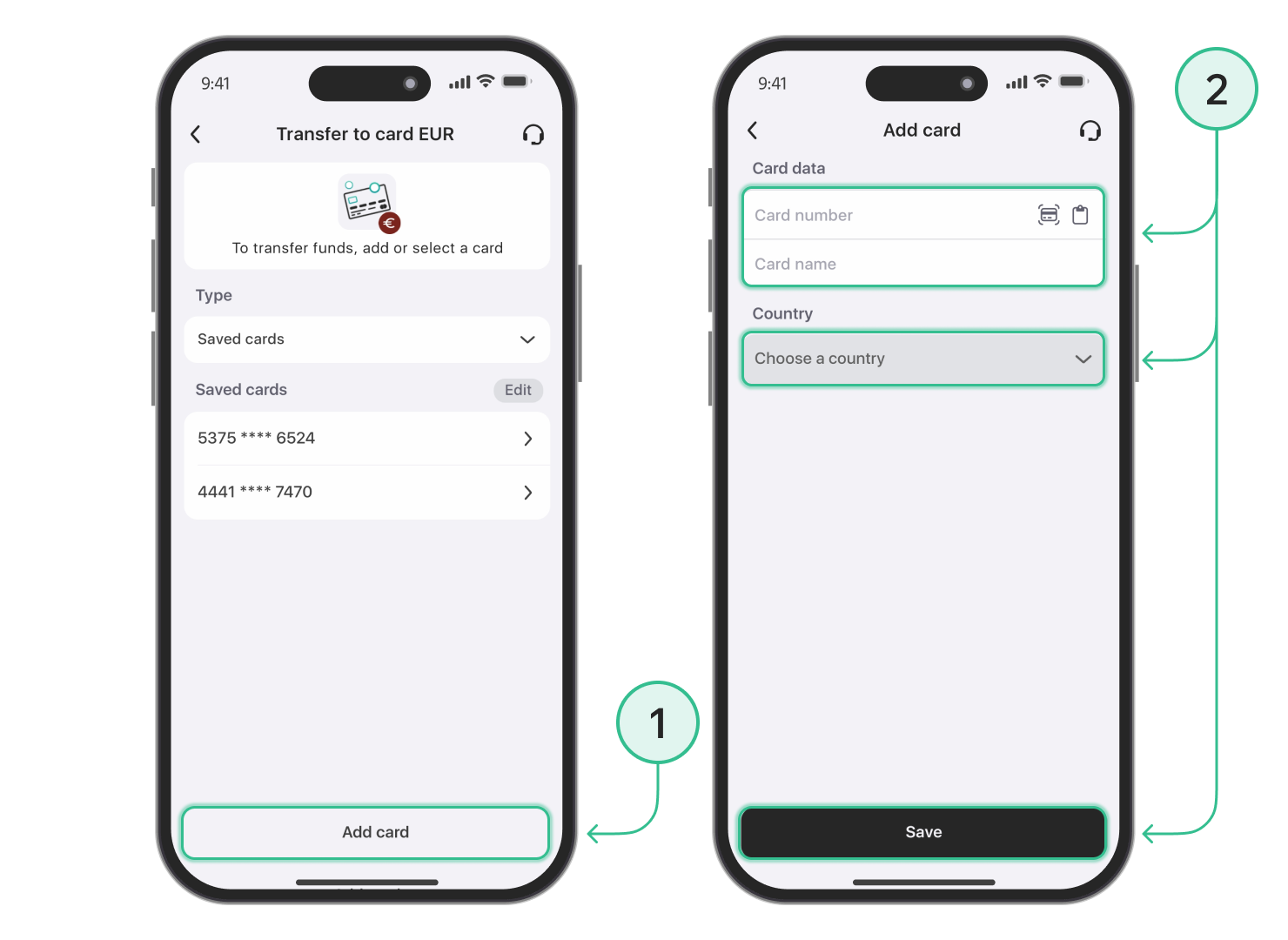
Step 3: Add your bank card
- Add the card you wish to receive funds on.
- Enter your card details and click "Save".
Step 4: Complete the Withdrawal
- Select the saved card you want to withdraw funds to.
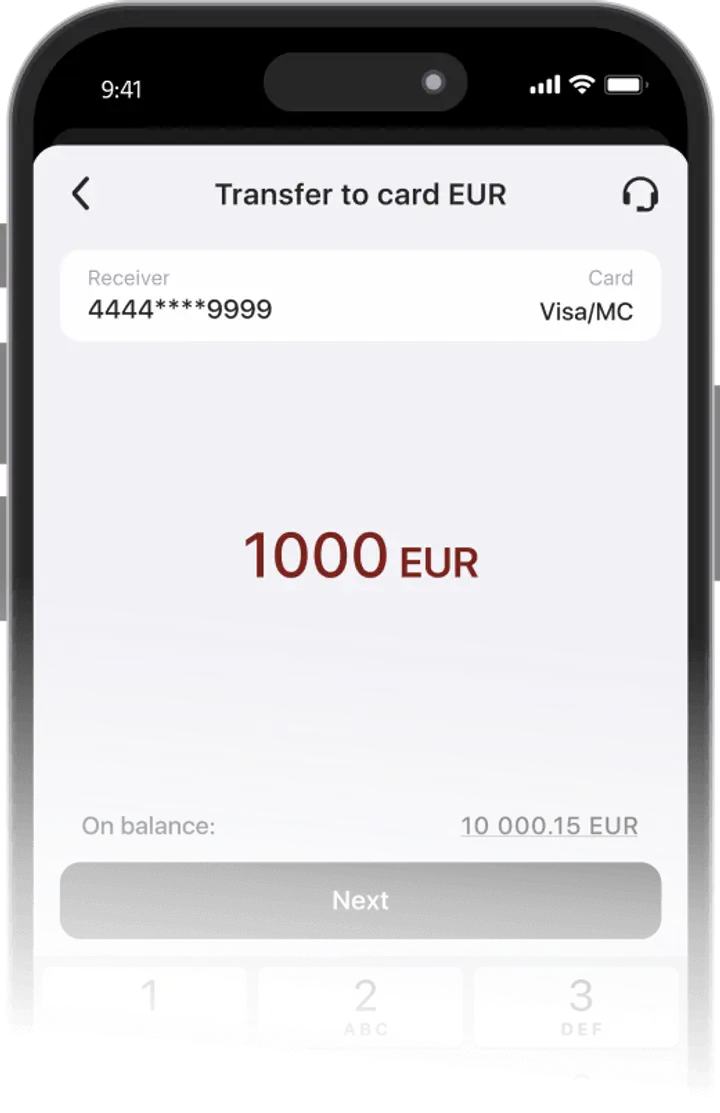
- Enter the withdrawal amount and click "Next".
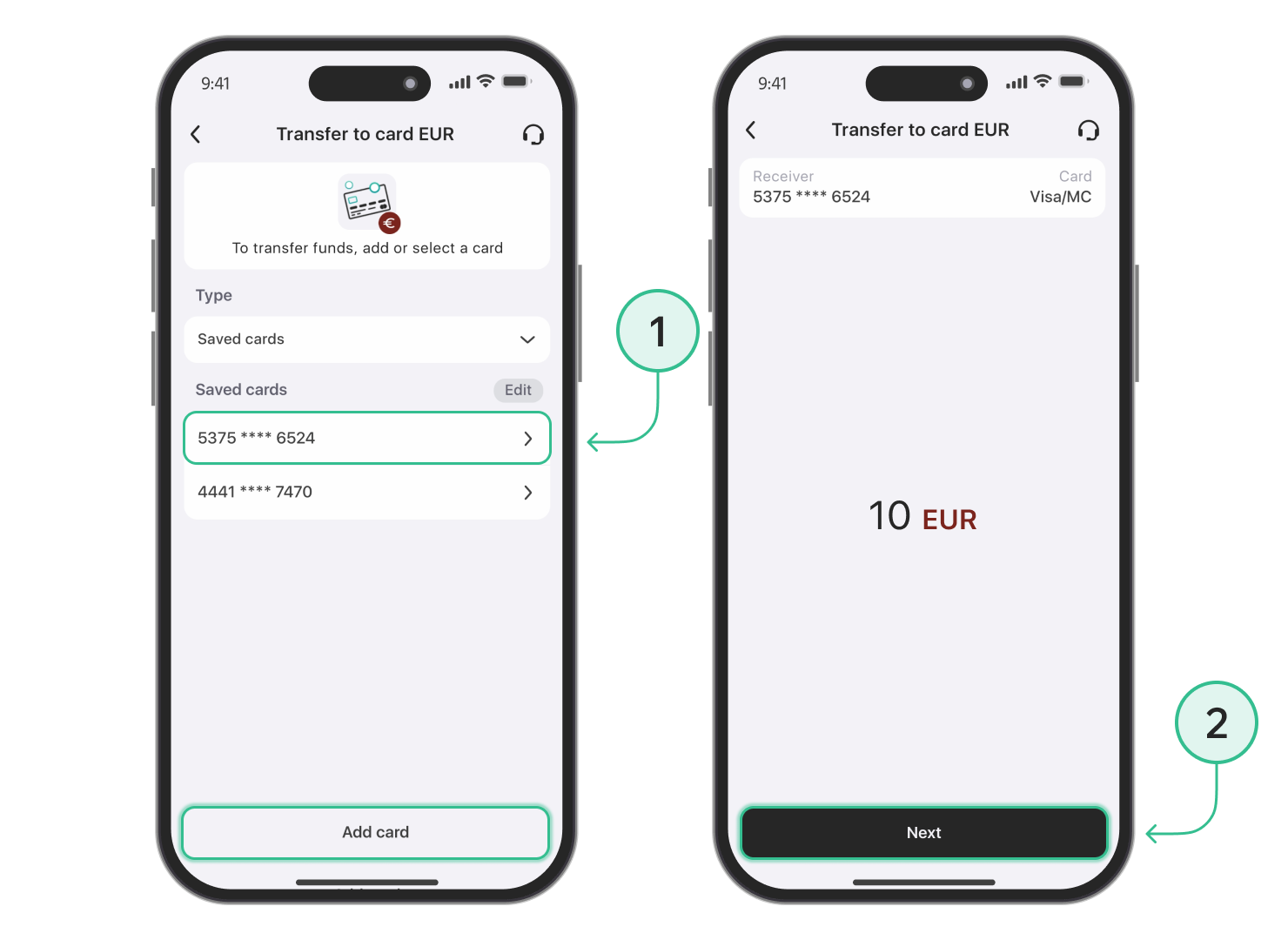
- Review the transfer details and confirm.
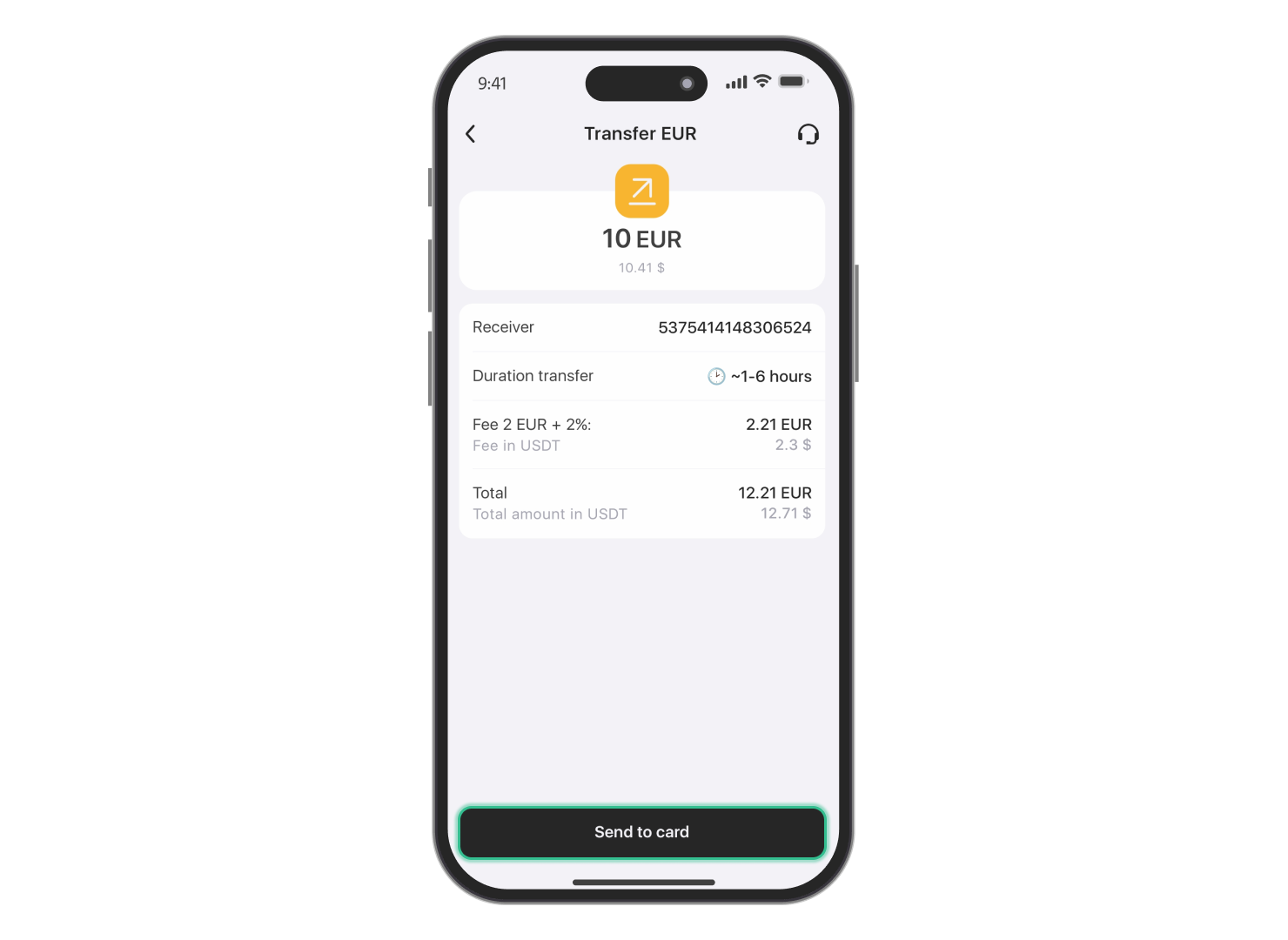
You can withdraw funds to Visa and Mastercard payment cards. Processing time may vary depending on the card issuer, bank, payment provider, or any additional transaction checks.
Note: TRX withdrawals to a payment card or supported payout method are available only for verified users. If your account is not verified yet, complete verification before starting a withdrawal.
Advantages of Trustee Plus
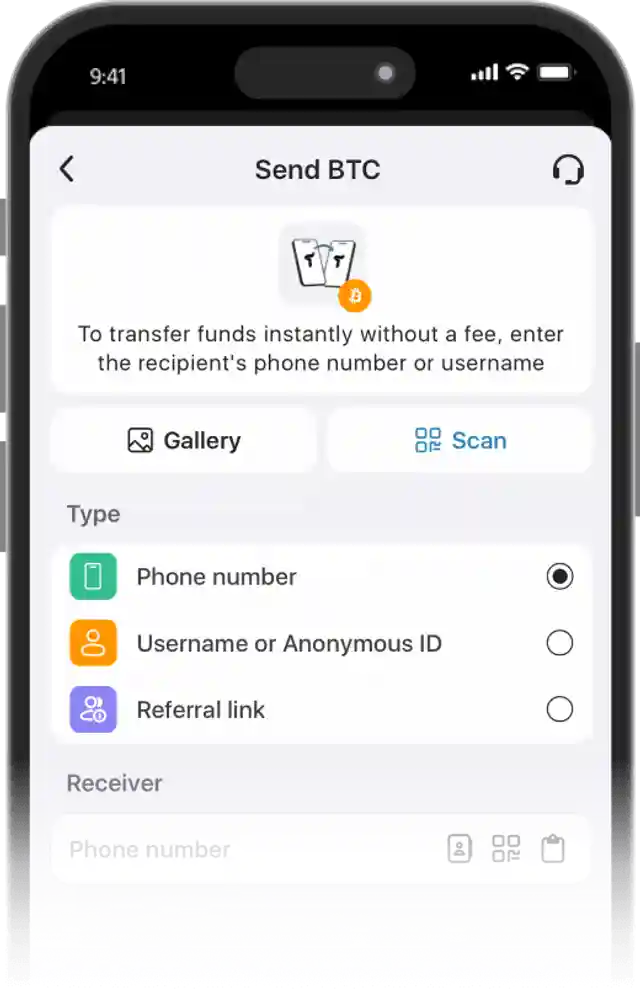
Convenient
- Instant operations in the crypto wallet.
- 0.5% exchange fee for cryptocurrencies and 0% for stablecoins.
- European payment card with automatic conversion.
- Human-centered customer support without automated bots.
FAQ
Can TRON be transferred directly to a bank card?
TRON cannot be sent to a bank card as TRX. To receive fiat funds, you need to swap TRON to EUR in Trustee Plus and then withdraw the payout to a supported payment card or bank account. The app shows the final amount and fees before you confirm the transaction.
What are the fees for withdrawing TRON?
The app shows all fees before the transaction. You see the final amount in advance — no hidden charges.
What affects the final payout when selling TRON?
The final payout may depend on the current TRX price, selected payout currency, payment provider, withdrawal method, country, and applicable fees. Trustee Plus shows the transaction details before confirmation, so you can review the amount before selling TRON.
You can also follow the TRON price chart before starting the withdrawal.
How can you add TRX to Trustee Plus before withdrawing?
If you do not have TRX in your Trustee Plus balance yet, you can add it in several ways: receive TRX from another wallet, transfer it from another crypto service, or buy TRX directly in the app where available. Once TRX is in your balance, you can decide whether to sell it, send it, or withdraw funds to a supported payout method.
What is the difference between TRON and TRX?
TRON is the blockchain network, while TRX is its native coin. In Trustee Plus, you manage TRX as an asset: you can keep it in your TRX wallet, send it to another address, sell it, or withdraw funds after selling it.
Install Trustee Plus - a crypto wallet with payment card!
All the benefits in one app



