





















Sell USDT and withdraw to bank account
Want to sell USDT (Tether) and withdraw funds to your bank account or payment card?
This step-by-step guide explains how to convert USDT into fiat currency and safely transfer the funds to your preferred withdrawal method.
How to withdraw USDT?
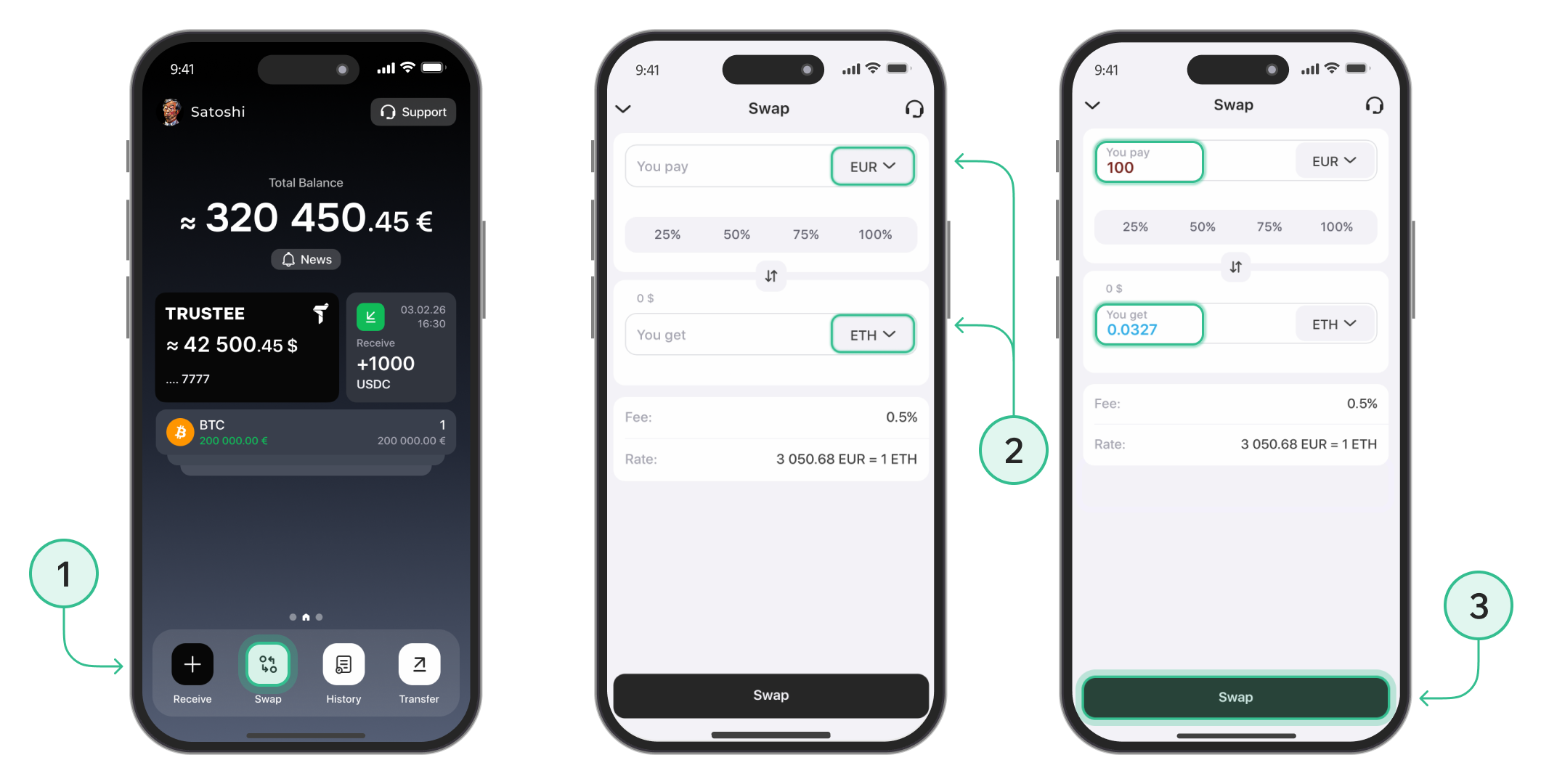
Step 1: Exchange USDT to EUR
To withdraw USDT to a Visa or MasterCard bank card, follow these steps:
- Click the “Exchange” button.
- Select USDT at the top and EUR at the bottom. Enter the amount or choose one of the percentage buttons.
- Click “Exchange”.
Step 2: Withdraw EUR
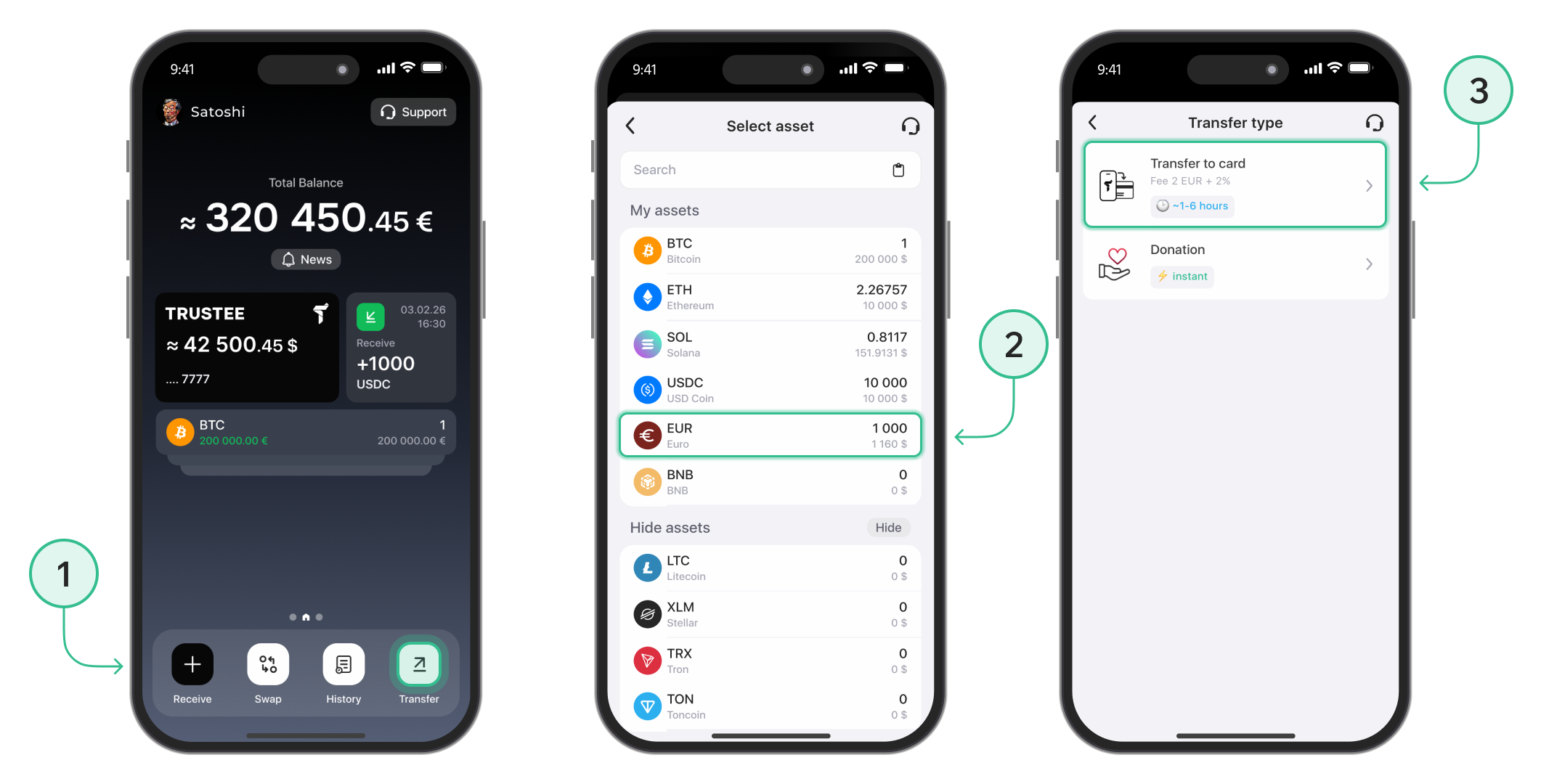
To withdraw EUR to your Visa or MasterCard bank card, follow these steps:
-
- On the main screen, click the “Transfer” button.
- Select the currency “EUR”.
- Choose the “Transfer to Card” method.
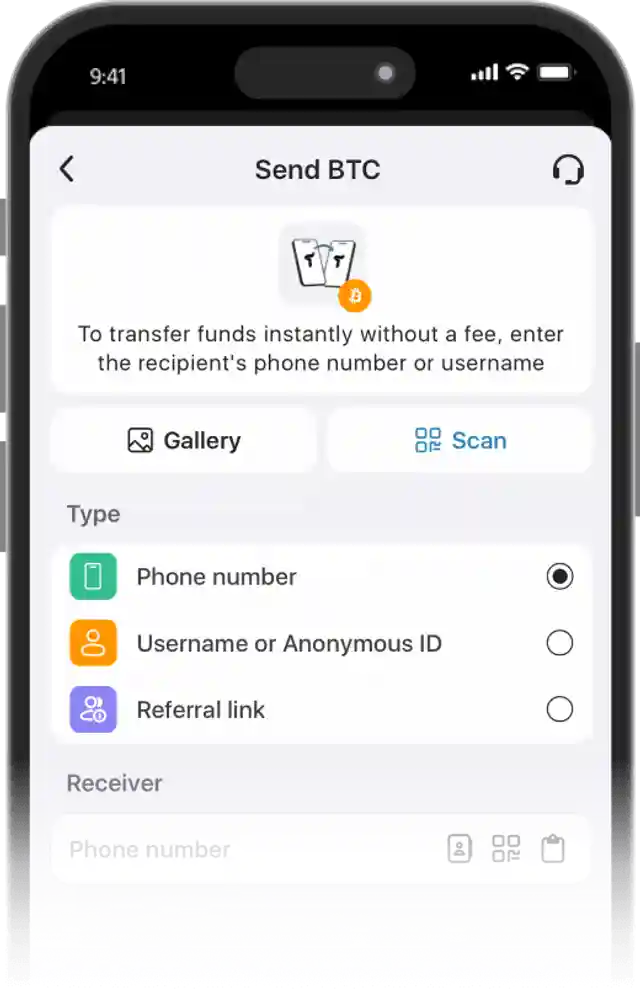
- Add the card you wish to receive funds on.
- Enter your card details and click “Save”.

- Select the saved card you want to withdraw funds to.
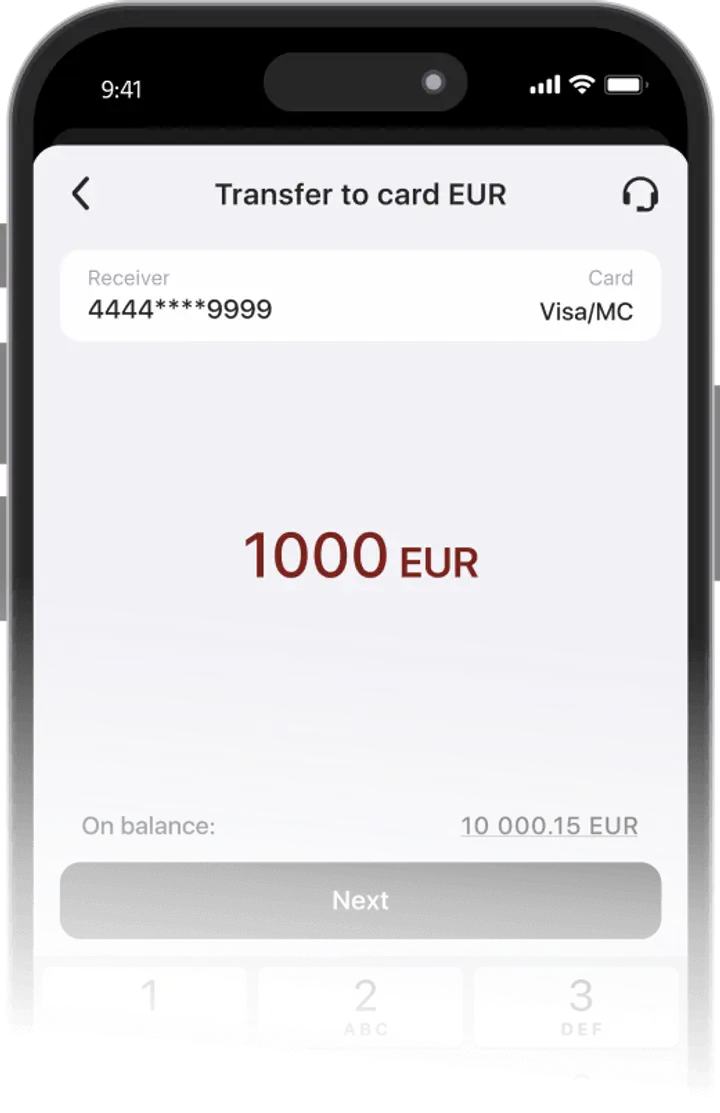
- Enter the withdrawal amount.

- Review the transfer details and confirm.

The withdrawal feature is available only for verified users. Use these instructions to complete the verification process.
Processing time may depend on the payment provider, bank, card issuer, and possible additional checks. Visa and Mastercard payment cards are suitable for withdrawals.
To learn how to buy USDT using Trustee Plus, follow this link.
Advantages of Trustee Plus
Convenient
- Instant operations in the crypto wallet.
- 0.5% exchange fee for cryptocurrencies and 0% for stablecoins.
- European payment card with automatic conversion.
- Human-centered customer support without automated bots.
FAQ
What USDT networks are supported in Trustee Plus?
Trustee Plus supports several USDT standards, including USDT ERC-20, TRC-20, POL, ARB, NEAR, and BEP-20. All supported networks are available within one USDT wallet, so users do not need to manually convert one USDT standard into another before selling or transferring funds.
Can USDT card payments be used as an alternative to withdrawal?
With Trustee Plus, users do not always need to withdraw USDT to a separate bank card before spending funds. As an alternative, the crypto card in Trustee Plus can be used for payments wherever Visa or Mastercard is accepted, allowing users to manage crypto and everyday spending in one app.
How to exchange USDT before withdrawal?
Before withdrawing funds, users can exchange USDT for EUR directly in Trustee Plus. Open “Swap”, select USDT as the asset you want to exchange, choose EUR, enter the amount, and confirm the operation. After the USDT exchange is completed, EUR can be withdrawn to a supported payment card or bank account.
How to buy USDT in Trustee Plus?
USDT can be bought directly in Trustee Plus and then stored, exchanged, transferred, used for payments with the Trustee Plus card, or withdrawn after conversion to EUR. This is useful for users who want to buy USDT, keep it in the wallet, exchange it later, pay for everyday purchases, or send Tether through one of the supported networks.
Install Trustee Plus - a crypto wallet with payment card!
All the benefits in one app



