



























Secret PIN in Trustee Plus
An additional layer of protection for hidden sub-accounts
The Secret PIN is a feature available only for sub-accounts.
It allows you to create hidden sub-accounts that can be accessed only after logging in with a special Secret PIN code.
This adds an extra level of privacy for specific assets, history or settings.
How to set up the Secret PIN?
- Open the main screen of Trustee Plus and swipe right.
This will open the account management menu.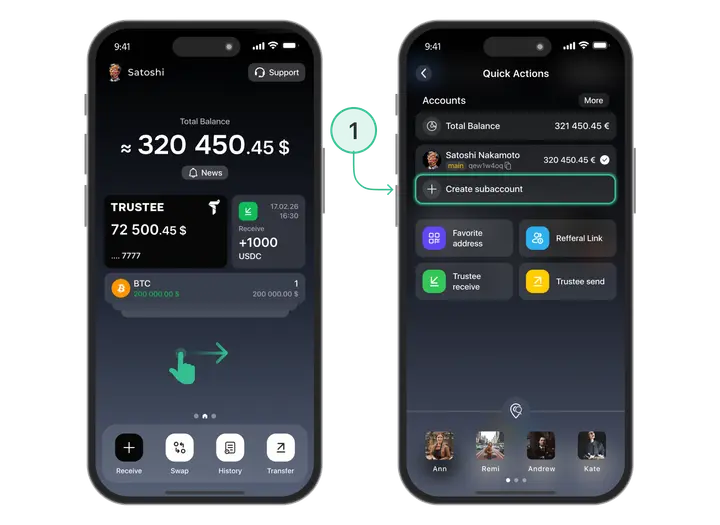
- Create a new sub-account or open an existing one.
Tap “Create sub-account”, or if you already have one — simply open it.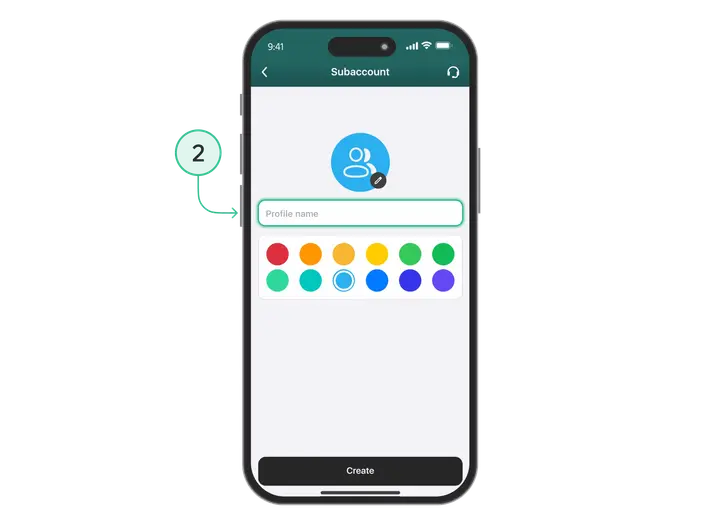
- Go to the sub-account settings → “Security”.
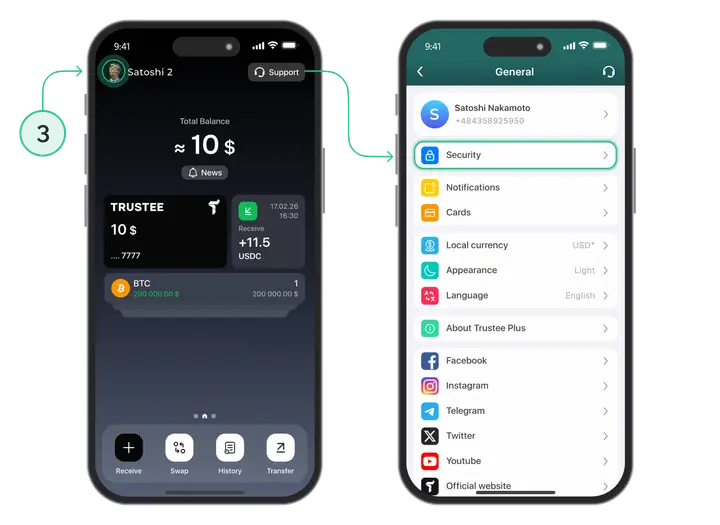
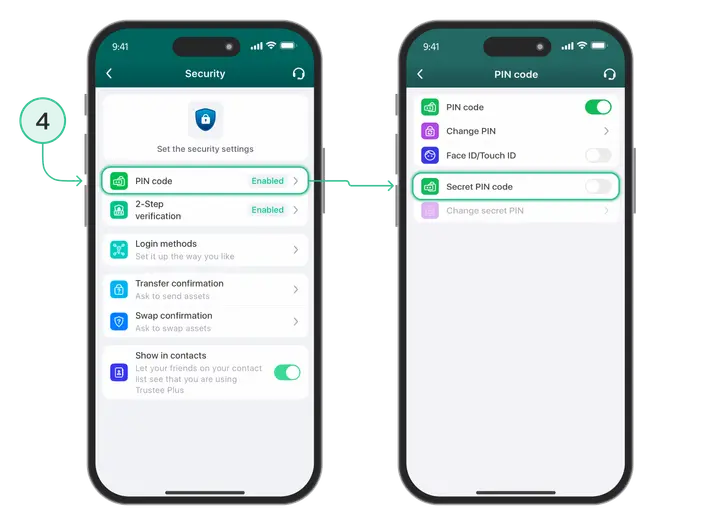
- In the “Security” section, set a Secret PIN code.
For example, you set PIN 111111.
After that, you will have:-
A main account with the main PIN code
-
A hidden sub-account with its own Secret PIN code
-
How does the Secret PIN work?
To check how the system separates access, do the following:
5. Log out of the Trustee Plus app.
6. Log back into the app → you will see a request to enter your PIN code.
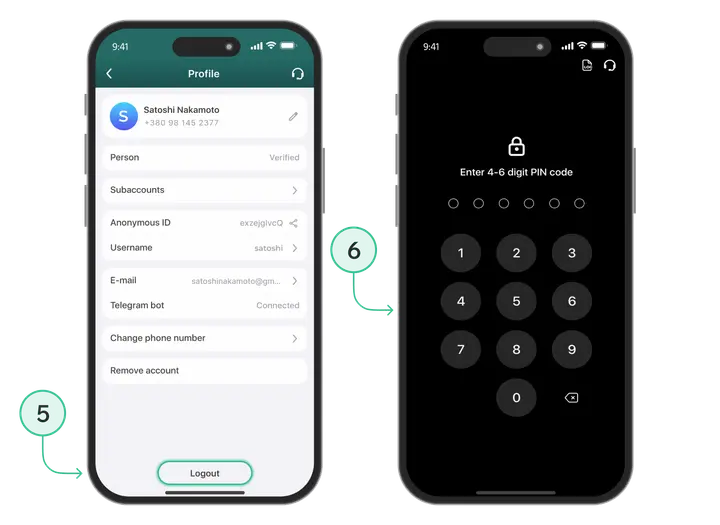
There are two possible scenarios:
A) You enter the main PIN code
In this case, you will see only your main account, and the sub-account with the Secret PIN will remain hidden.
B) You enter the Secret PIN (in our example 111111)
In this case, the following will open:
- The main account
- + the sub-account protected with the Secret PIN
This means the sub-account appears in the menu only when you log in using the Secret PIN code.
Why do you need a Secret PIN?
- to hide certain sub-accounts
- to restrict access to specific assets
- to separate personal and private financial operations
- to have an extra layer of security when using a single device
The Secret PIN makes Trustee Plus even more private, secure and flexible.
Useful instructions:
Install Trustee Plus - a crypto wallet with payment card!
All the benefits in one app



