
























How to get a crypto card?
To get a crypto card in Trustee:
- Sign up for Trustee Plus. Download the Trustee Plus app and create an account.
- Complete KYC verification (instructions). The verification usually doesn’t take long.
To issue the card, follow the step-by-step instructions below:
1. On the app’s home screen, you will see the card menu. Tap the “Issue card” button. 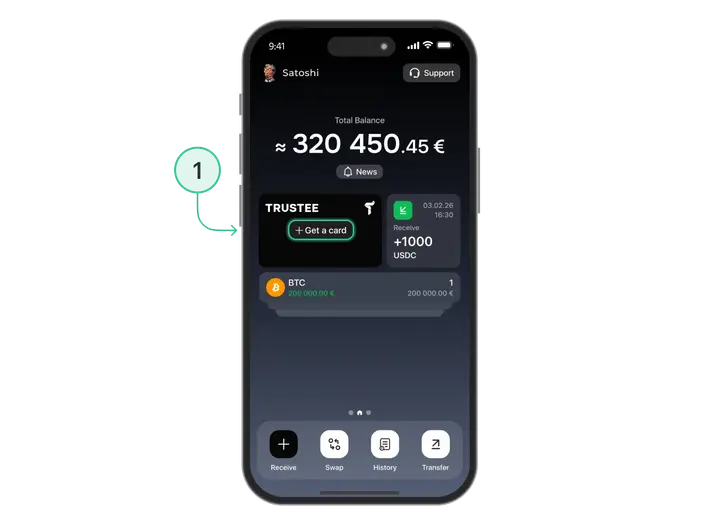
2. Then review the card’s terms of use and confirm that you agree to them. 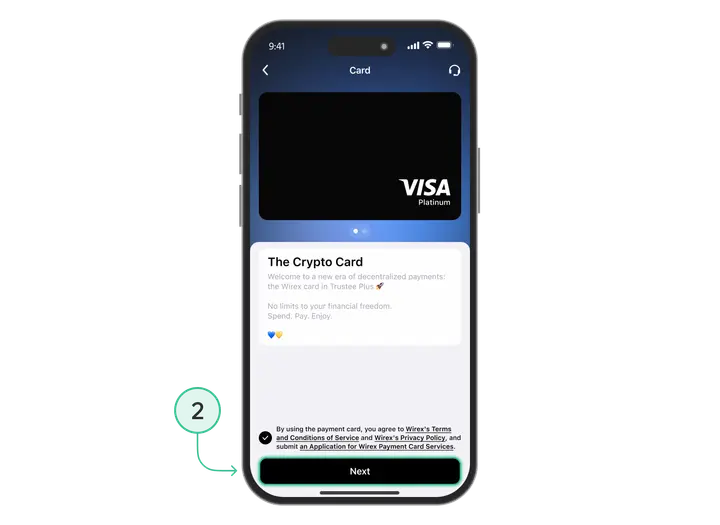
3. Once the terms are successfully confirmed, you will be able to issue your card. 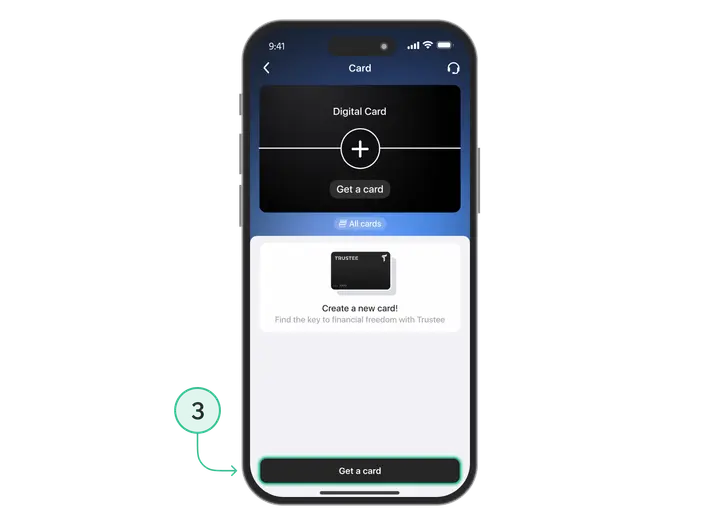
4. The crypto card has a separate balance. To pay with the card, top up the card balance in USDC or USDT. 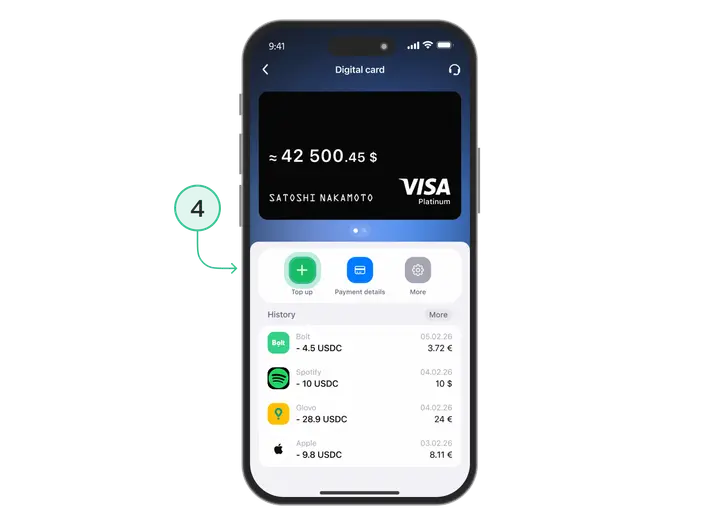
Additional:
- How to top up a crypto card – instructions.
- How to add the card to Google Pay or Apple Pay – step-by-step guides.
Ready to get a crypto card? Download Trustee Plus and issue your card in just a few minutes.
Install Trustee Plus - a crypto wallet with payment card!
All the benefits in one app




This website uses cookiesIn order to ensure the functionality of the Website and to prepare a statistical analysis of the website visitors' navigation methods, we use cookies. Manage preferences