



























How to send funds to another service
To send assets to another cryptocurrency wallet or service, follow these steps:
- On the main screen of Trustee Plus, click on “Transfer” and choose currency;
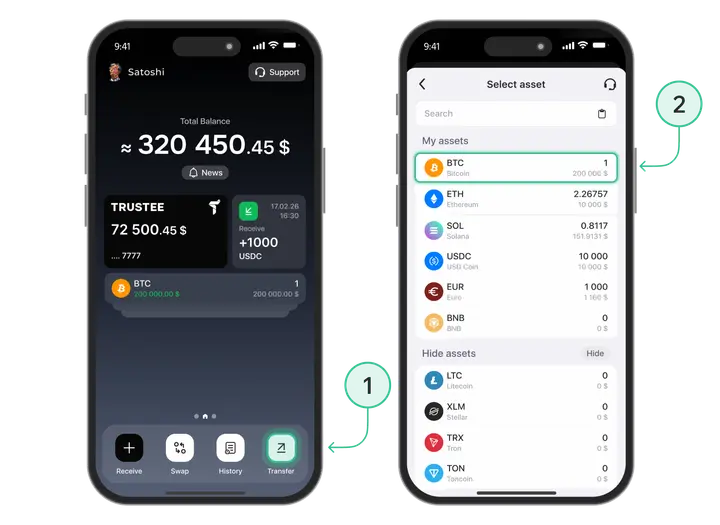
- Choose the transaction type “Transfer to crypto address”;
- If necessary, choose the network, it should match with the recipient’s network;
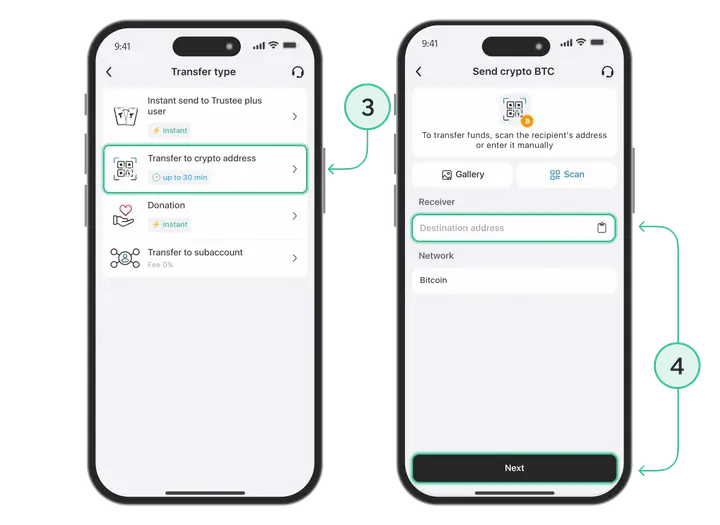
- Specify the cryptocurrency address by copying it from the clipboard or scanning the QR-code. Never enter the destination address manually;
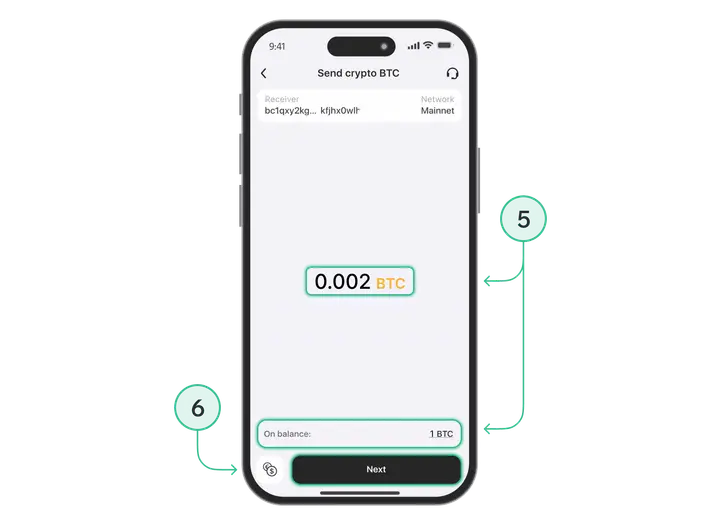
- Enter the amount (the number of coins on the balance will be displayed below the input field);
- Click on the “Transfer” button.
You can track the status of transaction upon sending funds in the “History”.
Install Trustee Plus - a crypto wallet with payment card!
All the benefits in one app




This website uses cookiesIn order to ensure the functionality of the Website and to prepare a statistical analysis of the website visitors' navigation methods, we use cookies. Manage preferences