
























Amazon is known as one of the most popular marketplaces in Europe and the US, where you can buy almost anything — from electronics to groceries. They have their own Amazon Prime service, which makes shopping even more convenient: users get free delivery, discounts, access to films and series on Prime Video, music on Prime Music, cloud storage and other perks.
In this article, we explain how to activate a subscription and pay for Amazon Prime or any product with Bitcoin or another cryptocurrency using Trustee Plus.
Which payment methods does Amazon support
Depending on the country, users can pay for items on Amazon using several standard methods:
-
- Payment cards (Visa, Mastercard, American Express).
- PayPal — available in most European countries.
- Amazon gift cards — sold online and offline, and can be redeemed as account balance.
- Mobile payments via network operators — available in selected regions.
In that case, you can use cryptocurrency — it is converted into stablecoins, and then a virtual card is topped up, which Amazon accepts like a regular one.
How to pay on Amazon or for Amazon Prime with cryptocurrency in Europe
Amazon does not officially accept crypto payments. So there is currently no direct option like “Bitcoin → Amazon Prime”. But there is a solution: a virtual card topped up with cryptocurrency via Trustee Plus.
The process looks like this:
- Top up your Trustee Plus wallet with Bitcoin, ether, or another cryptocurrency.
- Convert your assets to USDC (a dollar-pegged stablecoin).
- Issue a virtual card that works like a standard bank card.
- Set USDC as the primary currency for card payments.
How to sign up for Trustee Plus
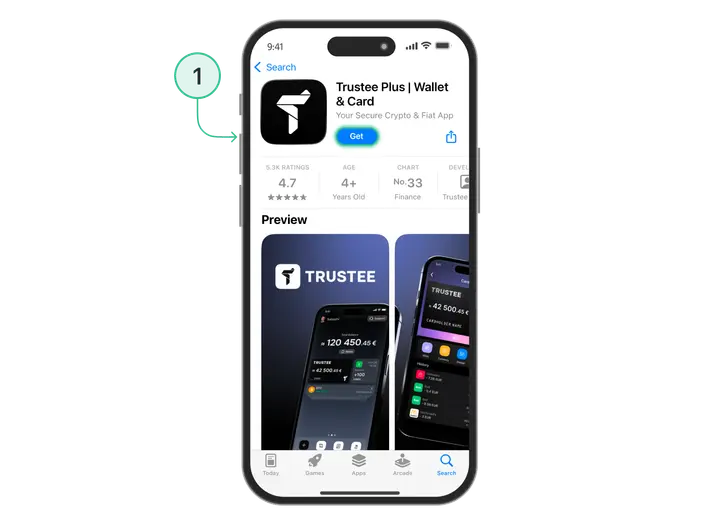
The first step to paying on Amazon with cryptocurrency is creating a crypto wallet in the Trustee Plus app. It is a convenient mobile service that lets you store digital assets and make payments. You can download the app from the App Store or Google Play.
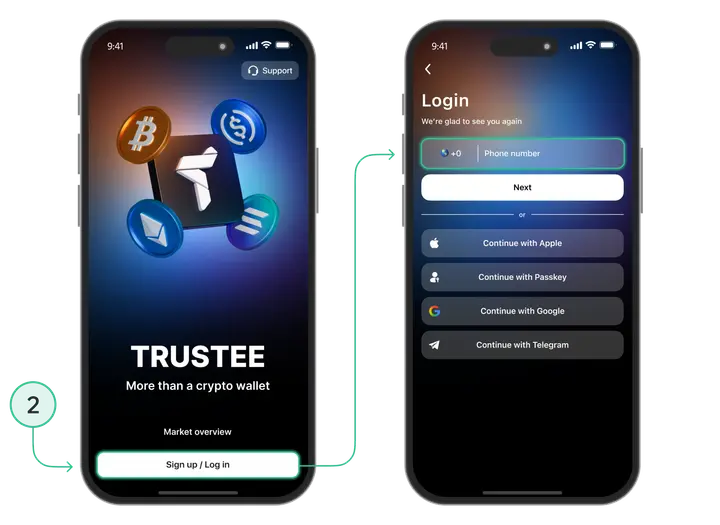
After installation, sign up by confirming your phone number via SMS.
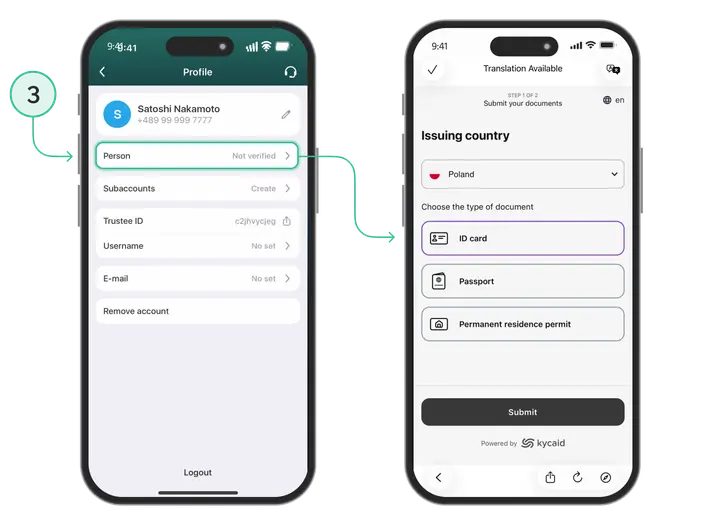
To access card services, you need to complete verification: upload a photo of your passport or ID card and take a selfie.
Next, you will receive a crypto wallet that supports the main currencies — BTC, ETH, USDC. From this point on, you will have a full-featured tool for storing and transferring cryptocurrency, as well as the ability to connect a virtual card.
How to open a Trustee Plus crypto card
The next step is getting a virtual card that Amazon treats like a standard bank card. Via the Trustee Plus app: after verification, simply go to the “Issue a card” section, where the system will automatically offer to issue a card.
In addition, it is convenient to integrate the card into Apple Wallet or Google Wallet for everyday use.
Step-by-step guide: how to pay for Amazon Prime with Bitcoin or another cryptocurrency
- Top up your Trustee Plus wallet with Bitcoin.
- Convert BTC to USDC directly in the app.
- Transfer USDC to your card.
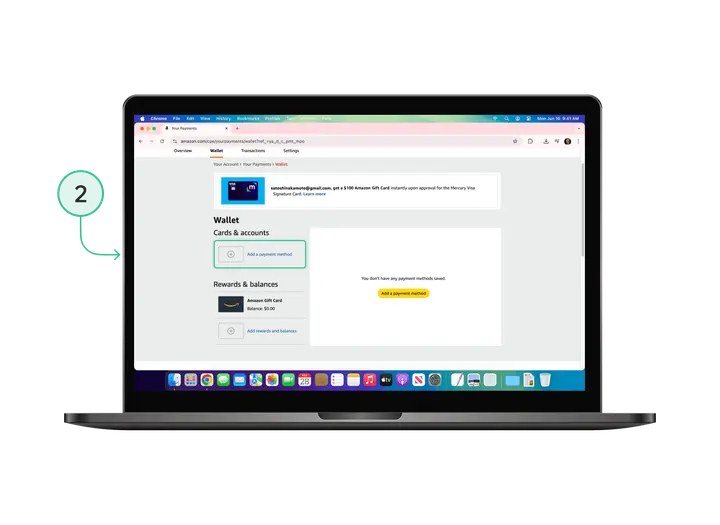
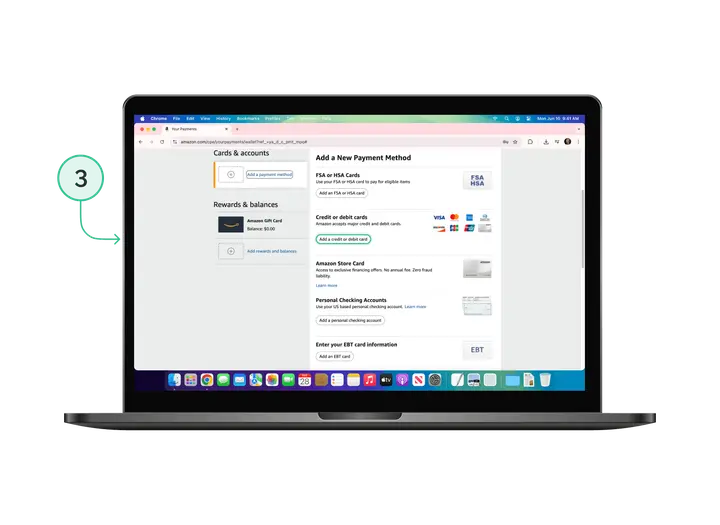
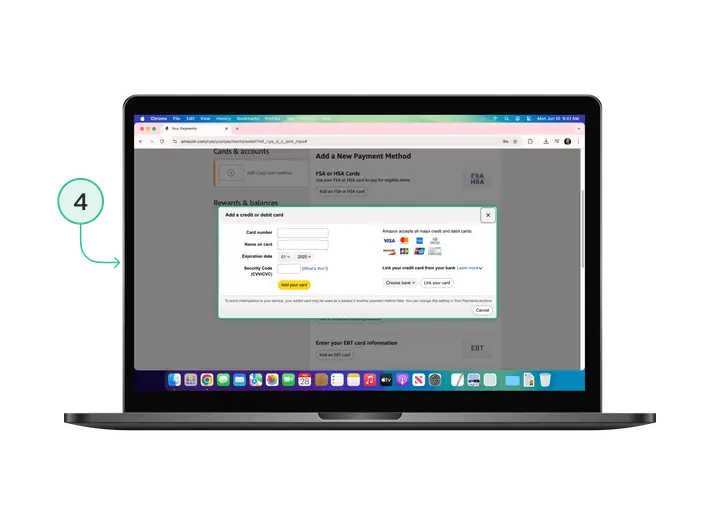
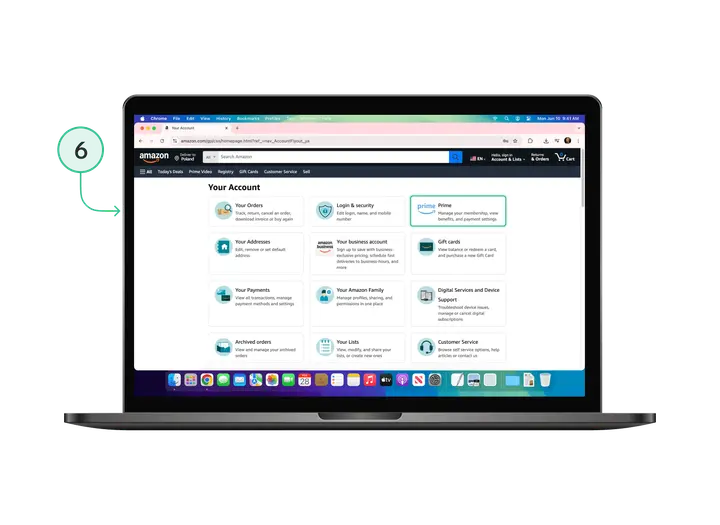
- In your Amazon account, go to Your Account → Payment Options.
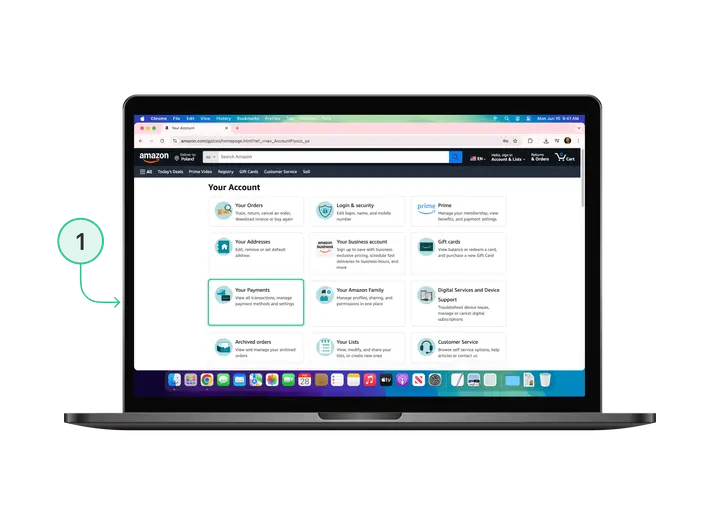
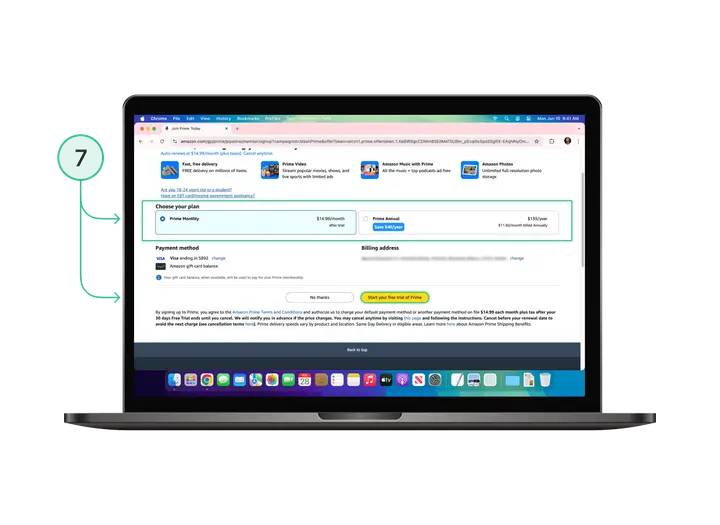
- Add your card details as a new payment method (after that, you will be able to buy any products on Amazon as easily as with a regular bank card).
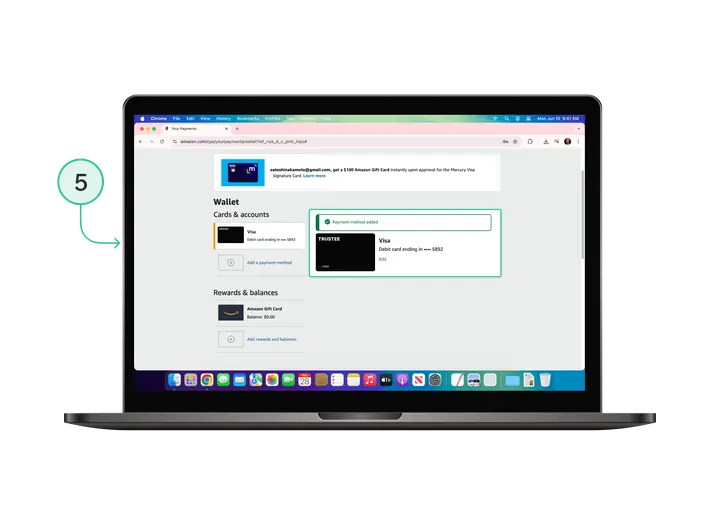
- Subscribe to Amazon Prime — funds will be charged automatically from your card, but in practice this will be a Bitcoin payment.
Alternatives
If you do not want to use a virtual card, there are other options. One of them is Amazon gift cards, which can be bought with cryptocurrency on third-party platforms. After purchase, you will receive a code that is redeemed in your account as balance.
Another option is third-party intermediary services that offer to pay for Prime with cryptocurrency directly.
Conclusion
Although Amazon does not yet support direct acceptance of Bitcoin or ether, it is now possible to pay on Amazon with cryptocurrency thanks to the combination of Trustee Plus and a crypto card.
It is a simple, clear and secure way to enjoy all the benefits of Prime without needing to link a bank card.



