



























How to send your referral link to a friend?
Trustee Plus offers one of the most rewarding referral programmes.
Invite friends — and earn up to 45% of the commissions from their exchanges.
Even if your friends don’t have the app yet, you can send them your referral link via SMS or your phone contacts.
Step-by-step guide:
- Open the Trustee Plus app.
- Swipe left — this will open an additional menu with the referral section.
- Tap on the “Referral Programme” block at the bottom.
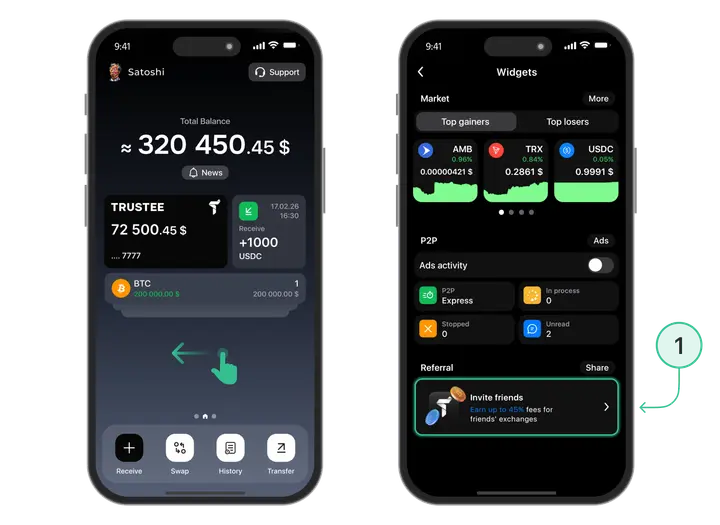
- To share the link — tap the “Share” icon on the right. Select the option
- “Invite contacts”.
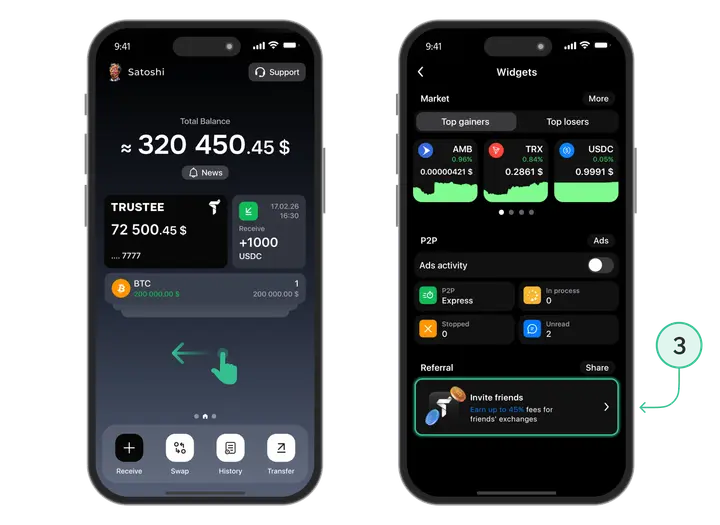
- Choose a friend → tap “Share”.
Your friend will receive an SMS with your personal referral link to download the app.
After they install Trustee Plus using your invite, you will automatically start earning up to 45% of the commissions from each exchange they make.
Useful instructions:
Install Trustee Plus - a crypto wallet with payment card!
All the benefits in one app




This website uses cookiesIn order to ensure the functionality of the Website and to prepare a statistical analysis of the website visitors' navigation methods, we use cookies. Manage preferences