



























How to set up auto top-up for your card in Trustee Plus
You can set up auto top-up for your crypto card in just a few steps right in the app. Below, we show how to quickly enable auto top-up, choose the currency, and set the minimum card balance.
-
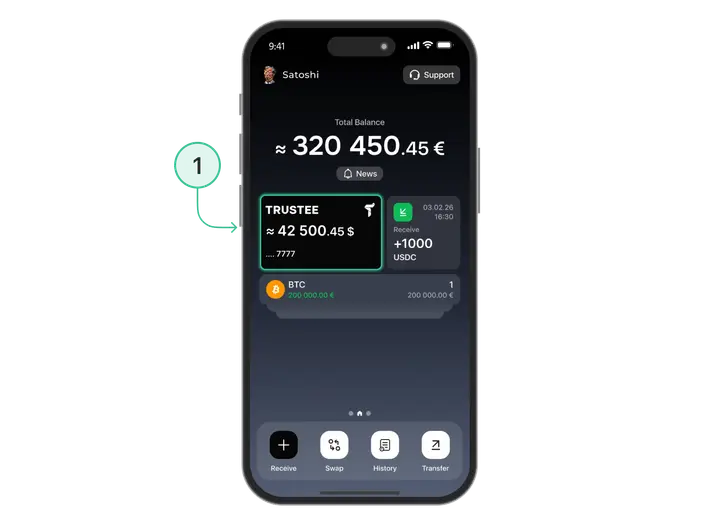
On the main screen, select your card.
-
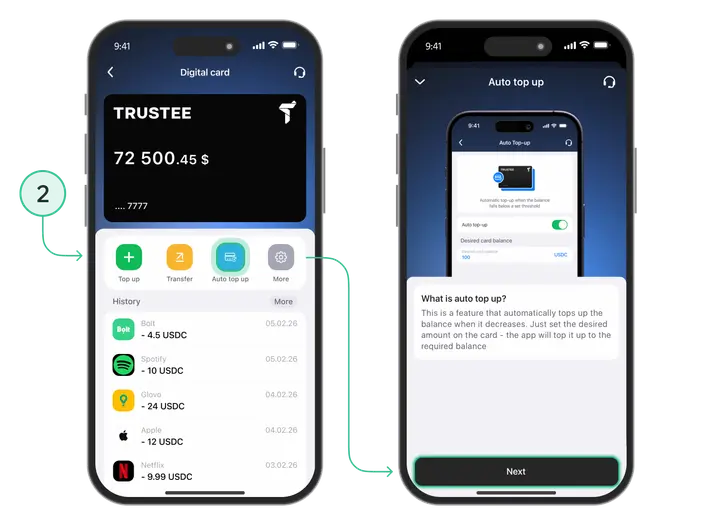
Tap “Auto Top-Up”, then tap “Next”.
-
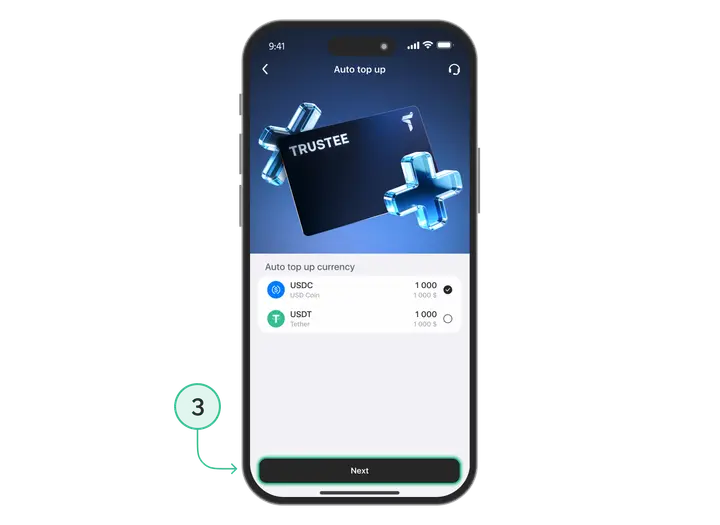
Choose the currency that will be used for auto top-up and tap “Next”.
-
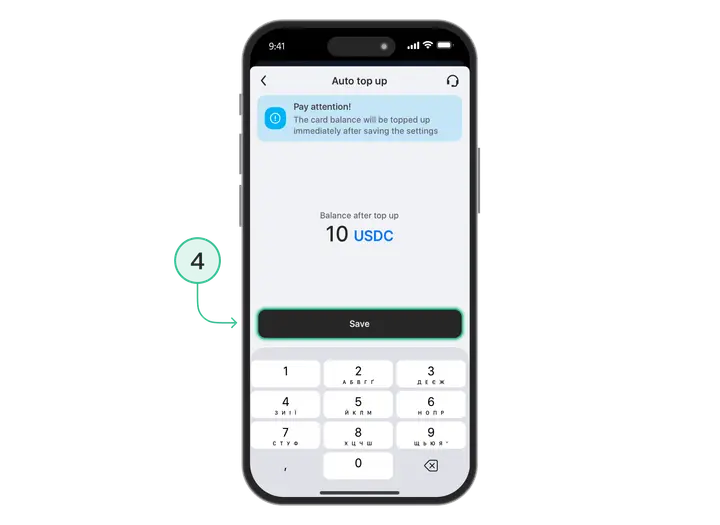
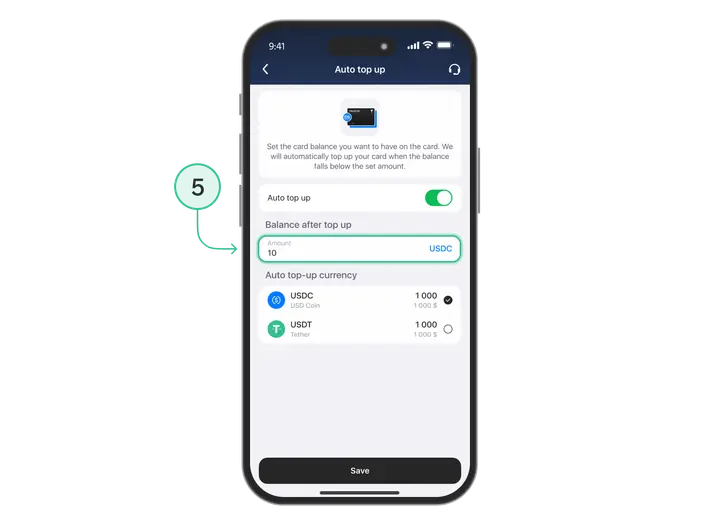
Set the minimum card balance.
-
Done! You can turn off auto top-up at any time, as well as change the minimum balance and currency whenever needed.
Install Trustee Plus - a crypto wallet with payment card!
All the benefits in one app




This website uses cookiesIn order to ensure the functionality of the Website and to prepare a statistical analysis of the website visitors' navigation methods, we use cookies. Manage preferences