



























Meet Card Auto-Top-Up in Trustee Plus 💳
- Ivan

- 2 min
- 0
- 59

We continue improving the Trustee Plus card to make your everyday payments even simpler. Since the crypto card has a separate balance, we’ve added a feature many of you have been waiting for — Auto Top-Up.
How does it work?
The feature automatically transfers the required amount from your main crypto wallet to your card balance, keeping it at the level you set.
How to activate the feature: 4 simple steps
- Update the app to the latest version in the App Store or Google Play.
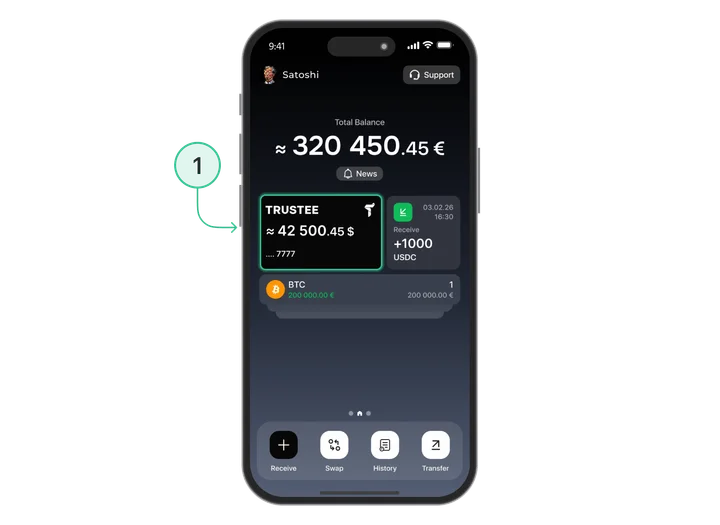
- On the main screen, tap on your card image.
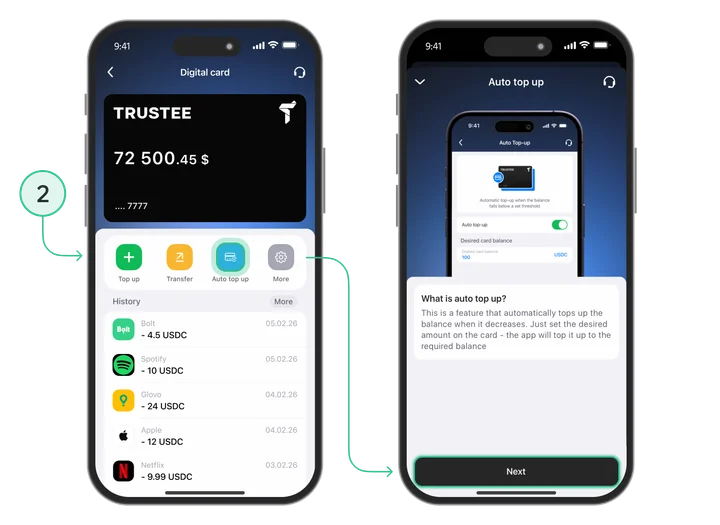
- Select “Auto Top-Up”.
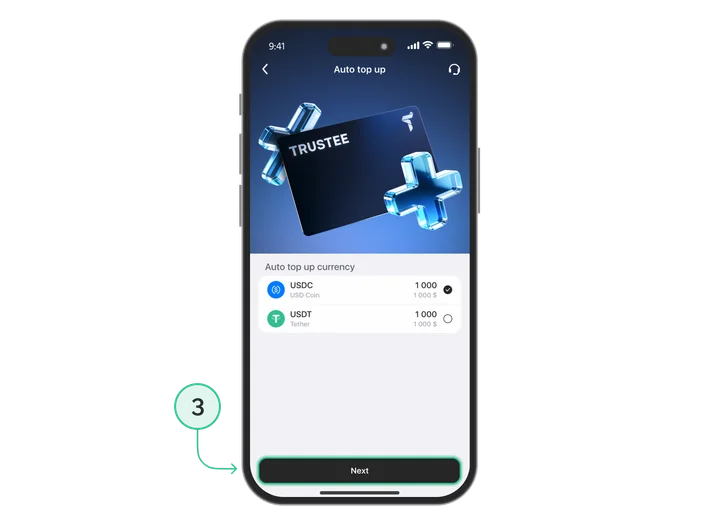
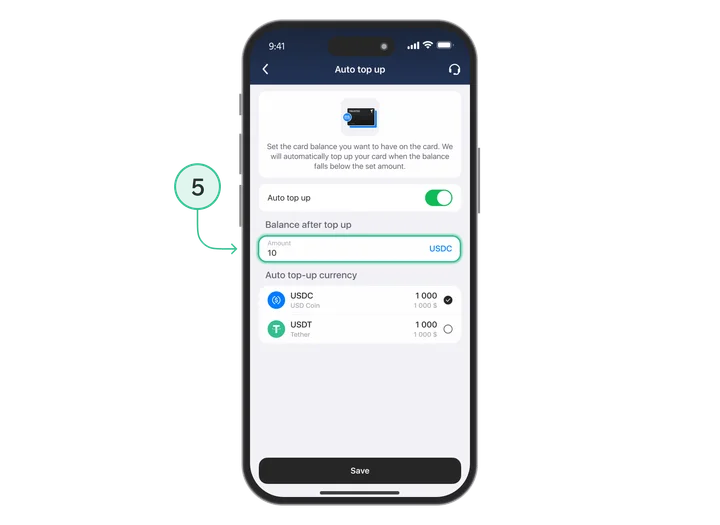
- Follow the on-screen instructions: choose the currency (USDT or USDC) and set the amount your card should automatically maintain.
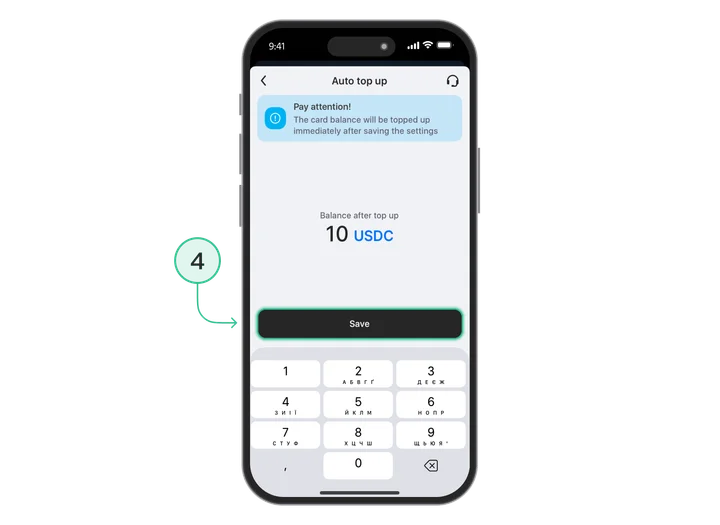
❗️ Important to know:
- Whether you change the amount or turn the feature off, remember to tap "Save" to apply the changes.
- Auto-top-up only works if you have enough coins (USDT/USDC) in your main crypto wallet.
Why is it convenient?
- Guaranteed payments: You’ll never end up in an awkward situation at checkout because your card balance is missing just a few cents.
- Flexible control: You decide how much should always be available for your daily spending.
- Additional security: Your main funds remain safely stored in your crypto wallet, while only the amount needed for payments is kept on the card balance.
Share :


Related materials
Install Trustee Plus - a crypto wallet with payment card!
All the benefits in one app




This website uses cookiesIn order to ensure the functionality of the Website and to prepare a statistical analysis of the website visitors' navigation methods, we use cookies. Manage preferences