
Crypto cold storage is a way of protecting private keys by keeping them on a device or medium that is not permanently connected to the internet. Common options include hardware wallets and dedicated offline devices used to sign transactions.
A cold wallet reduces the risk of remote key theft but does not eliminate every threat. Users may still lose their recovery phrase, damage the device, approve a malicious transaction or fall victim to phishing.
In the discussion of how to store Bitcoin safely for the long term, we came to the conclusion that the most reliable, though not the most convenient, way to store cryptocurrency today is cold storage.
This article explains how cold storage works, how cold and hot wallets differ and which options may suit different use cases.
How does cold storage work?
Cold storage isolates private keys from devices that remain connected to the internet. When a user wants to send cryptocurrency, the transaction may be created on an online device but signed by the cold wallet.
A traditional offline setup uses two wallets:
- an online watch-only wallet monitors the balance and creates unsigned transactions;
- an offline wallet stores the private keys and signs the transaction;
- the signed transaction is returned to the online device and broadcast to the blockchain.
A hardware wallet simplifies this process. It may connect to a computer or smartphone, but the private keys remain inside the device. Before signing, the user should verify the recipient address, amount and fee on the hardware wallet’s own screen.
What is the difference between hot and cold wallets?
| Characteristic | Cold wallet | Hot wallet |
|
Custodial / non-custodial |
Non-custodial |
Custodial / non-custodial |
|
Internet access |
Not required |
Required |
|
Technical requirements |
Low / medium / high |
Low / medium / high |
|
Possibility of restoring access |
No |
Yes / no |
|
Possibility of transferring to third parties |
Yes |
Yes / no |
|
Ease of use |
Low |
High |
|
Risk of wallet compromise |
Virtually none |
Medium / high |
|
Security of long-term storage |
High |
Medium / low |
|
Price |
From 0 to 250 USD |
0 |
Experienced users usually combine the advantages of both types of storage: they keep the main amount of funds in a cold crypto wallet, while leaving the portion of cryptocurrency needed for payments in a hot wallet.
How do cold wallets work?
Let us take a closer look at how cold wallets work.
Cryptocurrency, as a digital asset, has no physical form and exists exclusively as code. Therefore, strictly speaking, a wallet stores not the currency itself, but certain information about the number of coins and transactions involving them.
A cold crypto wallet is a way of storing private keys in the physical world, usually on physical media. The user’s task is to protect them as much as possible from loss, damage or theft.
What are keys
Every wallet has 2 crypto keys (a private key and a public key), which externally look like a random set of letters and numbers.
The public key is the address in the wallet where the coin is stored and which can be shared with others.
The private key is the secret key to the address. It must not be given to anyone.
The private key is usually generated by the wallet itself. The user signs a transaction with this key, thereby confirming that they are the owner of the coins at the address.
Cold wallets differ from one another in how the keys are generated and stored.
Generating a private key
There are several ways to create a private key.
-
Automatic — this is a method in which the key is generated by the system. For example, in a hardware wallet, the key is created automatically by generating random numbers, without any involvement from the user.
-
Brain Wallet — a method of key generation in which the user comes up with any phrase or number and encrypts it using the SHA-256 algorithm.
The second method is more intellectually demanding, but in some cases it makes it possible to recover a lost key.
Pros and cons of cold wallets
Cold wallets top the list of the most reliable long-term storage methods, but they also have their drawbacks. Let us look at the pros and cons of cold storage:
| Pros | Cons |
|
Long-term storage security (without the risk of hacker attacks) |
Minimal convenience in use |
|
Wide range of options |
High difficulty or impossibility of restoring keys and access |
|
Non-custodial service (private keys in a cold wallet are stored by the user) |
Risk of losing or having the storage medium stolen (paper wallet, USB drive, hardware wallet) |
|
Possibility of transferring to third parties as a gift or inheritance |
Need for additional storage measures (safe, bank) |
How to use a cold wallet
After the public and private key of the coin have been generated, coins purchased on an exchange are transferred to such a cold wallet (the public key). The keys are printed on a sheet of paper.
The private key is entered once in order to send all the coins at once. If only part of the amount needs to be sent, the entire amount must be transferred to another type of wallet (a hot wallet), the transaction carried out, and the remaining amount returned to a new cold wallet, including a paper wallet. This is, of course, not very convenient, but it is certainly secure.
How do you withdraw money? Very simply: transfer all the coins again to a hot wallet, for example Trustee Plus, and then sell them and withdraw fiat to your card.
Types of cold wallets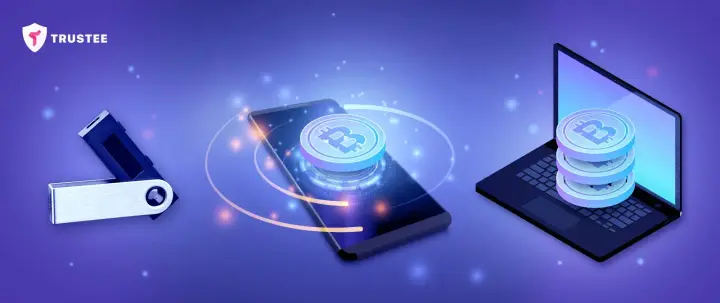
Several types of wallets are used for cold storage:
-
Hardware.
-
Paper.
-
External media (USB drives, disks).
-
Software (on a hard drive).
-
Mobile.
-
Alternative methods (multisignature, key fragmentation, smart banknotes, coins).
Hardware wallet
Probably the most popular cold wallet is the hardware wallet. It is a device with special software that outwardly resembles a USB stick. Private keys in such a wallet are generated by the software and are not transmitted anywhere.
Every hardware wallet comes with detailed instructions for use. Importantly, private keys in a good cold wallet will remain secure even if your PC is infected with a virus. In case the wallet is lost, a mnemonic phrase is provided that allows access to your coins to be restored.
Thanks to multi-layer security systems, as well as the possibility of recovery, this wallet is among the top options for cold storage.
Despite all this, there are ways to compromise it. For example, when the security system is weakened even before use, on its way to the buyer.
Pros:
-
high reliability
-
possibility of recovery
-
compact size and mobility
Cons:
-
price (from 50 to 250 USD)
Brands:
-
Ledger (Nano S, Nano X)
-
minimalist design, small size (USB stick),
-
supports a large number of coins,
-
compatible with Windows 8+, macOS 10.8+, Linux, iOS 9+ or Android 7+,
-
its own OS and built-in electronic encryption chips,
-
security: PIN code + seed phrase (24 words) + two-factor authentication,
-
staking,
-
delivery from the manufacturer worldwide.
-
Trezor (One, Model T)
-
small size (key fob),
-
supports a large number of coins,
-
works with Windows, macOS, Linux,
-
built-in Cortex M3 microcontroller,
-
allows data to be erased remotely,
-
security: PIN code (9 characters) + seed phrase (24 words).
-
KeepKey
-
small size,
-
supports 6 major cryptocurrencies and 46 ERC tokens,
-
compatible with Windows 8+, macOS 10.8+, Linux, Android,
-
security: PIN code + seed phrase (12 words) + transaction confirmation on the screen,
-
registration on ShapeShift.
-
CoolWallet S
-
small size (card),
-
compatible with iOS & Android via Bluetooth,
-
complicated setup,
-
can be recharged,
-
supports a large number of currencies.
Paper wallet
A paper wallet is a set of keys recorded on a sheet of paper in the form of an alphanumeric entry or a QR code.
The private key can be generated either automatically or by converting a mnemonic phrase into code.
Pros:
-
ease of use,
-
no technical requirements,
-
easy to transfer,
-
possibility of restoring access,
-
free of charge.
Cons:
-
vulnerable to damage,
-
single-use.
External media
Option 1
A budget version of a hardware wallet is a DIY version on a USB flash drive, that is, any USB storage device of at least 8 GB compatible with the USB 2.0 protocol.
How do you create a cold wallet on a flash drive? There are many guides online. The main steps are as follows:
-
buy a new flash drive;
-
download a wallet program to your PC, such as Electrum or Bitcoin Core, configure it and fund the wallet;
-
format the flash drive and copy the folder with the wallet program to it, and separately copy the files with private keys in wallet.dat or default_wallet.dat format;
-
create a shortcut to the wallet’s exe file on the flash drive and place it on the desktop. Launch it, select the dat files, enter the password and wait for synchronisation. The wallet is ready.
How to use it: in order to top up the wallet, carry out transactions or withdraw funds, you need to insert the flash drive, launch the wallet using the desktop shortcut, enter the password and use it like an ordinary desktop wallet.
Pros:
-
compactness and mobility;
-
low cost.
Cons:
-
long synchronisation process;
-
risk of damage or theft without the possibility of restoring access to funds, if there is no backup copy of the file;
-
risk of virus infection when connected to an infected PC.
Option 2
You can save dat files, screenshots or text files with private keys generated by a hardware or desktop wallet to any external medium, such as a flash drive, memory card or disk, in offline mode, encrypt them with a password and store them securely in an inaccessible place.
To use them, it will be enough to open the program on the PC in which the keys were created, in offline mode, replace its file with the one saved on the medium, or enter the private key, connect to the network and use the hot wallet.
Software wallet
A software wallet, that is, a desktop or local wallet, is a program for a desktop PC or laptop. In theory, any software wallet can be used for cold storage if it supports the backup of files while the network is turned off.
How to use it
After installation on a PC, the wallet must be encrypted before use. The password may contain random symbols or words. After that, you can fund the wallet and carry out the necessary operations. Once all operations are complete, you should disconnect the PC from the Internet, restart the program, change the password and make backup copies of the dat files, including on external media as described in the previous section, additionally encrypting them as well.
If you plan to connect the PC to the Internet again later, it is recommended to delete the dat files and subsequently use their copies on external media, as described above.
Pros
-
high level of secure storage, if the software is official;
-
low cost;
-
when the PC is connected to the Internet, the wallet becomes hot, which is convenient to use.
Cons
-
requires professional-level skills and high PC performance;
-
long installation and synchronisation process;
-
when the PC is connected to the Internet, the wallet becomes hot, which creates risks.
The most popular software wallets for Bitcoin, Ethereum, XRP and other currencies are Bitcoin Core and Electrum.
Mobile wallet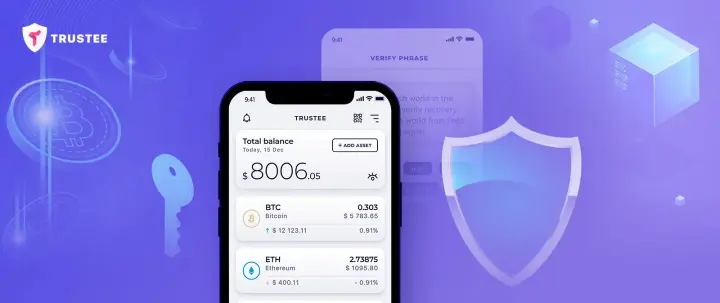
How do you create a cold cryptocurrency wallet on a smartphone? The idea of turning a mobile wallet into a cold one is generally similar to a software wallet, but implementation is much simpler. For this, the multi-currency non-custodial wallet Trustee Wallet is an excellent choice.
To do this, you need to:
-
set aside a separate smartphone with every possible security feature, such as a PIN code, password or biometric data;
-
download the free Trustee app to it from the official website;
-
write down the seed phrase and store it in a secure place, as discussed above;
-
fund the wallet;
-
disconnect the smartphone from the Internet, the mobile network and any other form of communication.
The cold wallet is ready.
How to use it
If you need to perform any operation with cryptocurrency in your wallet, you simply connect it to the Internet, observing all security requirements, and use the app as a hot wallet. Then you disconnect it again.
Pros
-
mobility;
-
possibility of convenient use;
-
simplicity;
-
no need for an additional device;
-
low cost;
-
possibility of restoring access using a seed phrase.
Cons
-
risk of smartphone failure or loss of the seed phrase, PIN code or password.
Alternative types of cold storage
There are also alternative ways of storing cryptocurrency that are close to cold storage:
-
Multisignature, where several private keys must be entered to confirm a transaction.
-
Fragmentation, that is, splitting a private key into several fragments and storing them separately from one another.
-
Smart banknotes, which are analogous to hardware wallets: plastic cards with chips that provide access to a wallet and are suitable for payments.
-
Coins or plates with engraved keys. For example, Casascius coins.
How to choose a cold wallet
Which cold wallet should you choose, and what criteria should guide you?
-
Will you need not only long-term storage, but also periodic top-ups and other operations? In that case, choose wallets that are more convenient for carrying out transactions, such as mobile or hardware wallets.
-
If you need a wallet for advanced use or professional activity, choose a software wallet.
-
Do you want to leave your coins as an inheritance? Choose a paper wallet or one in the form of a coin or plate.
-
Do you not want to overpay, but need a reliable and convenient option? You can make a cold wallet on a flash drive or simply save the keys to external media.
Summary
Cold wallets are the most reliable and secure option for the long-term storage of cryptocurrency.
A rational solution is to keep large amounts in a cold wallet, and a small number of coins in a hot wallet for payments.
All types of cold wallets, when used carefully, guarantee results. Which one you choose depends on your goals, skills and resources.