


Google Ads is Google’s leading advertising platform, allowing businesses to promote products and services in Search, on YouTube, in Gmail, and across other Google services. Traditionally, Google Ads is paid for with bank cards or via PayPal. But more and more companies and freelancers work only with digital assets and want to pay for advertising directly with cryptocurrency.
This approach means you do not need to link a bank account, you can keep your financial details private, and you can top up your advertising budget quickly from any country.
Which payment methods does Google Ads support?
Depending on the country, Google Ads accounts can be funded using several standard methods:
- Bank cards: Visa, Mastercard, American Express
- PayPal — available in most European countries
- Bank transfers: SEPA/SWIFT
- Prepayment to the account balance
All of this is convenient when you have a bank account in the country where your business is registered. However, not every company or freelancer wants (or is able) to open a card, disclose personal financial details, or go through complex bank checks. This is especially true for businesses working in Web3 and international projects.
Want to pay for Google Ads with cryptocurrency?
If your main budget is held in crypto, the most convenient solution is to use a crypto debit card that Google Ads accepts as a standard payment method. For this, you need Trustee Plus to manage your crypto and issue a virtual card.
In short, the process looks like this:
- create a crypto wallet in Trustee Plus;
- top it up with stablecoins;
- issue a virtual crypto card and fund it from your Trustee Plus wallet;
- add the card to Google Ads and pay for ads as easily as with a bank card.
How to register in Trustee Plus
The first step is to create a wallet in the Trustee Plus mobile app. You can download it from the App Store or Google Play.
After installation:
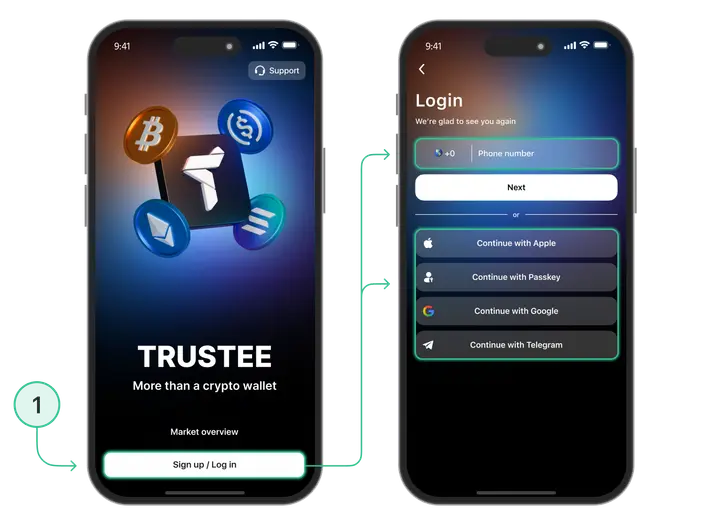
- Register by confirming your phone number via SMS.
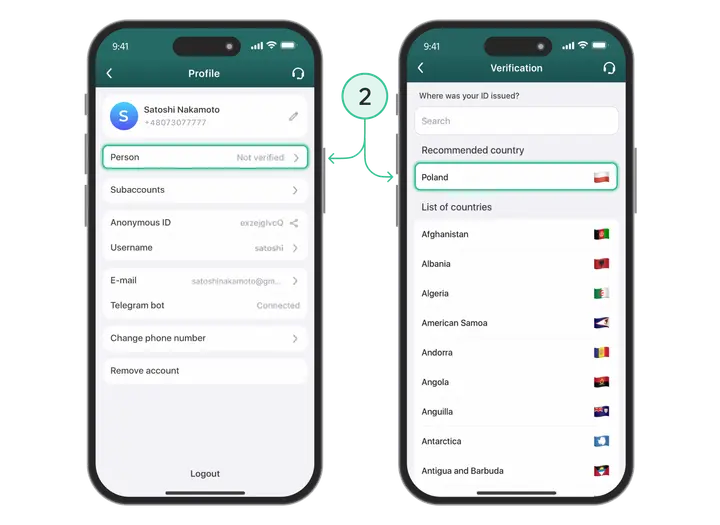
- Complete verification.
- Create a wallet and top it up with USDC stablecoins.
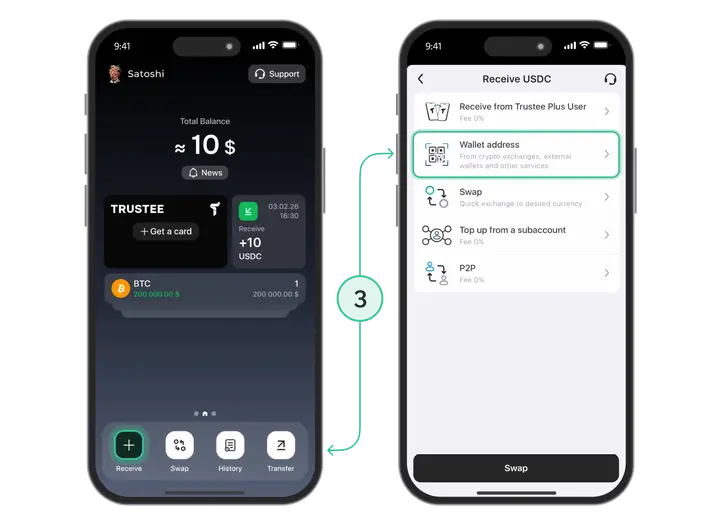
In Trustee Plus you can store key assets — BTC, ETH, USDC — and swap them into one another directly inside the app.
How to open a Trustee crypto card
Next, you need to issue a virtual card that works in Google Ads like a regular bank card.
After the card is issued, you will receive:
- the card number;
- the expiry date.
How to top up your Trustee Plus wallet in USDC
For stablecoin payments in Google Ads to work smoothly, it is best to use USDC:
- Top up your Trustee Plus wallet with any cryptocurrency (for example, BTC or ETH).
- Swap the assets into USDC directly in the app.
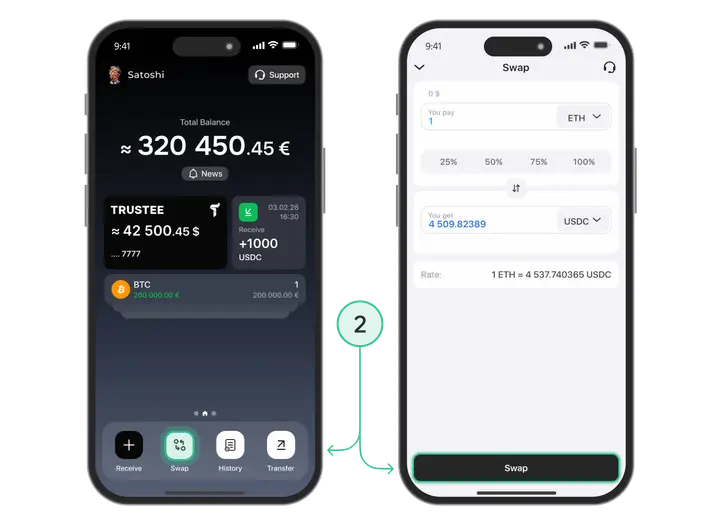
After that, the card is ready to use in Google Ads. The stablecoin will be automatically converted into euros when transactions are made.
Step-by-step: how to link your card and pay for Google Ads
Once your card has USDC on it, you can move on to paying for your Google Ads account. The process is almost no different from linking a regular bank card.
- Log in to your Google Ads account and go to “Billing”.
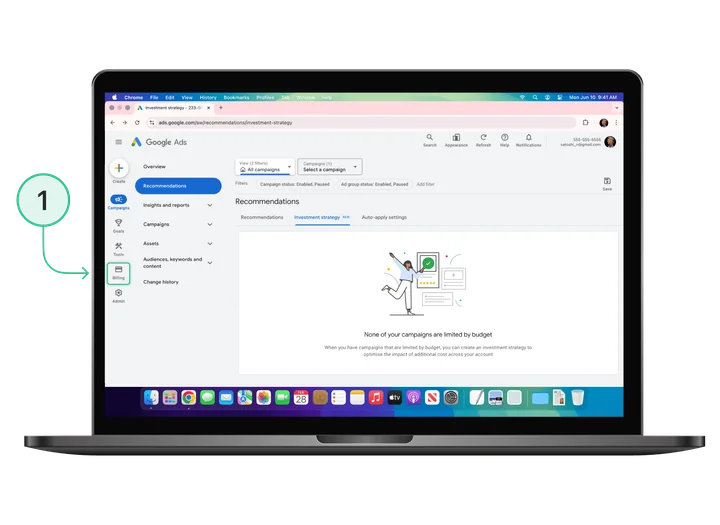
- Select “Payment Methods”, then click “Add payment method”.
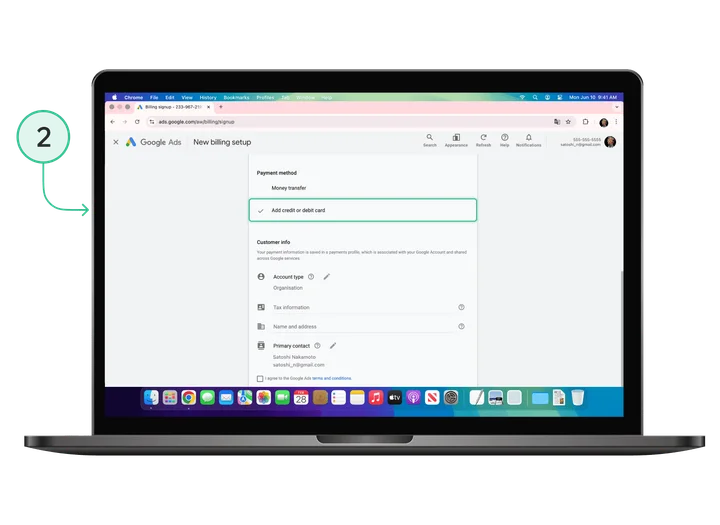
- The system will prompt you to add a credit or debit card. Enter the card details: number and expiry date.
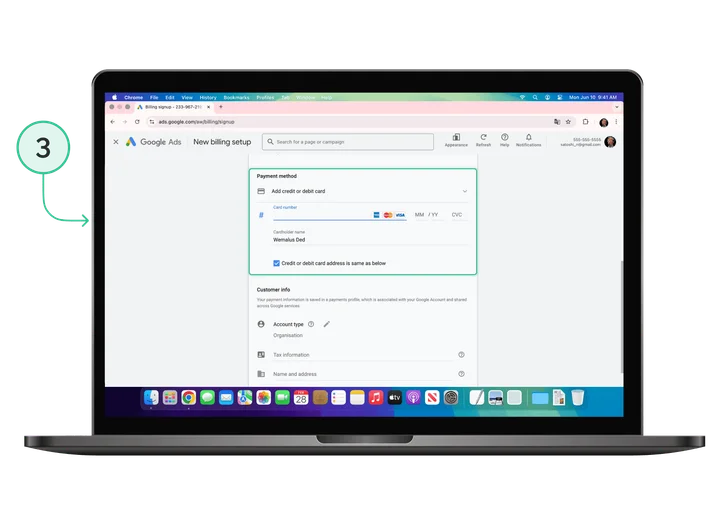
- In the billing address field, enter your real residential address or your business registration address.
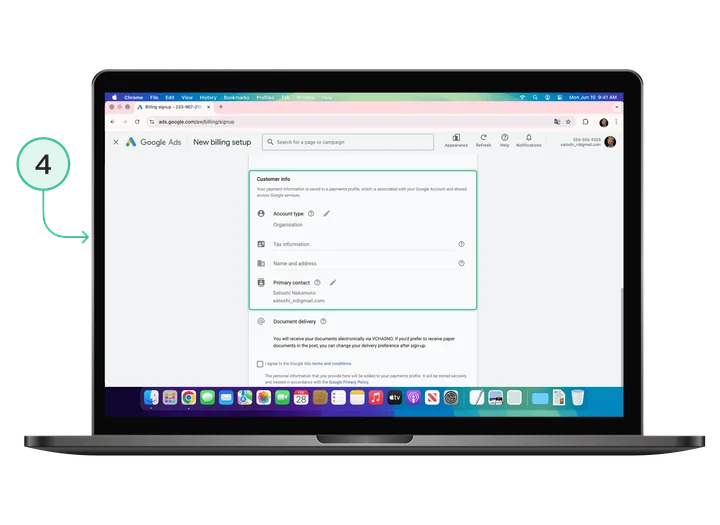
- Save the changes and confirm the card as your primary payment method.
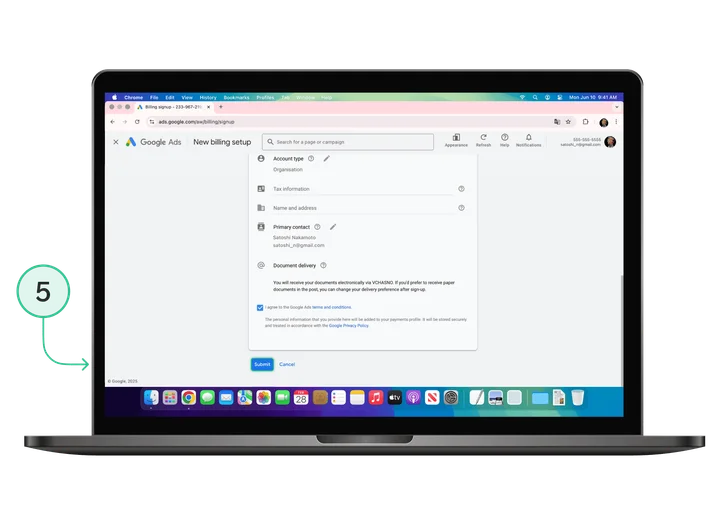
After that, Google Ads will start charging the card automatically depending on your billing mode: after ads are shown, or when you manually top up the balance.
For Google, everything looks completely normal: it sees the card as issued by a financial provider. For the advertiser, this means the ability to pay for Google Ads campaigns from anywhere in the world without needing a local bank card or account.
FAQ
-
Does Google Ads accept cryptocurrency directly?
No, the service does not currently support direct crypto payments. Payment is made via the card through conversion of stablecoins into fiat.
-
How do I add a card in Google Ads payment settings?
In Billing > Payment Methods, add the crypto card as a standard credit or debit card.
-
Which card is the most convenient for paying for online advertising?
The Trustee card provides stable operation and is easy to top up from a crypto wallet.
-
Can I pay for ad campaigns with USDT or other stablecoins?
Yes, but the most convenient option is USDC — it is automatically converted into fiat at the time of payment.
-
Who is this method for?
Companies and marketers who work with cryptocurrency and do not want (or are unable) to use local bank accounts.