



























How to add a card to Apple pay
To add the card to Apple Pay, open the card menu in the app:
-
Go to the «More» section.

-
Then open the Apple Pay section.
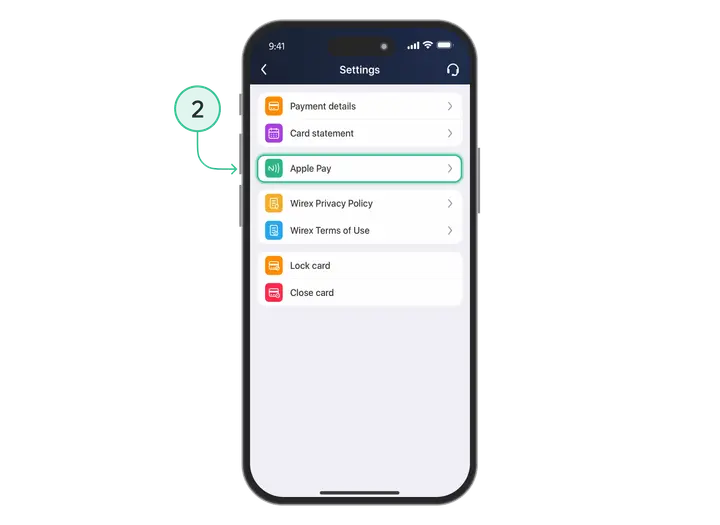
-
Select the option to add the card to Apple Pay.
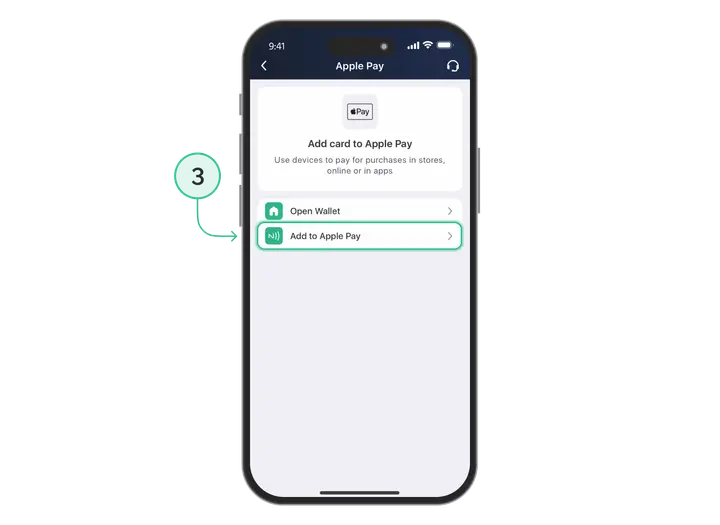
-
After that, tap Open Wallet.

-
Choose the option to add the card manually.
-
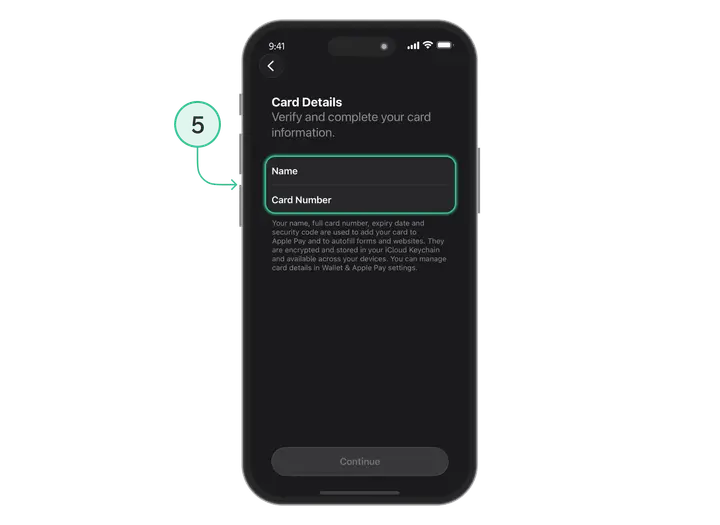
Enter the card details and tap «Continue».
-
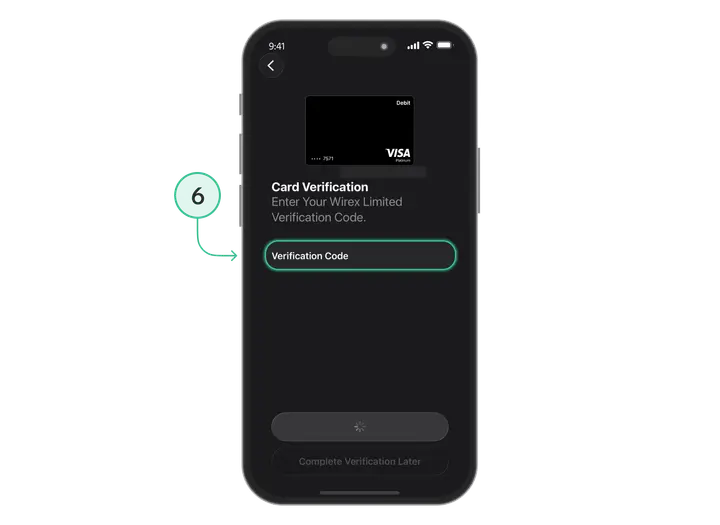
Enter the code you receive to confirm adding the card.
After successful confirmation, you’ll be able to check that the card is available in Apple Pay and use it for payments.
Install Trustee Plus - a crypto wallet with payment card!
All the benefits in one app




This website uses cookiesIn order to ensure the functionality of the Website and to prepare a statistical analysis of the website visitors' navigation methods, we use cookies. Manage preferences