



























How to add a card to Google Pay
You can add a card to Google Pay directly in the Google Pay app:
-
Open the Google Pay app.
-
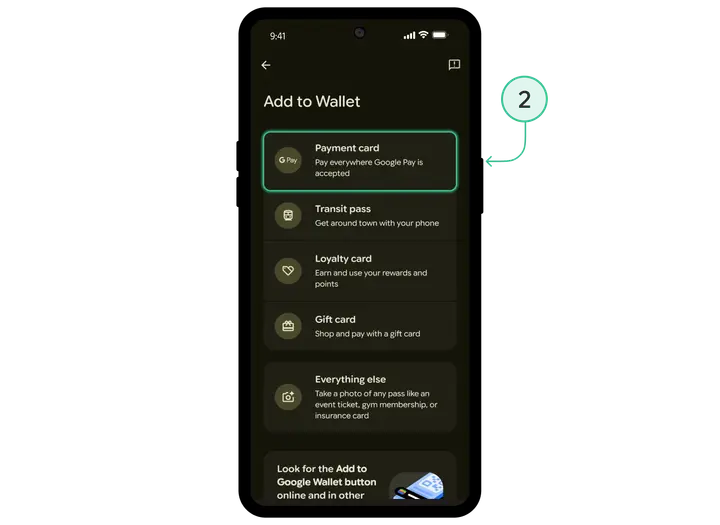
Choose the option to add to your wallet «Payment card».
-
Review and accept the card issuer’s terms and conditions.
-
Enter your card details.
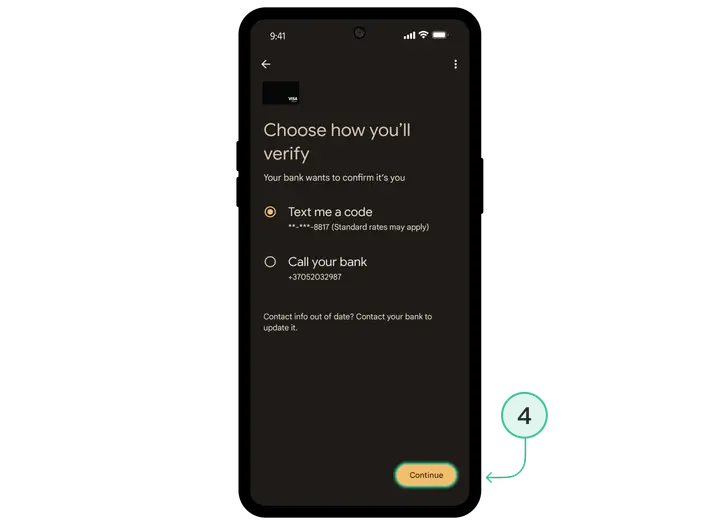
After that, you’ll be able to make payments with the card via Google Pay as usual.
Install Trustee Plus - a crypto wallet with payment card!
All the benefits in one app




This website uses cookiesIn order to ensure the functionality of the Website and to prepare a statistical analysis of the website visitors' navigation methods, we use cookies. Manage preferences