



























How to create a Trustee subaccount?
In Trustee Plus you can create 2 subaccounts for convenient and efficient crypto management.
Instructions
- Go to the “Wallet” tab and click on settings in the upper left corner.
- Select your profile.
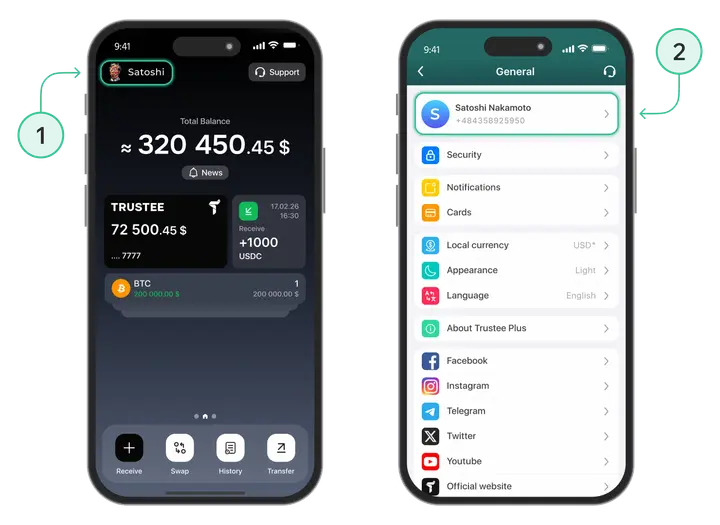
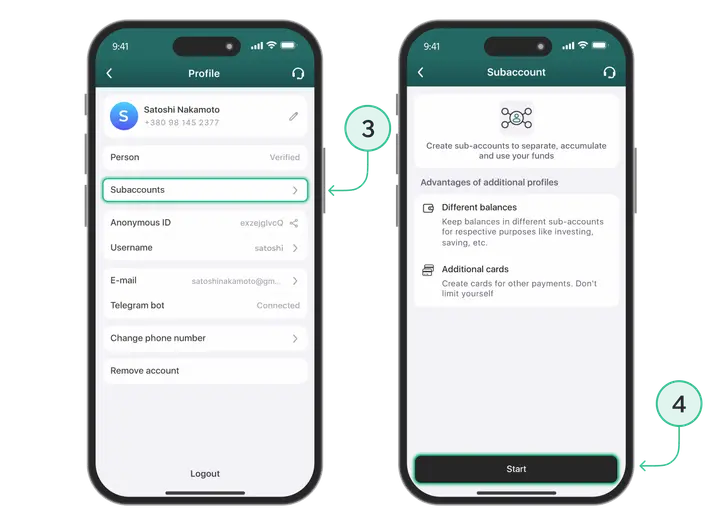
- Go to “Subaccount.”
- Click on “Create” to create it.
- Choose your account name and color.
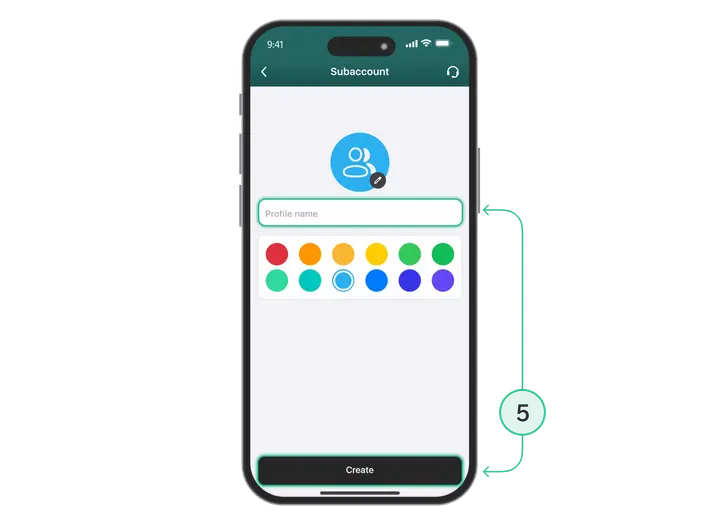
Done! Your subaccount has been created.
Useful instructions:
Install Trustee Plus - a crypto wallet with payment card!
All the benefits in one app




This website uses cookiesIn order to ensure the functionality of the Website and to prepare a statistical analysis of the website visitors' navigation methods, we use cookies. Manage preferences