



























Filtering transactions in Trustee Plus
Find the transactions you need in seconds
The filtering feature allows you to quickly view only the transactions you need: top-ups, exchanges, card operations, referral rewards and many others.
Nothing extra — only what matters.
How to open filters?
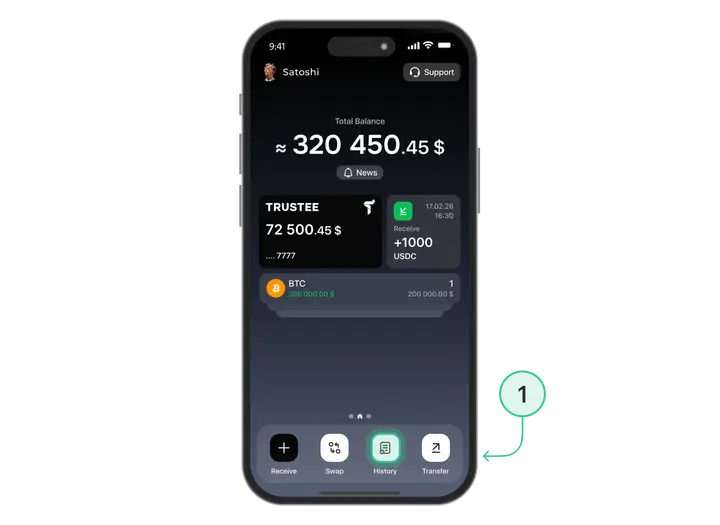
- On the main screen, tap the “History” button.
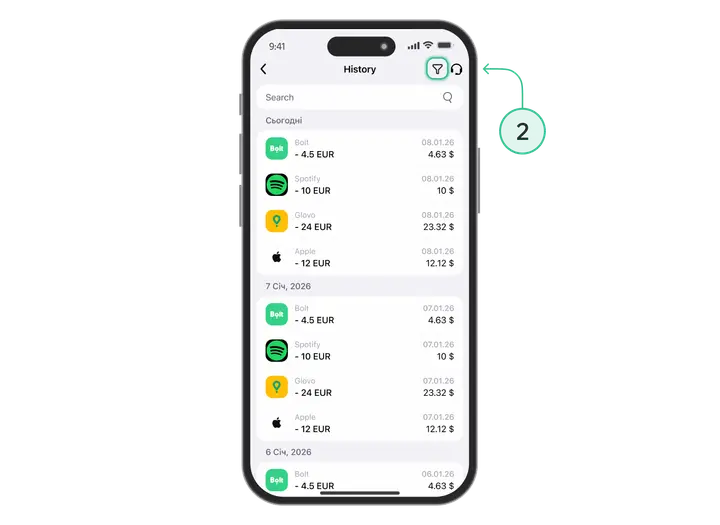
- Tap the filtering icon in the top right corner.
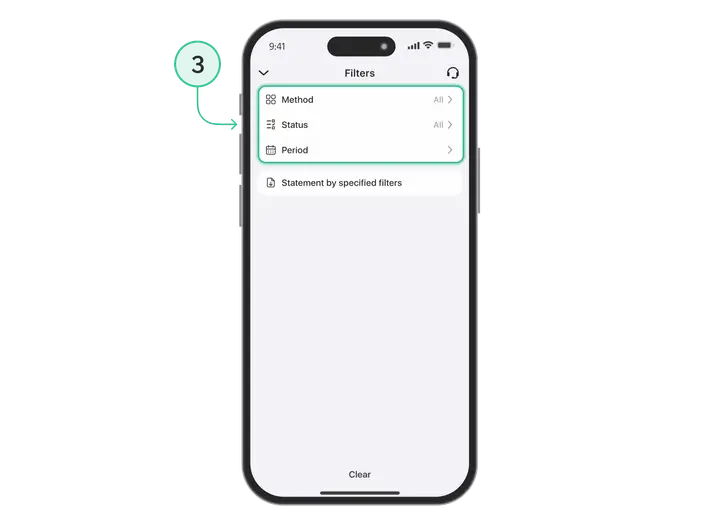
- You will see three main filter groups:
- by transaction method
- by status
- by period
1. Filters by transaction method
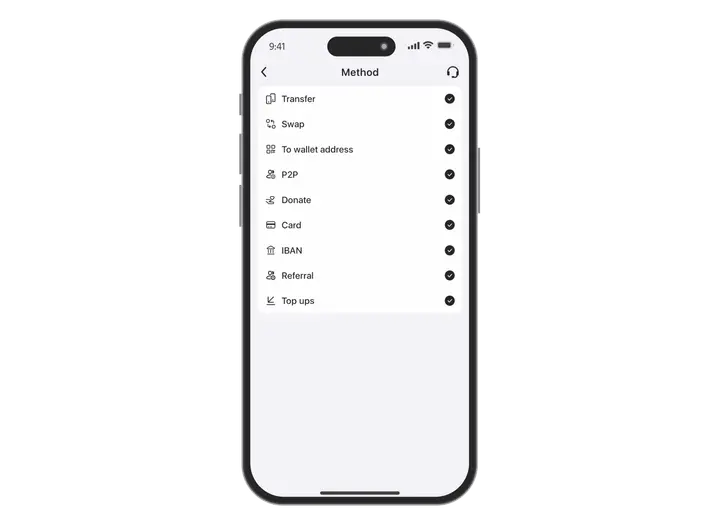
Here you can choose the types of operations you want to view:
- Transfer
Transactions between Trustee Plus users. - Exchange
All your asset swaps, for example BTC → EUR. - To wallet address
Top-ups to your crypto address (for example, a USDC deposit via the ERC20 network). - P2P
Operations carried out through the Trustee P2P platform. - Donation
All donations you have made in the app. - Card
All transactions completed with your Trustee card. - IBAN
Top-ups and withdrawals via IBAN transfer. - Referral
Rewards received from your referrals. - Top-up
All incoming transactions to your Trustee Plus wallet.
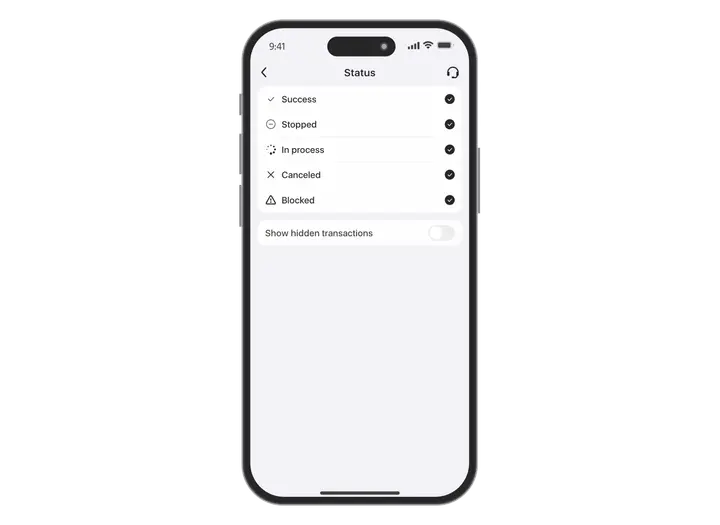
2. Filters by transaction status
3. Additional filtering options
Hidden transactions
On the filtering screen, you can show or hide hidden operations.
Only cancelled transactions can be hidden — simply swipe them left in the history list.
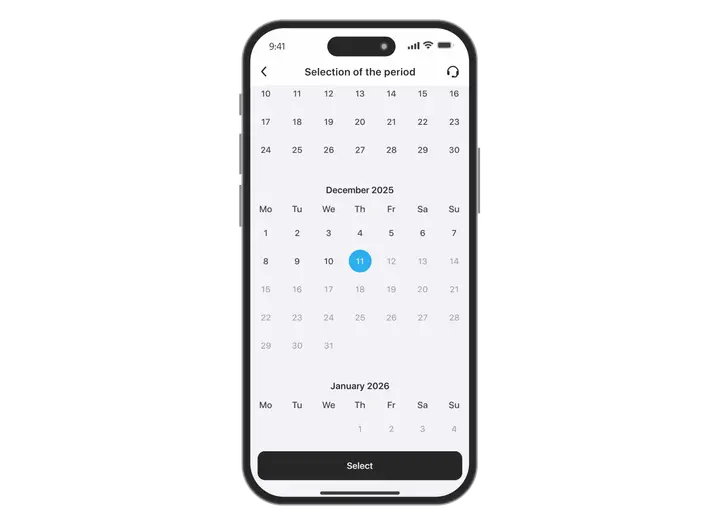
Transaction period
Select the desired time range in the calendar —
and you will see transactions only for the chosen dates.
4. Export history
Want to save your transaction history?
You can download a statement in the following formats:
- XLSX
- XLS
- CSV
The file will be generated according to the filters you selected.
Control, order and transparency
Filtering transactions in Trustee Plus helps you quickly find what matters and manage your finances efficiently.
Install Trustee Plus - a crypto wallet with payment card!
All the benefits in one app



