



























How to send crypto
1. Navigate to the asset tab.
2. Select Send and specify the amount in coins or local currency equivalent. Specify the receiver address. Select Next.
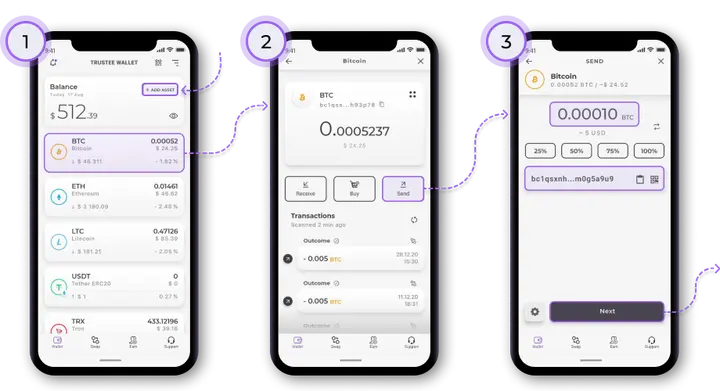
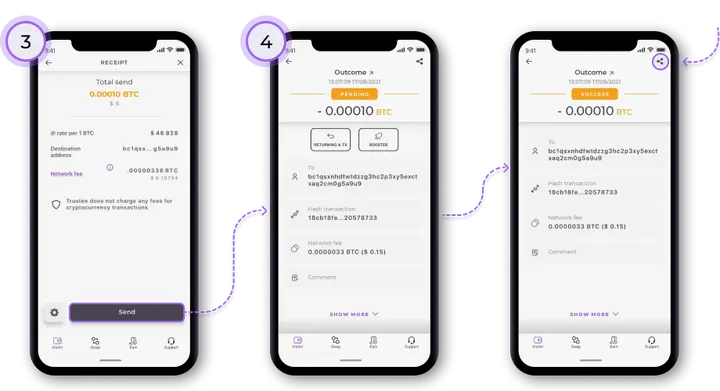
3. See the transaction details on the checkout screen: the status, transaction amount, date, receiver address, and miner fee. Select Next. You can change the network’s fee in the transaction settings.
4. As soon as miners confirm the transaction, its hash will appear in the transaction details and its status will change to “Success”. To share your transaction, select Share in the upper right corner of the screen.
Install Trustee Plus - a crypto wallet with payment card!
All the benefits in one app




This website uses cookiesIn order to ensure the functionality of the Website and to prepare a statistical analysis of the website visitors' navigation methods, we use cookies. Manage preferences