



























Swipe to Send is an instant transfer
Want to send money to a friend instantly without searching for addresses, QR codes, or extra clicks?
Swipe to Send is an instant crypto transfer between Trustee Plus users who are nearby.
Perfect for when you need to:
- split a bill at a café
- pay back a debt
- send a gift
- quickly send crypto to a friend
It’s as simple as it gets.
How does it work?
- Open the Trustee Plus app.
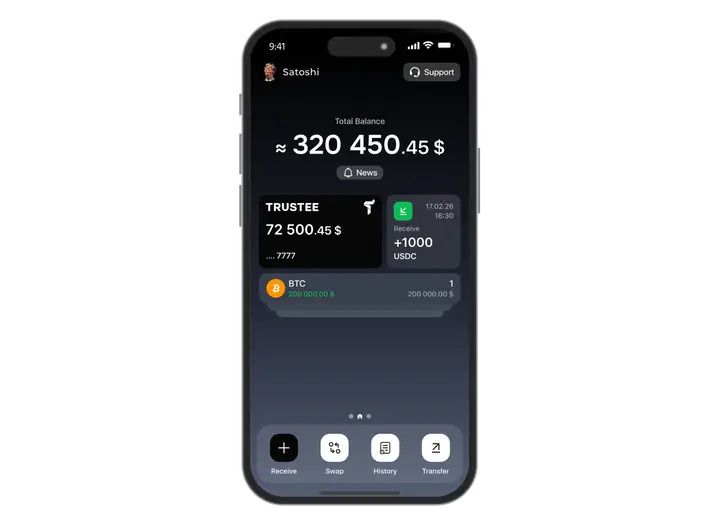
- Shake your phone a few times.
This activates the Swipe to Send mode.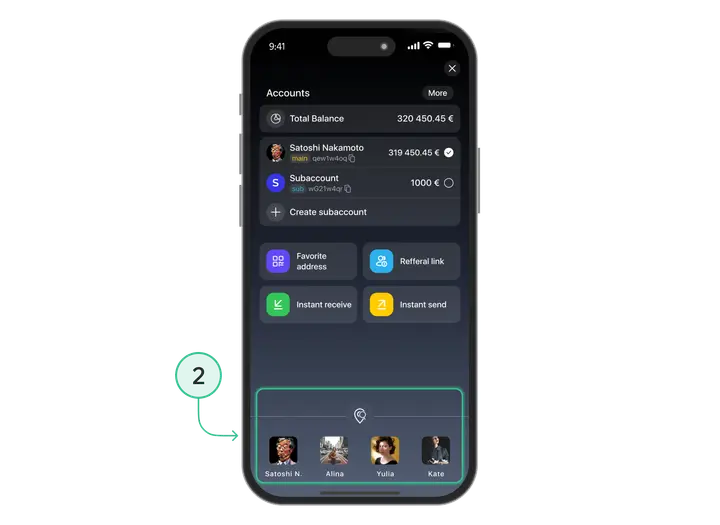
- Your friend must also open Trustee Plus and shake their phone.
Both users must activate the mode at the same time — this allows the system to locate nearby users.
- Allow location access (if required).
You only need to grant permission once. If it's already enabled — this step is skipped.
- You will both appear on the Swipe to Send screen.
Your profiles will automatically show up on each other’s screens.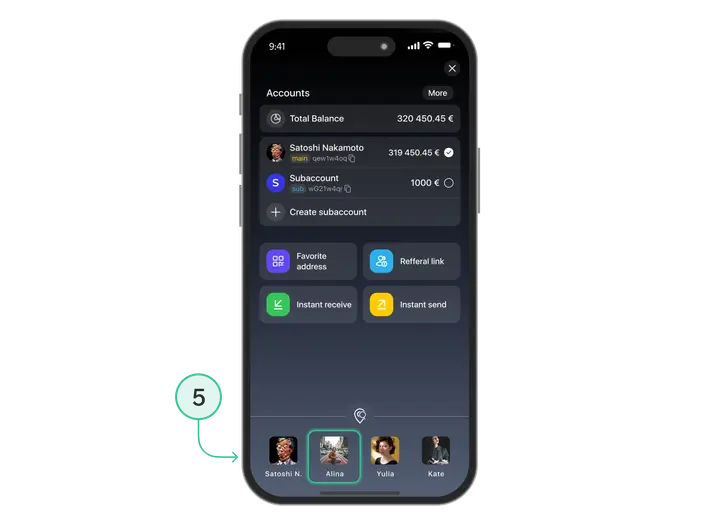
- Select your friend → send the cryptocurrency.
Choose the asset, enter the amount, and confirm the transfer.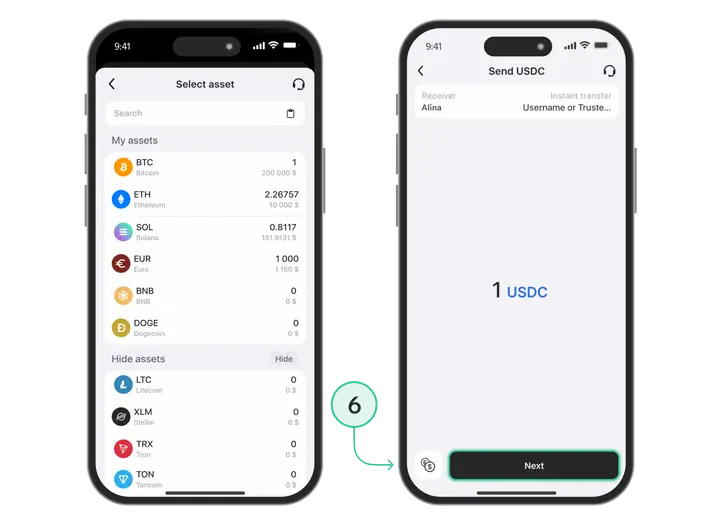
Install Trustee Plus - a crypto wallet with payment card!
All the benefits in one app




This website uses cookiesIn order to ensure the functionality of the Website and to prepare a statistical analysis of the website visitors' navigation methods, we use cookies. Manage preferences