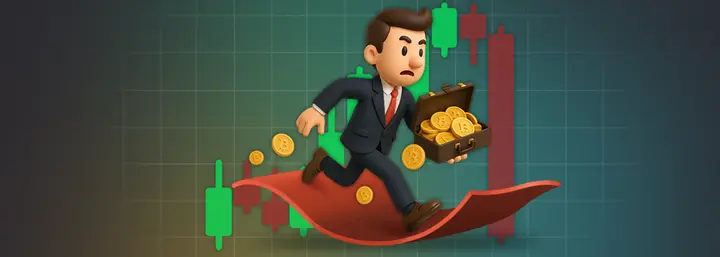


What kinds of nightmares do people usually have? A burglar breaks into their home with a crowbar and steals money hidden in a bookcase, or a masked robber snatches a bag or wallet full of cash on the street… People wake up in a cold sweat, check that the door is locked, make sure they are safe, and then calmly go back to sleep.
Crypto holders’ nightmares look a little different. No masked robbers or signs of a break-in, no smashed windows or broken doors. Instead — a suddenly empty crypto wallet balance and a gloating hacker somewhere on the other side of the planet.
And the worst part is that this is not just a nightmare, but a reality for tens of thousands of people every year.
It is worth emphasising that when it comes to crypto fraud, blockchain anonymity, which protects users’ privacy, often works against them.
Add to that the irreversibility of crypto transactions — and it becomes clear where these striking figures for stolen crypto assets come from. If you send a transaction to scammers or to the wrong address, or if someone gains access to your seed phrase — you can assume the cryptocurrency is gone for good.
But there is good news — in 99% of cases, losses can be avoided if you follow basic rules of digital hygiene and secure cryptocurrency storage. Which ones exactly? That is what we will look at in more detail in this article.
Protecting access to devices and accounts
So, how do you protect your cryptocurrency?
As banal as it may sound, the first line of defence is your passwords. Statistics show that most hacks happen precisely because users do not pay enough attention to this.
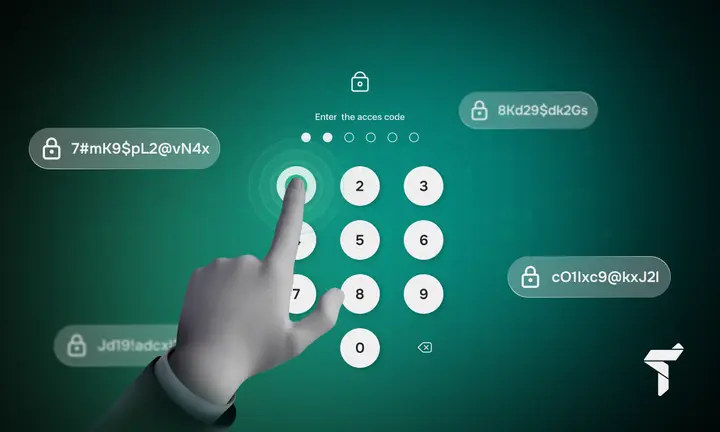
The most common problem is using weak passwords: for example, 1234567890, qwerty123, or your date of birth. Yes, believe it or not, there are still plenty of people who use them.
To see how important password complexity and length are, here are a few figures:
- a password of up to 6 characters is cracked almost instantly;
- a 12-character password made up of digits only — in a minute;
- a 12-character password made up of digits and lowercase letters — in roughly two hundred years;
- a 14+ character password made up of digits, lowercase/uppercase letters, and symbols — may take more than a million years to crack.
The second common mistake is using the same password for different websites or services. In other words, someone comes up with a seemingly complex password once and then uses it everywhere: for social media, crypto exchanges, or online shops. A hack or data leak from any of these services means criminals get a ‘username/password’ pair and can use it to access your other accounts.
Many people avoid complex passwords because they supposedly are hard to remember, inconvenient to store, and awkward to use. But that is complete nonsense.
For a long time now, there have been special programmes on the market — password managers — that generate and store strong, unique combinations for every website or service. They have been tested over the years, have an excellent reputation, a high level of security, and differ in features, convenience, and price. All a user needs to remember is one single master password. The password manager does the rest. Among the many popular services, three stand out: Bitwarden, 1Password, KeePass. All of them use AES-256 encryption and a zero-knowledge architecture, while 1Password additionally uses a Secret Key for two-factor authentication at account level.
But setting a reliable, complex password is only half the job. Next comes the second critical element in protecting user data — two-factor authentication, or 2FA, as it is commonly called.
Two-factor authentication
Two-factor authentication is an extra layer of protection that requires not only a password, but a second factor — for example, a code from a dedicated app or confirmation via another channel.
Even if someone learns your password, without access to the second factor an attacker will not be able to sign in to your account. It sounds great, but unfortunately not all 2FA methods are truly reliable.
At first glance it seems convenient — no need to install and use specialised apps: you receive an SMS on your phone and enter the code. Convenient? Yes. Secure? Absolutely not.
That is because attackers can use a so-called ‘SIM-swap attack’ to gain access to your incoming SMS messages. To do this, they either re-register your phone number in their name by contacting your mobile operator and impersonating you, or intercept the SMS code sent to you using special equipment. Once they control your communications channel, attackers can gain access within minutes to crypto exchanges, email, and other services protected by SMS authentication.
So what is the point of 2FA, you might ask? The point is that, besides SMS authentication, there are other genuinely reliable options.
For example, TOTP apps (Time-based One-Time Password):
- Google Authenticator
- Authy
- Microsoft Authenticator
Using these apps provides a baseline level of protection because they generate time-limited codes directly on your device, without relying on the internet or a mobile operator.
Or FIDO2 and WebAuthn (PassKey) — the latest phishing-resistant, passwordless authentication standards. This is the most reliable solution today. Instead of codes, it uses hardware keys (YubiKey, Titan Security Key) or biometrics (Face ID, Touch ID).
Email and phone security
Email is not just a string of characters — it is the master key to everything. You can use it to reset passwords, confirm payments, and contact support. It is one of the pillars of secure cryptocurrency storage. Whoever hacks your email gains access to your entire online life. Remember this and take your email security seriously.
4 steps to protect your email:
- Forget simple passwords. Create something truly unique and complex and do not use it anywhere else.
- Enable 2FA (two-factor authentication). It is like adding an extra lock to your front door.
- From time to time, check which devices have signed in to your email. Notice anything odd? Sign out everywhere and change your password.
- Add a backup email for account recovery, but keep it secret as if it were treasure.
We recommend taking a few steps to protect yourself from SIM-swap:
- To protect your SIM card from SIM-swap (replacement or re-registration without your consent), set a SIM PIN or arrange a special lock with your mobile operator — this prevents or significantly complicates unauthorised access.
- Do not make your phone number the primary method for password recovery.
- If your phone suddenly stops working, call your operator immediately — block your SIM card and change every password you can.
Following all of these steps, unfortunately, does not provide a 100% security guarantee, but it does make life much harder for attackers. So we recommend not ignoring the protection advice above.
Now that we have covered how to set up baseline online account security, let us move on to the main question — what does cryptocurrency security mean, and how do you set everything up properly?
Choosing and securing a wallet. Cold vs hot cryptocurrency storage
There are two types of wallets: hot wallets and cold wallets, also known as hardware wallets. Each has its own advantages, risks, and supporters who believe their preferred option is the only truly reliable way to store cryptocurrency securely.
Let us look at each of them in detail.
Hot wallets: fast, convenient, but with caveats.
These are usually free smartphone apps or browser extensions (for example, MetaMask, Trustee Wallet, Rabby Wallet). They are always online and provide instant access to your crypto assets. Convenient for those who frequently buy/sell/swap or actively use DeFi or Web3.
Convenience is clear, but you also need to think about crypto security. What should you watch out for?
The list is long, so here are the key points:
- Risk of being hacked if your computer is infected with malware.
- The possibility of landing on phishing websites.
- You can accidentally sign a malicious transaction or a dangerous smart contract.
Remember a few rules:
- Always check the website address carefully. Scammers create lookalike sites with typos in the name (for example, unisvvap.com instead of uniswap.com).
- Do not let your wallet sign everything automatically. Always read what you are signing. One careless click — and a scammer can take everything.
- Do not keep all your money in a hot wallet. Keep only what you need for day-to-day use — everything else should be in a cold wallet.
- Check what kind of smart contract it is. If you see something new, look it up and check Etherscan or a similar explorer.
- From time to time, revoke permissions. There are sites (for example, Revoke.cash) that help you remove permissions granted to older smart contracts.
Cold or hardware wallets — a real crypto safe in your pocket.
This is not just a nice metaphor. When you hear people ask ‘Where is it safe to store cryptocurrency?’, you wonder — do they really not know about specialised solutions like hardware wallets?
These small devices, similar to ordinary USB sticks, are true safes for your crypto: your keys are stored securely, isolated from the internet. The market offers many hardware wallet manufacturers. The main players include Ledger, Trezor, SafePal, and Tangem Wallet.
Why are they so good? There are many benefits, but here are the key ones:
- Your private keys always stay inside, and no hacker can reach them online.
- You see every transaction on the wallet screen before you sign it.
- It is protected by a PIN, and if someone tries to ‘guess’ it several times, the wallet locks.
- Losing the device does not mean losing your funds. You can restore access using your seed phrase.
How do you use a hardware wallet properly?
- Buy only from official websites. No eBay, Amazon, or ‘trusted sellers’. You risk buying a fake with someone else’s seed phrase.
- Check the packaging. If it is damaged, return the product.
- Generate the seed phrase yourself. Do not use pre-generated phrases, even if they were in the box.
- Do not forget to update the firmware (software). Manufacturers continuously improve security.
- Carefully verify the recipient address on the wallet screen. Before confirming, compare it with what you see on the computer.
Who said crypto security cannot be convenient? A compromise exists.
For those who believe hot wallets are unreliable and cold wallets are too complicated, there is a compromise — custodial solutions: crypto exchanges or services like Trustee Plus.
Custodial wallets are like a regular bank, but for crypto. Yes, in this case private keys are not stored by you; the service does that — for example, Binance, Coinbase, or Trustee Plus. But who says the average user is truly capable of providing a sufficient level of secure cryptocurrency storage?
Why is using custodial wallets great?
First, it is extremely convenient, and second, it offers many advantages:
- No need to deal with seed phrases.
- Lost access? Support can help you restore it.
- Plenty of extra features: you can swap crypto, send assets instantly, and even use an IBAN.
- Transparency and legality: platforms hold the relevant licences and operate under established rules in the EU.
The key is to understand clearly that the user delegates part of the security to the service, but does not remove responsibility from themselves. Once you accept this, you will easily find your balance between convenience and security.
Protecting your recovery phrase (Seed Phrase)
Speaking of keys: if you choose non-custodial solutions, you must understand clearly that protecting your seed phrase is absolutely critical.
A seed phrase is like a password — but not for email or Facebook; it is for your crypto wallet. It usually consists of 12 or 24 words, and that is it: whoever has them has the money. Remember this.
Lose your seed phrase — say goodbye to your wallet forever.
Show it to someone — everything will be stolen instantly.
To avoid problems, remember this and never do the following with your seed phrase:
- No cloud storage (Google Drive, Dropbox, iCloud) — they get hacked all the time. Your money is not worth the risk.
- Forget screenshots — they can end up in backups, the cloud, or your clipboard.
- Taking photos is also a bad idea: the image may be saved automatically to cloud storage, accidentally seen by someone, or even end up in technicians’ hands during phone repairs — and that scenario is real too.
- Do not send it to yourself in a messenger or by email — those can be hacked.
- Do not enter it on websites or in services — they are often designed to trick you into revealing it under the pretence of wallet recovery.
And most importantly — never, ever show your seed phrase to anyone. Not friends, not acquaintances, not relatives — and certainly not support staff, because no legitimate service will ever ask a user for it.
We have covered what you must not do — so what should you do with your seed phrase?
Simply write it down by hand on paper or engrave it on metal and store it in a safe place. That is all. And no more worries about how to store crypto securely.
We will discuss other storage methods next.
Crypto wallet backup methods or how to keep your crypto treasure safe
Secure cryptocurrency storage is not only about choosing a convenient wallet. The main thing is making a reliable backup. Imagine something goes wrong: a fire, a thief, a flood… How will you get your money back?
A physical backup of a seed phrase has two common options.
1. Write it down on paper
- Take a pen (not a gel pen) and write your seed phrase on a piece of paper.
- Put the paper into a waterproof bag or an airtight box.
- Hide it where nobody will find it (a safe or a secret place).
- You can make several copies and store them in different places.
- Or better, split the seed phrase into several parts (so-called sharding) and store each segment separately.
Pros:
- No digital footprint.
- Complete offline protection — impossible to hack remotely.
- Almost free: pen and paper are enough.
- Easy to make multiple copies.
- Convenient recovery.
Cons:
- Paper is vulnerable to fire, water, and time.
- It is easy to damage.
- After 10–20 years it may deteriorate.
2. Engrave it on metal
Metal plates are great. They do not have paper’s drawbacks because they are not afraid of fire, water, or impacts.
You can also take an ordinary metal plate and punch the required words into it yourself. Do it once — and there are no more questions about how to protect your cryptocurrency.
Pros:
- Lasts a very long time.
- Not afraid of extreme conditions.
- The inscription cannot be erased by accident.
Cons: none, except the cost of the plate.
Operational security
Let us be honest: neither a fancy wallet nor super-strong passwords will help if you hand everything to thieves yourself. And that is most often what happens, because crypto is stolen not through technology gaps, but through deception and tricking people into giving up data.
Phishing: how not to take the bait
Phishing is a type of cyber fraud where criminals impersonate well-known services and try to trick users into revealing their data: passwords, seed phrases, private keys, or 2FA codes.
How does it work in the crypto world?
- Fake websites: criminals create addresses almost identical to the real ones: binansе.com (s instead of c), unisvvap.com (two v instead of w), metamask-support.com (looks like support).
- Fake browser extensions: criminals publish counterfeit versions of MetaMask, Phantom, and other popular crypto wallets in extension stores.
- Trap emails: for example, an urgent message supposedly from an exchange: ‘Your account has been locked. Click here to restore…’
- Copying addresses from history: criminals create addresses that closely resemble ones you have used before and rely on your inattention.
How to protect yourself:
- Always check the website address: type it in yourself or save it in bookmarks. Do not click links from emails or messages.
- Check HTTPS and the certificate: click the padlock icon in the browser to confirm the site is genuine.
- Use official apps: download only from the App Store, Google Play, or the official website. Check download counts and reviews.
- Verify the full address: do not rely only on the first and last characters. Criminals deliberately make them look similar (address poisoning).
- Do not rush: scammers love it when you panic. ‘Urgently update or your account will be deleted in 24 hours’ is one of their favourite tricks. Legitimate services do not work like that.
Social engineering: beware human error
Let us look at scenarios you should avoid (and how not to get into trouble):
Scenario 1: Do not brag about your crypto wins online.
Imagine posting a screenshot of your wallet on Telegram: ‘Hooray! I have saved 1 BTC’ or ‘Finally, I have an investment portfolio of 5 ETH’.
What can happen:
- You become an attractive target for hackers.
- Someone may try to scam you, hack you, or even… well, you get the idea.
- Your family could become a target for extortion.
Scenario 2: Be careful with ‘support’.
You post on X: I cannot withdraw money from @SomeExchange, help!
And then — bam — @SomeExchange_Support messages you (note the underscore): ‘Hi! We see your issue. Click here to verify your account’.
Or: ‘Send us your ID and your last transaction for review’.
Result: you end up on a fake site or share data that allows your account to be compromised.
How do you protect yourself? How do you protect your cryptocurrency?
- Never reply to messages from ‘support’ if they contacted you first.
- Always reach out yourself via the exchange’s official website or app.
- Look for a verification badge. Genuine company accounts on Telegram or X usually have one.
Remember: real support will never ask for:
- your seed phrase;
- private keys;
- your account password;
- and it will never ask you to send crypto somewhere for ‘verification’.
Why software and wallet firmware updates matter
Someone might ask: what is the link between ‘How to store crypto safely’ and ‘Which software version are you on?’. The link is direct. It is no secret that vulnerabilities are constantly discovered in software, and developers continuously patch them. If you use an outdated version of an app or wallet firmware, it is as if you are leaving the door open for attackers.
So, keep your software up to date:
- Operating system (Windows, macOS, Linux, iOS, Android): enable automatic updates so you always have the latest security patches.
- Browser (Chrome, Firefox, Safari): make sure you are on the latest version.
- Software wallets (MetaMask, Trustee Wallet, Exodus, etc.): check regularly for updates.
- Hardware wallet firmware (Ledger, Trezor): these devices get updates several times a year — do not miss them.
- Antivirus: yes, even if you use a Mac — antivirus is still useful, especially if you work with cryptocurrencies.
How to update a hardware wallet safely:
- Go to the manufacturer’s official website (not via Google — use a saved bookmark).
- Download the official app (for example, Ledger Live or Trezor Suite).
- Connect your device and install the update via the app.
- After updating, check your balance — everything should still be there. Do not panic if it does not show immediately. Just refresh the page.
Using a separate device or a virtual machine for crypto operations
You can never have too much crypto security. If you are serious about it (for example, investing from $50,000), then a dedicated PC or a virtual machine for handling cryptocurrency is not overkill — it is a smart decision.
Your main computer is like a public hallway: work, films, and all sorts of files. The risk of catching malware multiplies. A dedicated device, on the other hand, stays clean, clutter-free, and keeps crypto wallet security at a high level.
Option 1: Get a separate laptop. A budget option (around $300–500) with a fresh operating system.
Install only:
- wallets (official ones only);
- a browser (for exchange access);
- antivirus (a must).
That is it. No social media, no downloads, and certainly no games. Crypto only, nothing else.
Option 2: A virtual machine
If a separate laptop is too much, use a virtual machine (VirtualBox or VMware).
- Install a ‘clean’ operating system (Linux is excellent from a security perspective).
- Install only the software you need for crypto.
- Create a snapshot of the clean system.
After each crypto session, roll back to the original ‘clean’ state. Believe it: this is not paranoia — it is care for secure cryptocurrency storage.
This helps protect against many types of malware and keyloggers because they cannot escape the virtual environment.
Protect your crypto assets — time to draw conclusions
This material may feel a bit complex or overly information-dense, but you will agree that the topic is truly important and multi-faceted.
Yes, we understand it is not easy.
And it is not something you ‘set once and forget’. The world changes quickly, and the crypto world changes twice as fast. That is why the question ‘Where is it safe to store cryptocurrency?’ will always be relevant. Even the best security system will not help if you store your seed phrase somewhere in Google Keep or click suspicious links.
To summarise what matters most:
- Create unique passwords and enable 2FA everywhere you can.
- For long-term cryptocurrency storage, use a hardware wallet.
- Write your seed phrase down only on a physical medium — no copies on your computer.
- Check all URLs and contracts before every transaction.
- Update your apps from time to time and scan your system with antivirus software.
Does it feel like too much information at once? Do not worry — start small: enable 2FA on your exchange today, write your seed phrase on a metal plate tomorrow, and the day after tomorrow check which third-party smart contracts your wallet has granted token spending permissions to. Step by step, you will build truly strong protection that keeps your funds safe from most threats.
You must realise that in crypto protection you have only three allies: your own vigilance, a strong password, and two-factor authentication. These three ‘pillars’ are what crypto security for your savings is built on.
Ready for the next level? Because we are already working on new material. In the next article in the ‘Digital Security’ series, we will cover how to protect your money in a bank, what to do in case of phishing attacks on online banking, and how to keep bank cards secure.