


Trustee Plus includes features that make everyday use of the app significantly more enjoyable. These are practical tools that enhance security, save time, and add convenience where you might not expect it.
Let’s go through these useful features, as some of them could easily become favourites.
Feature 1. Secret PIN in Trustee Plus
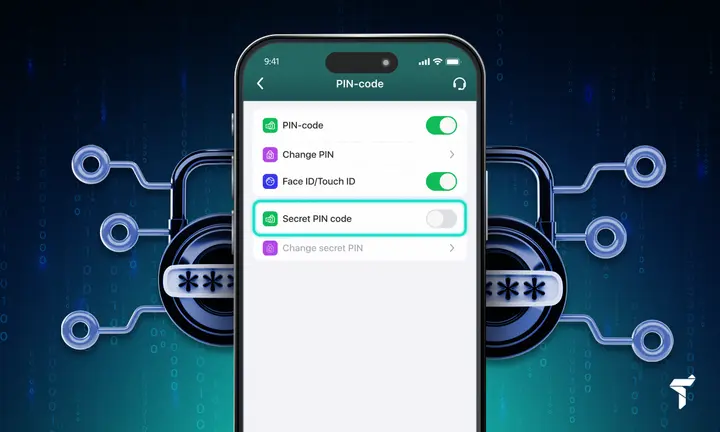
A secret PIN is an additional layer of protection available for sub-accounts. It lets you create hidden accounts that do not appear during a standard sign-in to the app. Such sub-accounts open only after you sign in using a special PIN code. This is useful if you need to separate assets, hide specific balances, or simply have more control over privacy.
A detailed setup guide is available via the link.
Feature 2. Notifications screen: how to set up price-change alerts

In the app settings, you can set up price-change notifications for a specific asset without constantly checking charts. You decide when the app should notify you. This is convenient for those who want to stay in control without spending extra time. It is worth noting that notification settings in Trustee Plus are very flexible: there are many different options that let you choose the optimal message format — for maximum comfort, without losing the necessary level of control.
A detailed setup guide is available via the link.
Feature 3. Trustee Plus referral programme

Trustee Plus runs one of the most rewarding referral programmes. Invite friends — and earn up to 45% of the fees from their exchanges. This is a way to get extra benefits simply by recommending the app to fellow crypto enthusiasts. What’s more, you can send cryptocurrency directly to a phone number, even if the person has not installed Trustee Plus yet. Once the recipient installs the app and completes registration, the funds will appear in their account immediately, and your friend will be automatically linked within the referral programme.
A detailed setup guide is available via the link.
Feature 4. Swipe to Send: the fastest way to send crypto to a friend

Swipe to Send is a way to instantly transfer cryptocurrency to another Trustee Plus user who is nearby. No addresses, QR codes, or extra steps. This feature is ideal for everyday situations: splitting a café bill, repaying a debt, giving a gift, or simply sending funds quickly.
A detailed setup guide is available via the link.
Feature 5. Transaction filtering in Trustee Plus
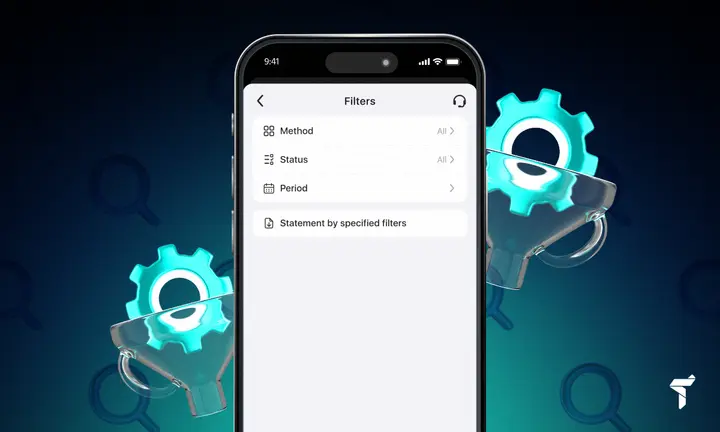
Transaction filtering lets you quickly find the operations you need across your entire history: top-ups, exchanges, card transactions, referral rewards, and so on. Nothing extra — only what matters. This feature is especially useful when you have many transactions and need to navigate your funds movement history quickly without endlessly scrolling. It helps save time and keep your finances fully under control.
A detailed setup guide is available via the link.
Conclusion
Trustee Plus is constantly evolving, and many useful capabilities are already available to users right now. The features described above help you manage your finances better, save time, and feel more confident when using cryptocurrency day to day. Getting familiar with these options will help you control your assets more effectively and use the app more efficiently in everyday life.