


At Trustee we believe that every action in the app should be convenient and easy to understand. That’s why in recent updates we’ve expanded the list of sign-in methods for your crypto wallet account, without compromising on security.
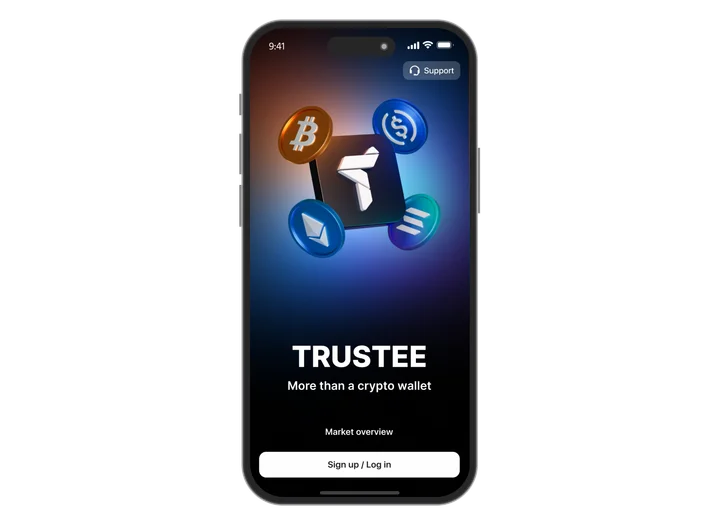
Let’s look at each sign-in method in more detail:
Sign-in by phone number
One of the most popular ways to sign in to a crypto wallet is logging in with your phone number. To access your account, you enter your number and then receive an OTP code or an automated confirmation call.
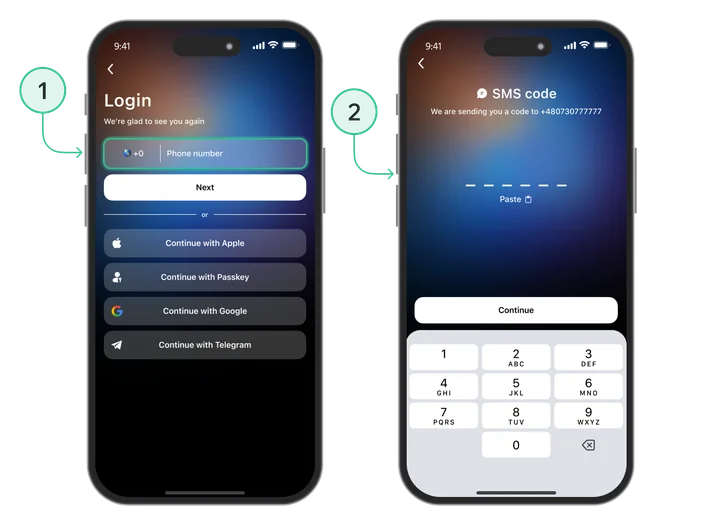
- Advantages: you use your own mobile phone number;
- Disadvantages: the OTP code often does not reach the user, you may have to wait a long time for the SMS, and this method is relatively easy to compromise.
Sign-in with Apple/Google
You can also sign in to the crypto wallet app using your Apple and Google accounts. To activate this sign-in method you need to link them to your account in Trustee Plus. There are two ways to do this:
Via the security settings:
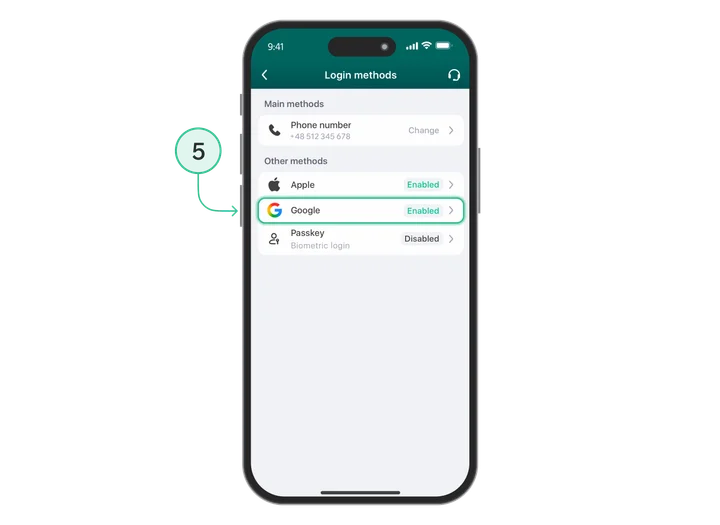
- From the main screen open the “Security” section and select “Login methods”;
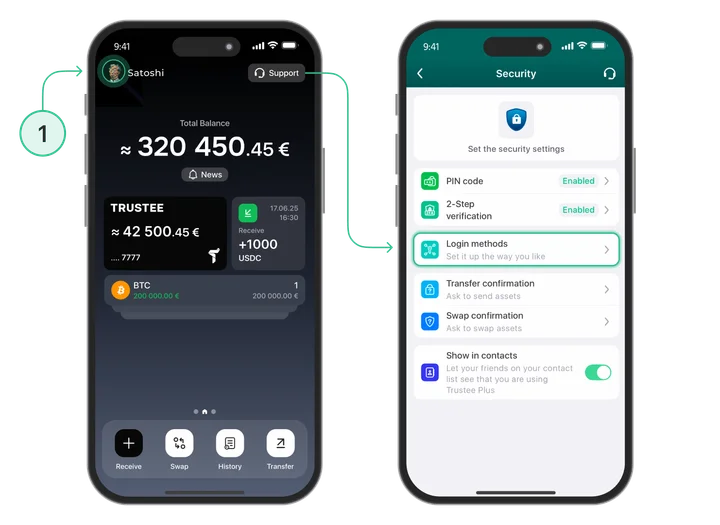
- Here tap Apple/Google;
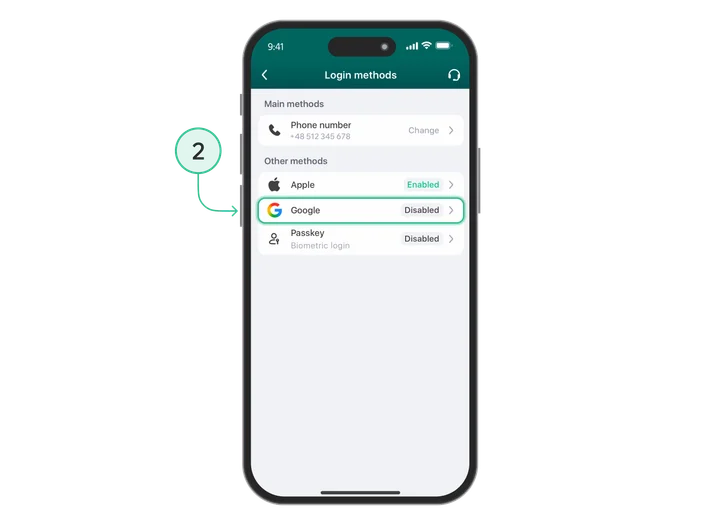
- Choose the account you want to link;
- Enter the code that will be sent to your email address;
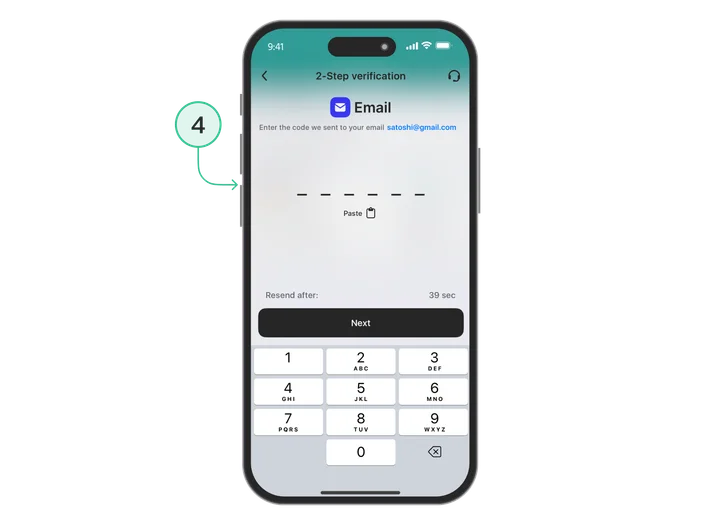
- You have successfully linked your Apple/Google account for signing in to your crypto wallet.
During sign-in to your account:
- When signing in again, select the “Sign in with Apple” or “Sign in with Google” method;
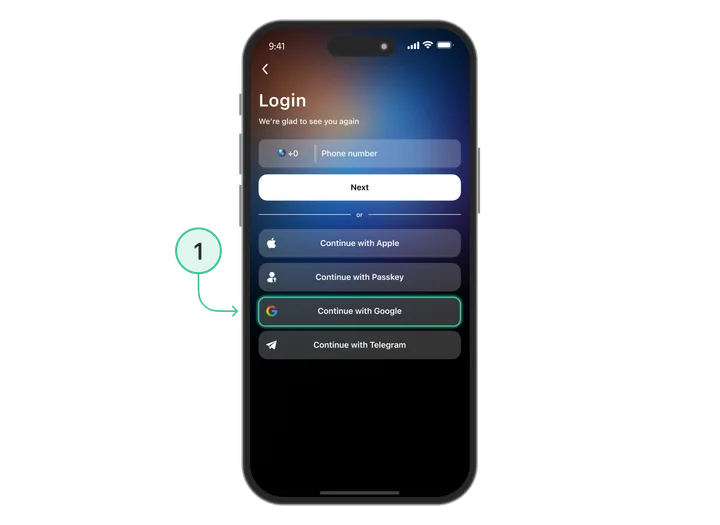
- Choose the account you want to link to your wallet account;
- Enter your phone number and confirm it so that we can link your accounts together;
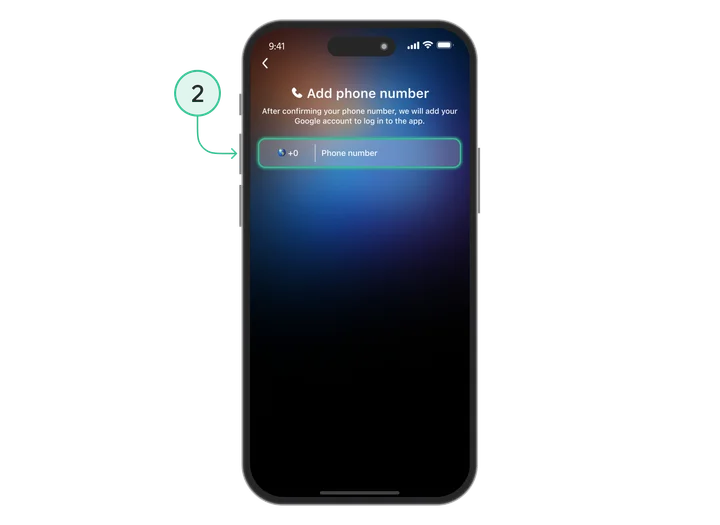
Your Apple/Google account has been linked successfully.
- Advantages: high speed and convenience, stronger protection (reduced risk of unauthorised access to your cryptocurrency wallet);
- Disadvantages: you must have an Apple or Google account.
Sign-in with Passkey
Passkey is a modern security standard that allows you to sign in to your crypto wallet account using cryptographic keys.
You can read more about how it works and how to connect Passkey in our blog.
To activate Passkey for the Trustee Plus crypto wallet as a sign-in method, you need to link its public key to the app in the “Security” section.
- Advantages: high speed and convenience, strong reliability, the private key cannot be transferred, phishing protection, passwordless sign-in;
- Disadvantages: risk of losing access when using hardware security keys such as YubiKey.
FAQ (Frequently Asked Questions)
Why am I not receiving the OTP code?
Possible reasons include: delays at the mobile network operator, roaming, an unstable signal or SMS being filtered as spam. Try requesting the code again or use the confirmation call.
Can I sign in to my account without a phone number?
Yes, if you have set up sign-in via Apple, Google or Passkey. However, you must first verify your phone number so that your account can be linked to the selected sign-in methods for your crypto wallet.
Is it safe to link Apple/Google?
Yes. Sign-in via Google and Apple is protected by their own security systems and further strengthens the protection of your crypto wallet.
What happens if I lose the device with my Passkey?
You can:
- sign in using an alternative method (by phone number, via Google or Apple);
- after signing in, create a new Passkey for future authorisation.
Can I use Passkey without enabling 2FA?
No. First you must activate two-factor authentication. Only after that will you be able to enable Passkey as the main secure sign-in method for your crypto wallet.
Why is Passkey better than OTP?
An OTP code can be intercepted, substituted or stolen via a phishing site.
Passkey uses a cryptographic key for sign-in that is never transmitted outside the device, so phishing is technically impossible.
Can I sign in from several devices?
Yes, you can sign in from any device — by phone number, via Google, Apple or Passkey, as long as the selected method supports synchronisation between devices.