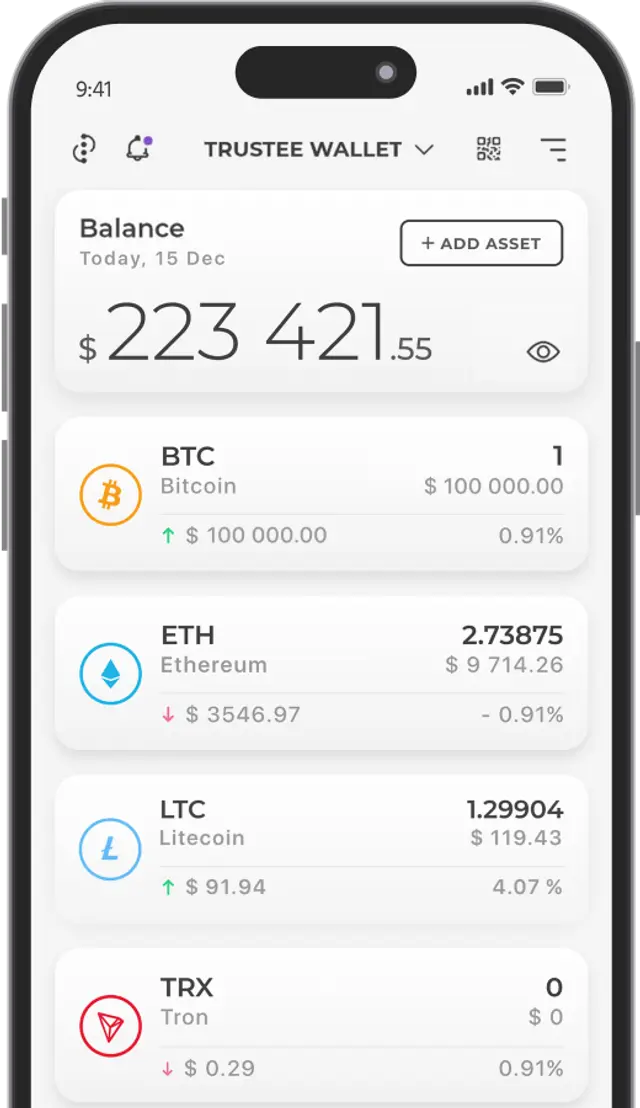


The Number of Bitcoin Users and Transactions is Constantly Growing, which along with other factors creates additional load on the network. As a result, miners cannot process all transactions in time, they accumulate in a queue, and transfer times increase significantly.
Don't expect the situation to improve in the near future as Bitcoin demand will only keep growing. In this article, we'll explain what determines transaction processing time and show how to speed up stuck Bitcoin transactions using Trustee Wallet.
Factors Affecting Bitcoin Transaction Speed
1. Transaction "Weight"
We've previously explained what Bitcoin is and how network fees for transactions are determined (don't confuse these with bank or Bitcoin wallet fees - here we're talking about network fees paid to miners).
In short, each planned transaction has a certain "weight" in bytes that directly affects its cost and processing speed. The transaction weight includes (with approximate byte sizes shown opposite):
-
Number of inputs (addresses from which crypto assets were received) — ~148 bytes
-
Number of outputs (addresses to which crypto assets are sent) — ~34 bytes
-
The transaction itself — ~10 bytes
So if you received 1 BTC from ten addresses, the number of inputs is calculated as:
Input (in bytes) = 148*10 = 1480 bytes.
The number of outputs is calculated similarly, remembering to account for "change". That is, if you're sending part of a coin to 1 address, you'll necessarily receive change back to your own address. Thus, the number of outputs will be two - one for sending plus one for change. By adding all parameters, users can determine the number of bytes, i.e., the transaction weight.
2. Mempool and Transaction Speed
Every Bitcoin transaction must be confirmed by miners who receive a fee for each validation. For this, the user must determine the current data transfer cost in the network (satoshis/byte), create the transaction, and send it directly to miners in the Mempool.
All transactions in the mempool are then ranked by the size of the set fee, forming a so-called "queue". Confirmation speed depends on the total number of transactions and fee size: the higher it is in the queue, the faster it will be included in a block and thus confirmed.
How to Determine the Optimal Fee Size
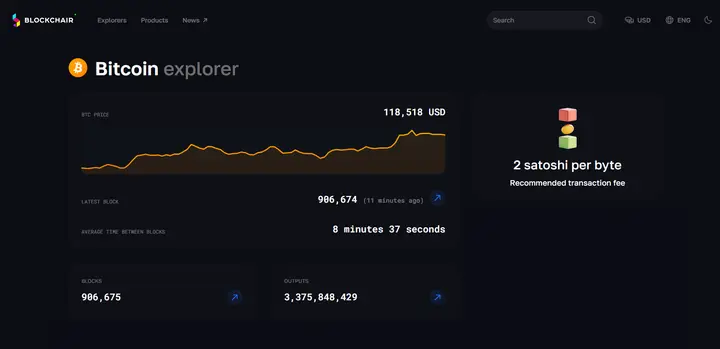
The current price per byte can always be checked in a block explorer, for example at: blockchair.com/bitcoin.
Different services offer different ways for users to pay network fees. Some set fixed fees that are often higher than current rates, while others leave this function entirely to users. At Trustee Wallet, we offer users three fee types plus the option to set network fees manually.
When sending, users can choose any of the suggested fees, which will naturally directly affect transaction speed:
-
Slow
-
Medium
-
Fast
The options show the price per byte, fee cost in Bitcoin and fiat ($). These options are automatically calculated by the app based on transaction weight information and current network load taken from public sources. With Trustee, everything is extremely simple, clear and understandable!
In this same tab, you can set fees manually, with users able to set any value - either higher or lower than recommended. After selecting a fee, just click Send and the transaction will enter the Mempool where it will be conditionally assigned a queue number.
With low network load, the transaction will simply enter the next block, and the operation may take 10-30 minutes or several hours. However, during sudden activity spikes when Bitcoin's exchange rate changes sharply, fees can instantly multiply and remain high for an extended period. In such cases, transactions may get stuck for several hours or even days, which is particularly unpleasant as coins remain conditionally locked in your wallet balance all this time.
Options for Stuck Transactions. Replace-By-Fee Function
For unconfirmed transactions, you have the following options:
-
Wait for confirmation (this could take days, weeks, or even forever)
-
Wait for the transaction to "cancel". This happens when most nodes decide to "drop" the transaction from the mempool. After this, Bitcoins become available again (there's no exact time for this, but statistics show it typically takes about 3 days)
-
Increase the fee for an existing transaction while it's still in the mempool (Replace-By-Fee function)
Replace-By-Fee (RBF) is editing an existing transaction in the mempool. This means the new transaction will use the same inputs and outputs as the old one, but with a changed fee. Bitcoin network nodes perceive the edited transaction as the old one and move it to more attractive positions for miners in the mempool queue.
If a transaction is "stuck" due to low network fees, using RBF is the optimal way to speed it up. Note that this function is only available in a limited number of crypto wallets. Trustee Wallet has it and it works very successfully.
How to Use Replace-By-Fee in Trustee
Currently, all outgoing Bitcoin transactions in Trustee can be accelerated. However, before sending Bitcoin, it's better to check this setting:
-
Go to Settings in the Bitcoin tab (4 dots in the top right corner)
-
Check that "Editing unconfirmed transactions" is active (the corresponding slider should be on)
-
We also recommend activating "Use unconfirmed transactions" - this allows using incoming Bitcoins that haven't been network-confirmed yet, plus sending a queue of outgoing Bitcoin transactions one after another
How to Change Network Fees for Bitcoin Transactions
-
Return to Transaction History (Bitcoin tab)
-
Select a transaction with "Processing" status and click "Accelerate"
-
In the window that opens, use the Gear button to manually set the current price per byte or choose from suggested options (as mentioned earlier, current prices can be checked at blockchair)
-
Click "Send". A new transaction will be created to replace the previous one in the mempool
Now the new transaction details will show two hashes - one old (inactive) and one current (with increased fee). This again confirms Bitcoin protocol reliability and the absence of "double spending" when increasing fees.
We also recommend using Segwit addresses for receiving and sending Bitcoin as they're lighter and cheaper than Legacy address transactions. We've detailed the differences between these address types in our article "From Legacy to Segwit".