

In classic detective stories, the criminal always leaves a trace or a clue. They make a mistake, slip up, panic, or do something unnecessary — and there they are, in handcuffs, detained by the authorities.
But with cybercriminals, unfortunately, things are a bit different. They do not kick in doors, tamper with locks, or leave fingerprints everywhere. Instead, they operate via messages, IP telephony, proxy servers, and other anonymisation tools, including the dark web. That makes them much harder to track down and catch.
Usually it looks harmless. You glance at your phone and see something like this:
At first glance, it even looks caring. But that is exactly where the trap is.
In reality, fraudsters rarely start by hacking the bank. They start by creating a sense of urgency. And you hand them the keys yourself: you enter details on a fake website, read out a code, confirm something — supposedly for security. One wrong move, one click, one drop of extra trust — and the trap snaps shut.
Banks’ digital security is usually strong. But there is one weak spot that no update can fix: your phone, your password, and how you behave when you are stressed. This is where most attacks happen — quietly, quickly, and almost unnoticed.
In this article, we will discuss how bank phishing works, how social engineers operate, how to keep your bank card secure and make mobile banking safer, how to pay online without risk, and what to do if you have already found yourself in a difficult situation.
Main threats: how money is usually stolen
Phishing and fake login pages
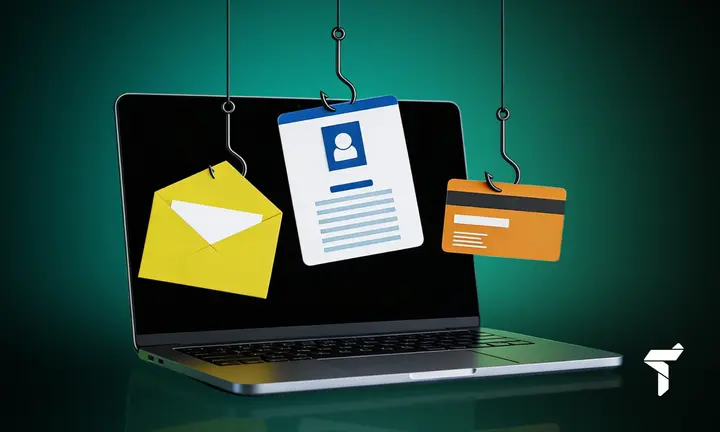
Bank phishing is an old but still effective fraud scheme aimed at stealing money. Criminals clone bank websites and lure you there with urgent messages — via SMS, email, or messengers. You may not even notice when you enter your login and password on a fake page.
How to spot scammers and protect your money on your card:
- The website address is slightly different from the real one (for example, instead of revolut.com you see revalut.com or revolut-bank.com).
- They try to scare you by saying your account will be blocked tomorrow!
- The SMS contains a suspicious link. Real banks do not do this; they ask you to open the app yourself. Most likely, it is a phishing attempt.
- They suddenly ask for your CVV and PIN. Banks already have this information — scammers are the ones asking you for it.
- The text contains lots of mistakes, and the design looks unusual.
Why should you not open suspicious links?
Even if you do not enter anything, there is still a risk of catching a virus or “handing over” your browser cookies to criminals.
Social engineering and fake “security team” calls
Social engineering is psychological manipulation used to pressure people into taking certain actions or revealing confidential information.
Heard of this? Here are a few typical schemes:
-
Suspicious activity
“Someone is trying to withdraw €5,000 from your account! Was that you?” Of course you will say, “No!” And they reply, “Then quickly read out the SMS code so we can block it!”
In reality, it is the confirmation code for transferring your money.
-
Transfer to a “safe account”
Call: “Your account has been hacked! You need to urgently transfer your money to a temporary, super-secure account before the hackers steal everything!” And then, in a panic, you transfer money to the scammers yourself.
-
Remote access
“We will check everything now! Install AnyDesk / TeamViewer.” And as soon as you do — congratulations, the scammers have full access to your phone or computer.
How should you act correctly in situations like this? The algorithm is very simple:
- Hang up.
- Open your bank’s official app.
- Call the bank using the number printed on your card.
SIM swap and malicious apps
SIM swap is when a fraudster gets a duplicate of your SIM card and steals your SMS codes. Unfortunately, nobody is fully protected from SIM cloning. There are many ways to do it — from using specialist hacking devices to collusion with mobile network staff.
How can you counter criminals and protect money on your card?
If possible, replace or supplement SMS with other authentication methods:
- authenticator apps (Google/Microsoft Authenticator);
- hardware keys (YubiKey);
- biometrics (Face ID);
- push notifications in your bank’s app.
Malicious apps
Another common method used by scammers is the distribution of malicious apps.
These may be fake or specially modified programmes that look harmless but are actually designed to bypass security systems and steal your data: passwords, confirmation codes, card information, or access to online banking.
Malicious apps usually include:
- fake banking apps downloaded from unknown sources;
- Trojans disguised as games or useful utilities;
- fake critical updates installed via unclear links.
Data leaks and virtual cards
When we hear about scammers, we inevitably ask: where do they get users’ details such as names and addresses?
Most often, information reaches criminals through:
- hacked online shop databases;
- ATM skimming;
- dishonest service employees;
- phishing websites.
How can you protect online banking?
Digital security specialists have long developed effective protection tools. But unfortunately, most users simply ignore them.
One simple and effective tool is virtual bank cards, which almost every bank offers today.
Why is this convenient and secure?
- A separate card for each service.
- The ability to set spending limits.
- Easy to block with one tap.
Basic bank account security setup
A bank account is not just debit and credit. It also offers many options related to mobility and online access.
But experience shows that this access is often abused. In today’s reality, fraudsters rarely steal money directly from banks — finding “holes” in mobile banking systems is difficult, expensive, and risky.
It is much easier to trick an ordinary user who takes security lightly: they do not configure protection, neglect passwords, and do not read alerts.
So, to avoid crying over lost money later, it is better to enable a few simple settings in online banking right away. It is like fitting an extra lock on the door — it certainly will not hurt.
Super password
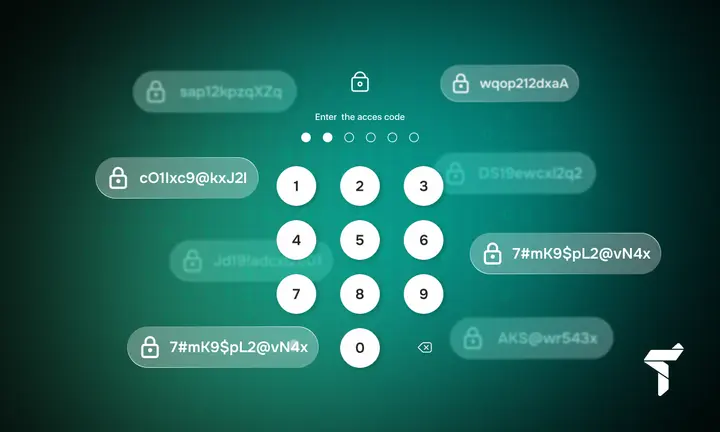
At least 12 characters, combining letters, numbers, and symbols. It is very important — create a separate password specifically for your bank and store it in a safe place, for example in Bitwarden or 1Password.
- The most reliable option is an authenticator app (for example, Google Authenticator). Two-factor authentication for secure banking is a must-have;
- An alternative is push notifications;
- Biometrics are great too;
- SMS is a backup option if nothing else is available.
Who logged in and what did they do?
From time to time, check which devices currently have active sessions in your bank account. If you see an unknown device — raise the alarm immediately. Always review your login history.
Notifications are your friend. Enable alerts for all important actions:
- Login from a new device;
- Any money transfers;
- Password or settings changes;
- Suspicious login attempts or password guessing.
Limits mean peace of mind
Set daily transfer limits. Also make sure large amounts require additional confirmation.
Be sure to enable:
- a maximum amount per transfer;
- a daily limit on operations;
- confirmation for large amounts (for example, via 2FA or biometrics).
This way, even if criminals gain access to your account, you will not lose all your money, only part of it — within the set limits. Unpleasant, but better than losing everything.
Everyday card security
Online payments
Online payments have become a very common way to pay over the last few decades. Many people ask: how can you pay online safely?
Here are a few tips to avoid falling for scammers:
- Get a separate card for online purchases. Yes, a virtual one is almost an ideal option.
- Always check the website address bar: it should show HTTPS and a closed padlock icon.
- Check the domain name — no typos, suspicious symbols, or dashes.
- The website should list the retailer’s contact details. If they are missing, that is a warning sign.
- Use 3D Secure — extra protection when confirming payments (code, push notifications, biometrics).
Offline payments and ATMs
Despite the rapid growth of online payments, offline payments and ATM use remain an important part of financial life. That is why it is also vital to stay alert and follow basic security rules.
For example, when you pay or withdraw money at an ATM:
- Cover the keypad when entering your PIN.
- Never hand your card over to waiters or cashiers. Pay yourself — in plain sight.
- Inspect payment terminals — look for suspicious parts, overlays, or extra devices used for skimming.
- Withdraw cash only from ATMs located inside bank branches.
Subscriptions and recurring charges
Subscriptions or recurring charges are regular automatic payments taken from your card or account on a schedule (for example, monthly or weekly) without having to confirm each payment every time. These can include video services, cloud storage, music streaming platforms, mobile apps, online courses, and so on.
All these subscriptions seem convenient, but sometimes they are exactly how money slips away. It feels easy, but you may forget about a service and it quietly keeps taking payments. So, to avoid surprises, check your subscriptions in your banking app from time to time. Trust us, you will almost certainly find at least one subscription (or more!) you forgot about long ago.
Your phone and number are the weak link
They are effectively the key to mobile banking security, which is why they often become the weakest link in the protection system. To keep your money safe, make sure you protect them properly. It is like a house key — you must not give criminals a single chance.
Here are a few tips:
- Set a PIN on your SIM card;
- Enable extra protection with your mobile network;
- Use a strong phone passcode or biometrics;
- Set up automatic screen locking;
- Disable preview of bank message text on the lock screen.
How to spot scammers in 30 seconds
There are plenty of scammers in the world, just waiting to exploit your weak points — urgency, fear, or the desire to fix the problem quickly before it gets worse. To avoid trouble, keep a simple checklist in mind. In half a minute, it will help you understand whether someone is trying to manipulate you or the threat is real.
Red flags! Stay alert:
- Time pressure: “Your account will be blocked if you do not do this right now!”
- They ask for codes, passwords, or PINs.
- They ask you to confirm an unusual transaction.
- They tell you to install an app or give someone access to your device.
- They ask you to transfer money to a “safe” account.
- They send suspicious links in messages.
What to do to avoid trouble:
- Hang up or simply ignore the message.
- Open your bank app yourself, without clicking any links.
- Call the bank using the number listed on the official website or printed on your card.
What to do if something suspicious has already happened
If you have still fallen for scammers who stole money from your card or pressured you into doing something at their request, do not waste time.
Immediate actions (5 minutes):
- Freeze your card in the app.
- Disable online transactions.
- Change your password.
- End all sessions.
Next steps (within an hour):
- Check devices for unknown sessions.
- Contact support via an official channel.
- Review your transaction history.
- Enable additional confirmations.
Recovery (over the next few days):
- Take screenshots as evidence.
- Scan your device with antivirus software.
- Update all software.
- Regain control of your phone number or email address.
Common mistakes that cost you dearly
Card fraud and bank account scams most often happen not because of hackers, but because of simple things we overlook. When the same password is used everywhere, photos and notes with card details are always within reach, and we trust unknown callers more than we should — it becomes much easier for criminals to deceive us. And if you also delay app updates and do not pay attention to confirmation codes, the risk of losing money increases many times over.
Remember and never make these common mistakes:
- One PIN for everything (card, SIM, phone);
- A photo of the card in your gallery, CVV in notes;
- Trusting incoming calls;
- Paying from your main account without limits;
- Ignoring updates;
- “I’ll forward the code — it’s fine.”
Conclusion
Protecting your funds on cards and bank accounts is serious business. It should be treated with the same care and seriousness — especially as it is not as difficult as it may seem. It is enough to build a few useful habits: use strong passwords, two-factor authentication, keep a separate card for online payments, and stay cautious with suspicious calls.
Stay alert, look after your digital security — and your money will always be in safe hands.
FAQ
Which is safer: SMS codes or an authenticator app?
An authenticator app, of course. It is far more reliable than SMS, which can be stolen via SIM swap or code interception.
Can you get your money back after a fraudulent charge?
Yes, you can try via chargeback, but it does not always work. You should notify the bank immediately (within 24 hours) and submit the relevant claim. The review can take from one to three months.
How can I tell if my phone is infected?
It overheats, drains quickly, strange apps appear, you see ads, or there is unexplained data usage. Scan your phone with antivirus software and remove suspicious apps.
Should you save card details in the browser?
We do not recommend it. But if you do, at least use a master password, do not save the CVV, and only do it on your personal phone or computer.
What should I do if scammers know my card details?
Block the card immediately and order a new one. Check for suspicious transactions and dispute anything that looks questionable.
How can I protect myself from “calls from the bank”?
Do not trust anyone who calls you. Hang up and contact the bank yourself using an official number.
Why is public Wi-Fi dangerous for banking?
Your data can be stolen. Do not use banking apps on public Wi-Fi, or at least use a VPN.
How often should you change passwords?
Create a strong (12–16 characters) unique password and do not change it without a reason. Only change it if you learn about a data leak or suspect your account has been compromised.